First steps
There are basically two versions of the PortaPack. If you have one that looks like the one below, you have the H1.

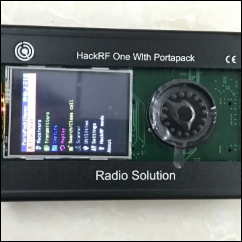
The H2 is a slightly improved version, but the people making this copy never published the source, hence breaking the license terms. It looks like this:
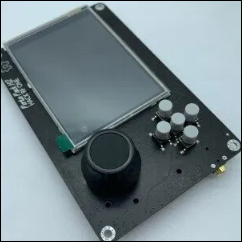
The main difference are the controls and the screen, but the H2 usually has extra circuitry to manage the battery charging and powering on/off. In this document, there is a brief description about the details. Check a more technical comparison here.
The original H1 powers instantly when you plug a power supply to the USB port. To turn it off, just unplug it. Similar to the issues with some USB cables while upgrading the firmware, the quality of your cable might affect the performance.
To power on/off the H2, you need to hold the middle button (knob or pushbutton) for few seconds.
This version can charge the internal lipo battery via the USB. There is a led indicator that turns off when the charging is done, but it might flicker.
An internal battery between 1000 and 2000 mAh should last a couple of hours of use, depending for how long you are transmitting. The standby consumption is very low, around 52 µA, so you do not need to worry to remove/disconnect the battery in normal circumstances.
