Saved Views
Search, facets, field filters and sort live in the session only — every Monday morning, anyone who opens the file with the same question rebuilt the same combination by hand. Saved views turn the recurring question into a one-click selection.
Each view is a named bundle of four things:
- query — the text in the global search box, case-insensitive.
-
filters — the field filters below it. A filter is
{ field: spec }; aspecwith onlyvsets the matching facet on or off (single value), aspecwithopsets a field filter (contains for text, ranges for number/date, multi-select for enums). -
sort —
{ key, dir }, withdireither1(ascending) or-1(descending). - entity — optional, points at the entity the view belongs to when the tool has more than one. Reserved for a multi-entity extension; in a single-entity tool it can stay unset.
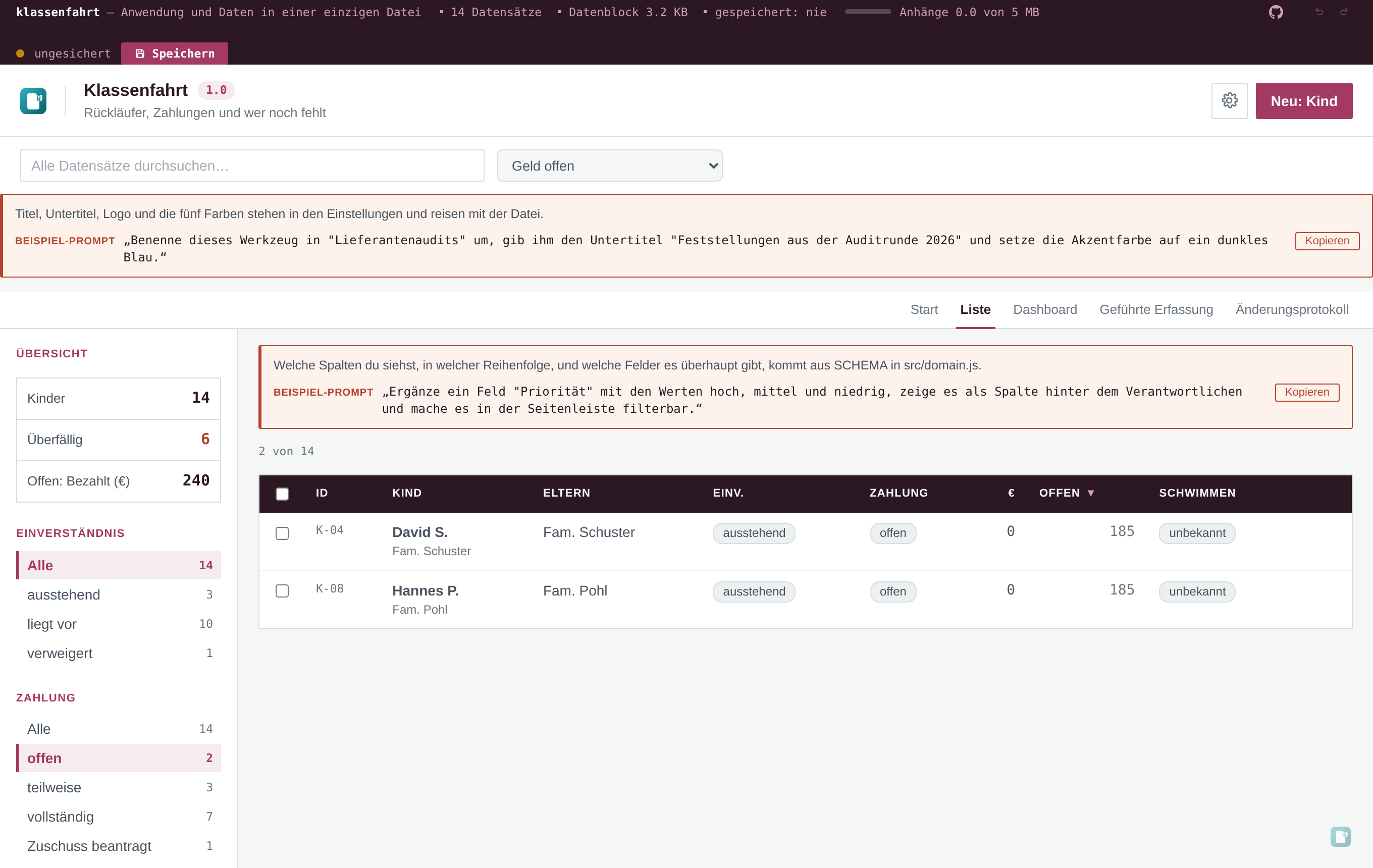
A view lives at the list head as a dropdown next to the search box. Choosing one mirrors its values into the running session — query, facets, field filters and sort — and the list updates from there. Typing in the search box or clicking a facet again drops the saved-view state: the dropdown shows "no view" until you pick one, which is the visual signal that what you see is no longer the saved combination.
Two sources, kept on purpose:
-
SCHEMA.views— the catalogue the tool ships with. The schema author declares the combinations their tool is useful for. These arrive with the build, are read-only and survive rebuilds. -
settings.views— what the recipient has actually used. The schema views are a fallback; anything renamed, added or deleted by the recipient lives here. Both lists merge into the dropdown: same name = stored view wins, otherwise the entry comes from whichever list has it.
That split exists for two reasons the schema alone cannot solve: the schema file becomes read-only the moment it ships, and the same view in two files has to merge by name on the rare occasion the file is reconciled.
Settings → Application → Saved views carries a small editor. From here the recipient can:
- Rename a view inline. The name is the key — two views that differ only by case are the same view.
- Delete a view. Deleting it from the catalogue is permanent for the file; the schema authors cannot undo it remotely.
- Mark one as the start view with the "Open with this view" toggle. An empty start view means the file opens at its house defaults.
- Capture the running state into a new name. The capture button lights up only when there is actually something to capture — the list, the search and the sort differ from the file's defaults. The new view is stored immediately and survives save and reopen.
A start view behaves like mode: 'intake' opens the file in the wizard: it is an opinion, set
once and trusted by everyone who opens the file from then on.
The session-only lifetime is the point, not an accident. Search, facets, field filters and sort were deliberately not written to the payload — a filter that survived a save would be a stale filter on the day the schema changed a value list, and the recipient would notice that one Monday morning in a steering committee.
Saved views draw the line differently: only the named combination persists, not the live state. Open the file with a different question, the live state is open. Save and reopen, the live state stays open. The saved view is a fresh start, not a sticky filter.
When two copies of the file come together (Merge a file in the sidebar, or Settings → Data),
two outcomes are worth knowing:
- Two files with disjoint view lists end up with the union — nothing is lost on either side.
- Two files with the same view name end up with the other file's last edit. A rename or delete in one file is just a new entry from the other side: there is no delete signal across files, because the recipient who never saved a view also never had a chance to delete it.
The merge is in src/lib/merge.js and the caller's side is one line: applyMerge takes an
optional { views: { mine, theirs } }, runs mergeViews and returns the merged list alongside
the data.
The school trip demo ships with three views and the editor:
- Alle — reset, sorted by name.
-
Zettel ausstehend — quick filter set to
consent: ausstehend. -
Geld offen — quick filter set to
payment: offen, sorted by the computed open amount descending.
The recurring Monday-morning question ("whose form is still missing?", "who has not paid?") is now two clicks and not thirty.