Repository navigation
Release and Security Notifications
Keep track of new Magento Open Source, Adobe Commerce, and Mage-OS releases and security advisories while you work in your IDE. The plugin detects the edition and version in your project and shows separate release and security notifications.
Available since 2026.3.4 in all supported IDEs, including PhpStorm, IntelliJ IDEA with PHP support, and supported non-PHP IDEs such as WebStorm. 2026.3.4-p1 improves recognition of monthly fixes applied through Cloud Patches.
- Open Settings / Preferences and search for Magento.
- Enable Magento integration and select your Magento project root if it is not already configured.
- Leave Check for releases and security advisories automatically enabled for checks when you open the project and then every hour.
- Apply your settings. Click Check Magento updates, or use Tools → Check Magento Updates, whenever you want to check immediately.
Manual checks remain available when automatic checking is turned off. The settings button uses your saved settings, so apply changes to the root or feed URL first.
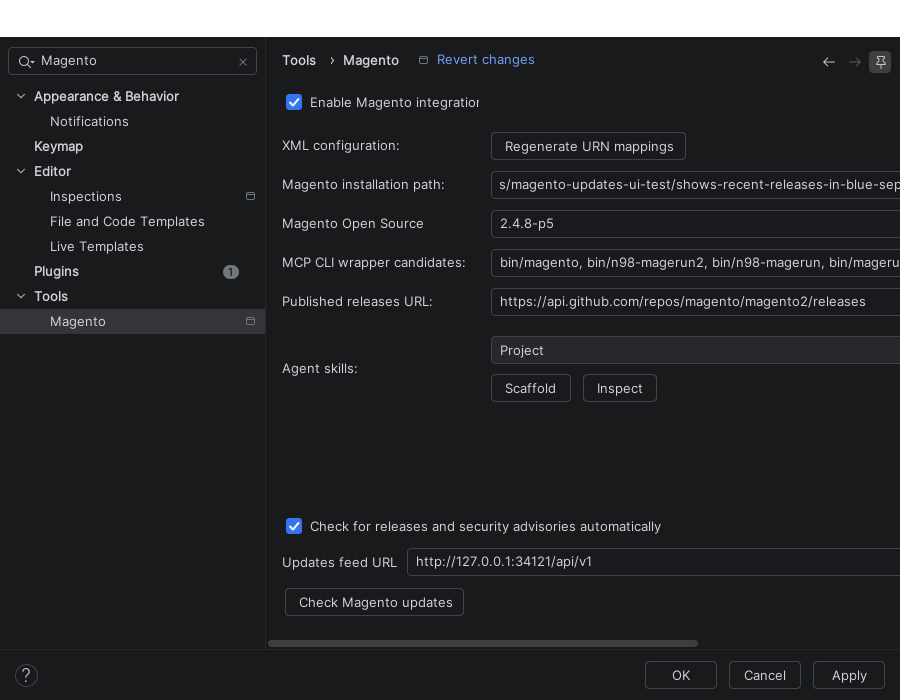
Released plugin in WebStorm. This demonstration uses a local sample feed; normally leave Updates feed URL at its default, https://magento.watch/api/v1.
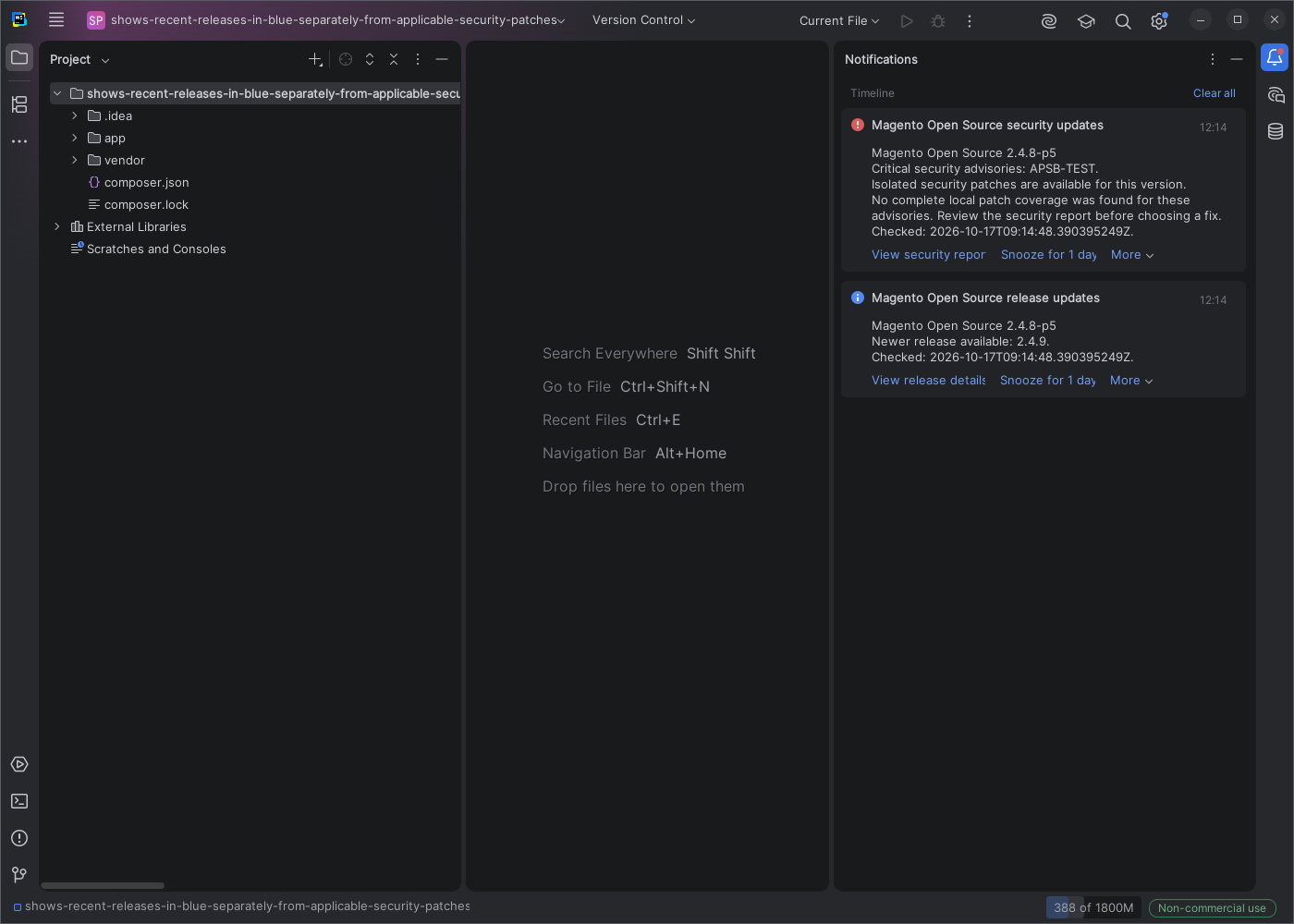
Demonstration project with sample release and advisory data. APSB-TEST and CVE-TEST-1 are test identifiers, not real security advisories.
| Notification | What it means | What to do |
|---|---|---|
| Release update — blue/information | A recent patch release or newer stable release is available for your distribution. | Choose View release details to review the release before planning an upgrade. |
| Security update — red/error | A recent advisory applies to your installed version and complete local fix coverage was not found. An isolated security patch can be relevant even without a newer version number. | Choose View security report to review the advisory and available fixes. |
| End of support — warning | Your version has passed its published end-of-support date. | Review the details and plan a supported upgrade. |
The report links open magento.watch. Notifications inform you about updates; they do not install upgrades or apply patches.
- Snooze for 1 day postpones the current finding. A different or newer finding can still appear.
- Disable automatic checks turns off background checks for this project. You can still check manually and turn automatic checks back on in Magento settings.
- Unchanged findings are not repeatedly announced by automatic checks.
The plugin considers installed fixes and supported local patch configuration, including Composer patches and Cloud patch configuration. Recognized coverage can prevent an already-addressed advisory from producing another alert.
With 2026.3.4-p1, monthly Cloud Patches fixes are checked across all applicable parts of the installation, including Commerce and B2B where present. Merely having the Cloud Patches package installed does not mean every relevant fix is applied. A resolved security notification is dismissed after a recheck confirms coverage.
After changing your patches or upgrading Magento, run Check Magento Updates again. Local configuration describes your project; the plugin does not verify what is deployed to production.
In 2026.3.4 / 2026.3.4-p1, release and security findings are limited to those published in the past month. No recent findings does not mean there are no older applicable advisories. Use the security report when reviewing the overall status of your version.
If security coverage is unknown, the result says so. If the feed cannot be reached, the plugin reports that update information is unavailable and retries; any reused cached result is identified as cached. Neither case should be read as a clean security result.
Source checkouts and development versions are skipped because they cannot reliably be checked as an installed release. If a manual check is unavailable, first verify that Magento integration is enabled and points to the correct project root.
The development branch adds a Published within selector: Month, Week, 2 days, or 12 hours, and shows the publication age at the start of release and security notices. The selected period applies to automatic and manual checks; background polling remains hourly. These controls are not part of 2026.3.4-p1.