Repository navigation
Connecting
When you initially start Teslaterm you need to specify how the UD3 is connected to your computer. This can be a serial connection using a USB cable for initial setup and debugging, an isolated (optical) serial connection, or a network connection using the Fibernet board.
For a serial connection you need to select either "Serial (Plain)" or "Serial (MIN)" as the connection type, see below.
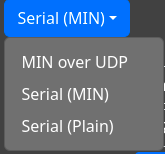
Irrespective of the other choices you need to specify the correct baud rate. The default value is 460800 baud in both Teslaterm and the UD3 firmware.
To specify the device you want to connect to you can either directly specify the serial port (e.g. COM1 on Windows
and /dev/ttyACM0 on Linux), or automatically detect the correct port based on the vendor- and product-ID of the serial
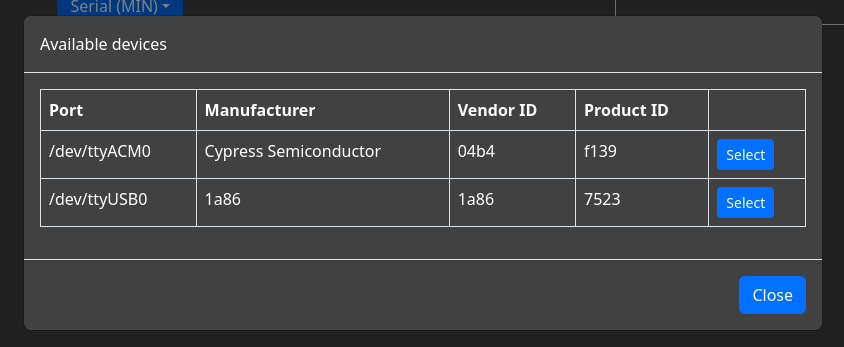
device. This is selected by the "Autoconnect" checkbox. You can either enter the IDs manually or use the "Show connected
devices" option to set the IDs based on one of the currently connected devices. Autoconnect is especially recommended
for connection presets as the exact port name can change with reboots.
A "plain" serial connection does not perform any error detection. Since any serial connection near an active DRSSTC will have a high error rate this mode is only recommended for debugging and initial setup. A MIN serial connection uses (a modified version of) the MIN protocol to handle transmission errors. Additionally, some features are only supported on MIN serial connections.
A direct USB connection to a UD3 is always a plain serial connection. On a newly configured UD3 the dedicated serial
port also uses a plain connection. After min_enable is set to 1 in the UD3 a MIN connection has to be used on the
dedicated port.
If you are using a Fibernet board, first make sure that you have enabled MIN on your UD3. Then select "MIN over UDP" as the connection type. If the Fibernet is correctly connected to your network it will be shown as a suggestion in the "Remote IP" field:

To show the suggestion list either start typing or press the down arrow key after deleting the contents of the "Remote IP" field. The remote port should always be 1337.
Instead of entering the connection information from scratch every time you can define "connection presets" that can be used to connect to a UD3 with a single click. To add a preset, enter the connection information in the usual form. Then enter a name for the preset on the right and click "Add preset". To connect to one of the presets simply click "Connect". If you want to create another preset based on an existing preset, use "Load" to load its settings into the main connection form.
