Repository navigation
UIOverview
After you have connected to your UD3 you should see the interface below:
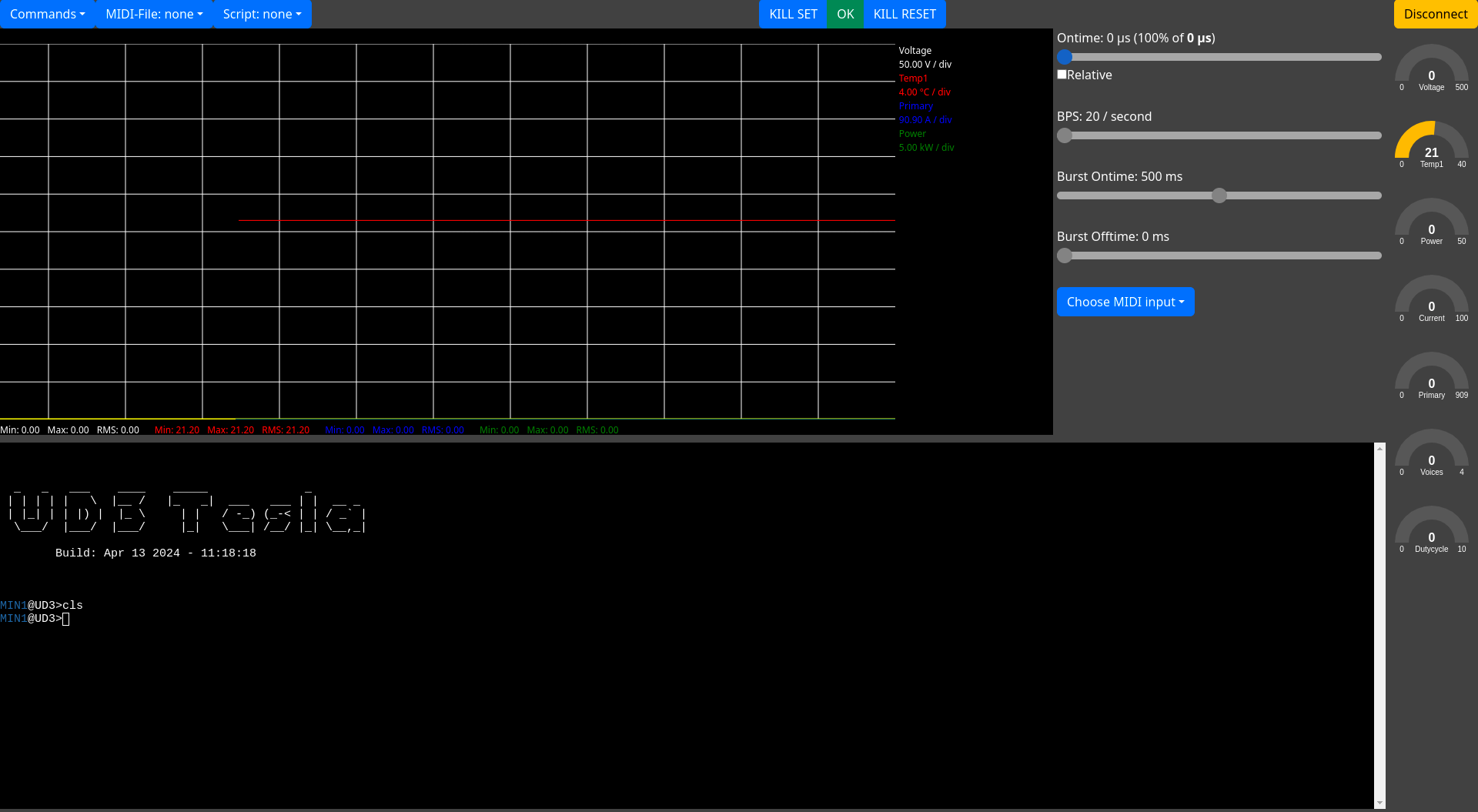
The main UI elements are:
- The menu at the top left: The Commands menu provides shortcuts for some important commands in basic coil operation, e.g. bus control. The other menu items are used for music and scripting (TODO link).
- The main terminal at the bottom: While many commands can be performed via the GUI, it is still useful to know how to use the UD3 terminal directly.
- The status- and disconnect button in the top right is mostly self-explanatory, you use it to disconnect from the UD3. If the connection to the UD3 is lost for some reason Teslaterm will attempt to reconnect, the button text will reflect this.
- The chart in the center and the gauges at the right show telemetry data provided by the UD3. Use the
telemetryUD3 command to select the telemetry values that will be shown. - The sliders on the right of the chart are similar to those on standard DRSSTC interrupters. This is called "TR" mode in the UD3 and related tools and can be enabled in the Commands menu. The Ontime slider is used in all modes.
- The killstate indicator in the top center: This acts as a "panic button". Pressing either "KILL SET" or the center
area ("OK") will cause the UD3 to stop all output and discharge the bus immediately. The center area will also show
"ERR" when the UD3 prevents output for other reasons. Use the
signalscommand in the terminal to see the reason for the error, and use "KILL RESET" to clear the error state if appropriate.