Repository navigation
Weeks
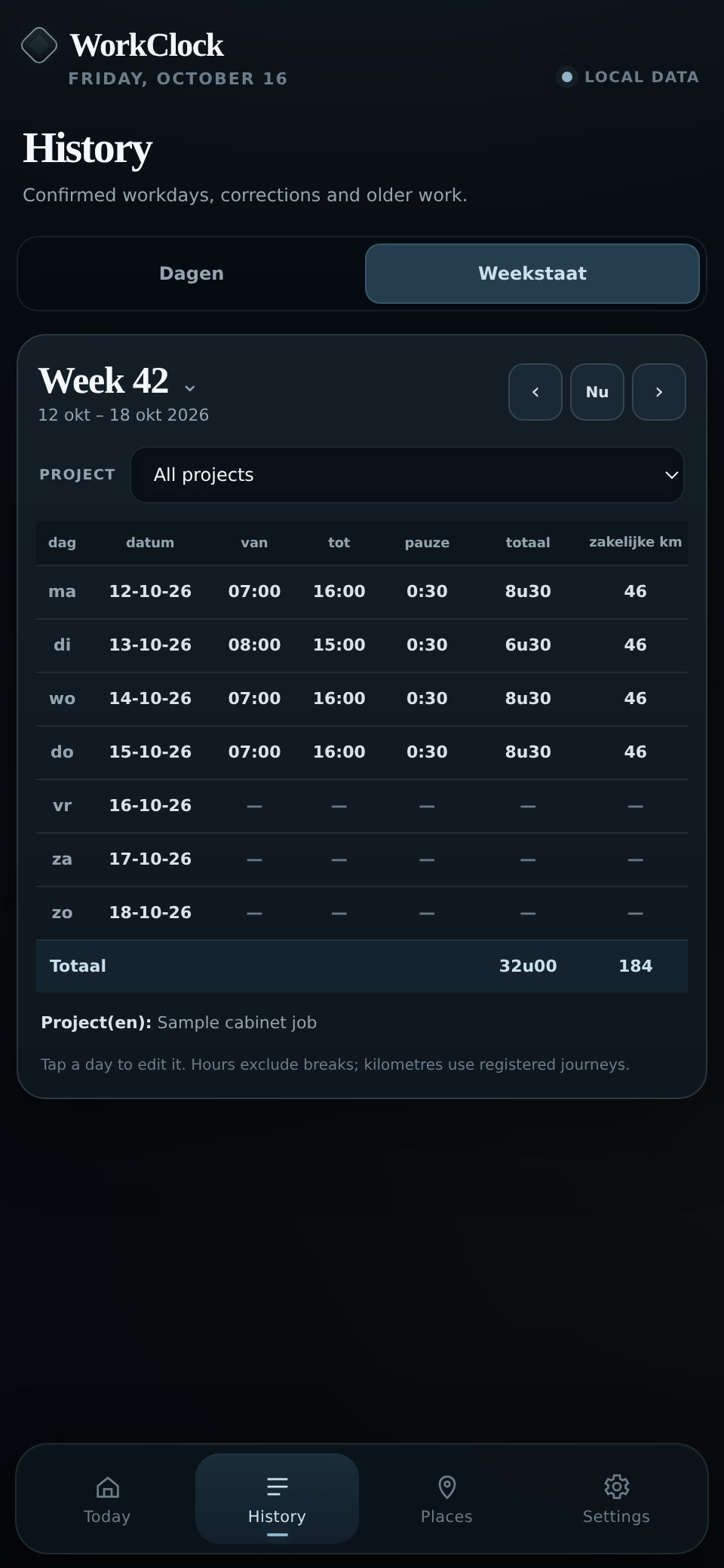
- Open History → Weekstaat.
- Use the arrows for the previous or next week. Tap Week 42 (or whichever number appears) to jump to another week.
- If you need hours for one job, choose the Project filter.
- Copy each row onto your paper work slip: day, date, start, finish, break, hours and kilometres.
The totals are at the bottom. Days without records show dashes.
Need to correct something? Tap the day's row to edit it. You can also switch to Dagen to see the full records.
Project filtering divides breaks proportionally between recorded project sections. Shared travel kilometres aren't assigned to a single project when a day contains several projects. Check these before copying a project-specific work slip.