OBS
Configuration page for one or more connection(s) to OBS Studio instance(s)
Adding at least one connection will allow you to control your OBS either through the various sub-actions that have been included, or via the Execute C# Code sub-action
Right-Click -> Add to define a new connection
Give it a name and set the IP address and Port number of the OBS Websocket
The Default values of 127.0.0.1 and 4444 will look for the out-of-box configuration for OBS installed on the same computer as CPH is running
Password Will not be required unless you have specified one in OBS
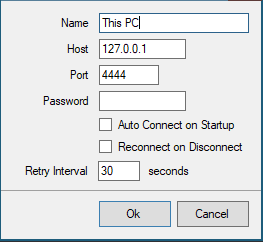
Connections can be configured to Auto Connect on Startup, and to Reconnect on Disconnect with a retry interval you specify in seconds
Once configured, connected OBS sessions will report their status on this screen
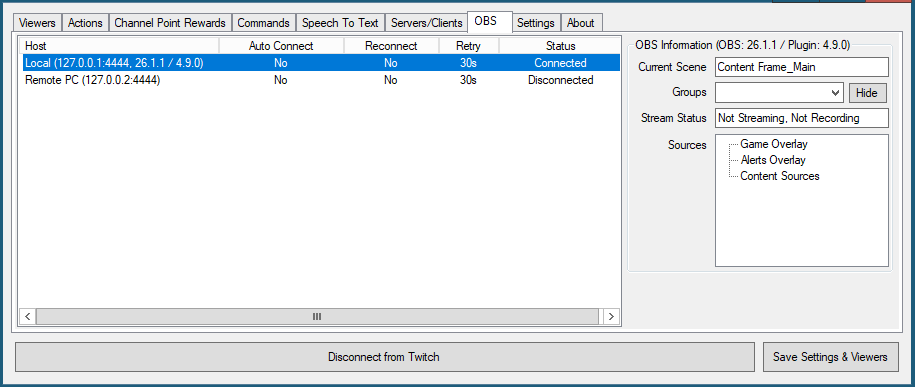
OBS Information
Shows the version number of OBS and the installed Websocket plugin
Current Scene
Shows the name of the currently broadcasting scene on that connection
Stream Status
Shows the status of current streaming and recording activity
Sources
Lists all sources present on the currently selected scene
- Emit OBS events, either raw for use with Execute C# Code, or broken down into the event type to assign different actions based on event