Link USB
The Link USB is a tool used to link certain blocks to other compatible blocks. Its functionality is similar to the Camera USB, but it is designed for different purposes.
When used, the Link USB will take damage, reducing its durability.
Some blocks can be copied from, while others are designed to store the copied data.
These blocks can have their information copied using the Link USB:
These blocks can store the copied data from a Link USB:
When right-clicking a compatible block with a Link USB, the following information is saved to the device:
- Dimension – The world or dimension the block is located in.
- Position – The exact coordinates of the block.
- Display Name – The block’s set name.
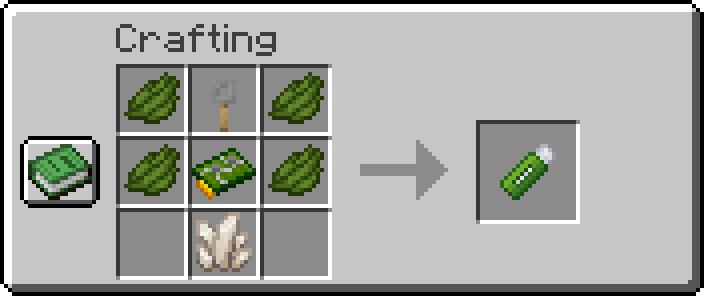
Camera USB:
-
x4Green Dye -
x1Nether Quartz -
x1Circuit Board -
x1Tripwire Hook
Full Breakdown:
-
x3Iron Ingots -
x2Copper Ingots -
x2Nether Quartz -
x6Green Dye -
x1Redstone Dusts -
x1Glass Pane -
x1stick -
x1plank
| Item | Namespace | Tag |
|---|---|---|
| Red Dye | c | dyes/green |
| Nether Quartz | c | gems/quartz |
| Trpiwire Hook | cctvcraft | components/tripwire_hook |
| Circuit Board | cctvcraft | components/circuit_board |
 |
|---|
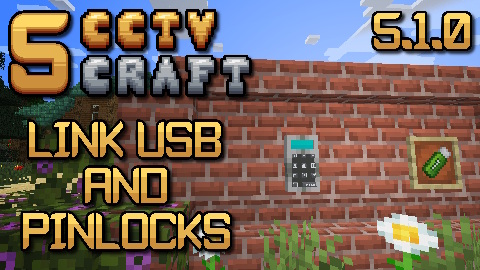
| CCTVCraft 5.1.0 - Update Video - Part 1 |
-
5.1.0- Added a new tool called Link USB
- Added support for secure doors, safes, hatches, and iron pinlocks.
- Added support for storing the block's dimension, position, and display name.


