What This App Registers On Your Apple Account
If you have landed here from your Apple device list, looking at something you do not recognise: this page is probably it. Do not remove it while you are using OpenTagViewer.
Search this page for the serial you are looking at:
| Serial | What it is | Safe to remove? |
|---|---|---|
0PENTAGVIEWR |
the OpenTagViewer Android app on your phone | ❌ no — it signs you out |
0PENTAGXPORT |
the OpenTagViewer desktop exporter, from the one time you ran it | ✅ yes, any time |
Neither is a real computer. Both are this project, signed in to your account so that it can ask Apple's network where your tags have been seen.
The difference is that one is still working and the other has finished. The exporter signed in once, wrote your zip, and has no further part in anything. The app's entry is your live session.
Apple names the entry itself, from the hardware a client claims to be. This project has to claim something — Apple's servers only speak to clients that look like Apple devices — so it claims a real model.
Both entries appear as a MacBook Pro running macOS. In the app's case Apple renders the model
identifier with its digits stripped, so MacBookPro13,2 is titled exactly MacBookPro — one word.
If you have used both the app and the exporter you will see two MacBook Pros you do not own. They claim slightly different macOS versions, which may help you tell them apart:
| Claims to be | Serial | |
|---|---|---|
| The app |
MacBookPro13,2, macOS 13.1
|
0PENTAGVIEWR |
| The exporter | a MacBook Pro, macOS 13.4.1 | 0PENTAGXPORT |
The serial is the reliable one. The version numbers are what each claims when it signs in; how much of that Apple chooses to show in the list is Apple's business and may vary.
The serial is the only part that tells any of this apart from real hardware, which is why it is a readable word rather than a plausible serial number. Apple accepts and displays it as given.
This is the exporter's entry, 0PENTAGXPORT — the one you can remove freely. The app's entry
looks the same, with the serial 0PENTAGVIEWR and macOS 13.1 instead, and is the one to leave
alone.
| In the device list | Opened up |
|---|---|
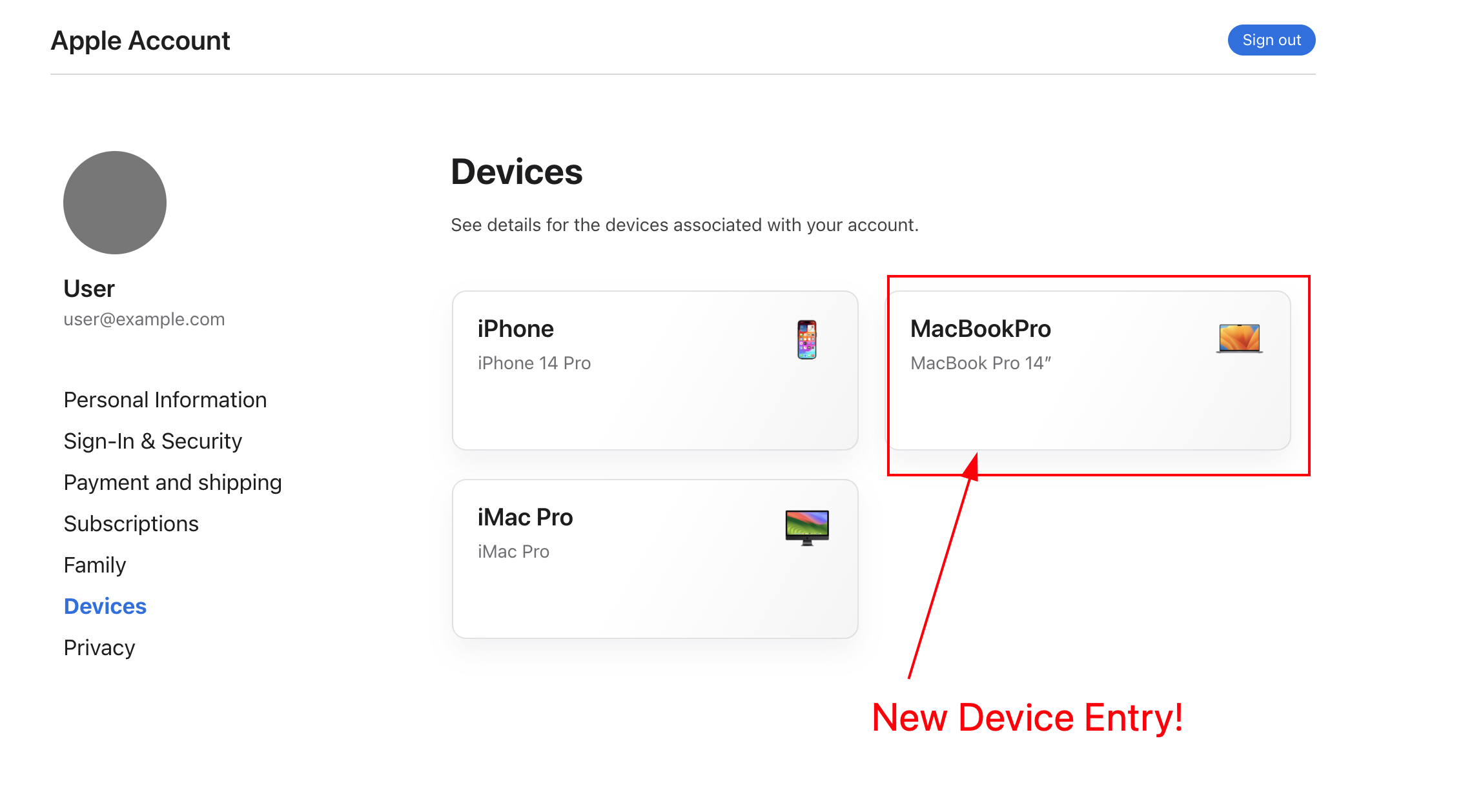 |
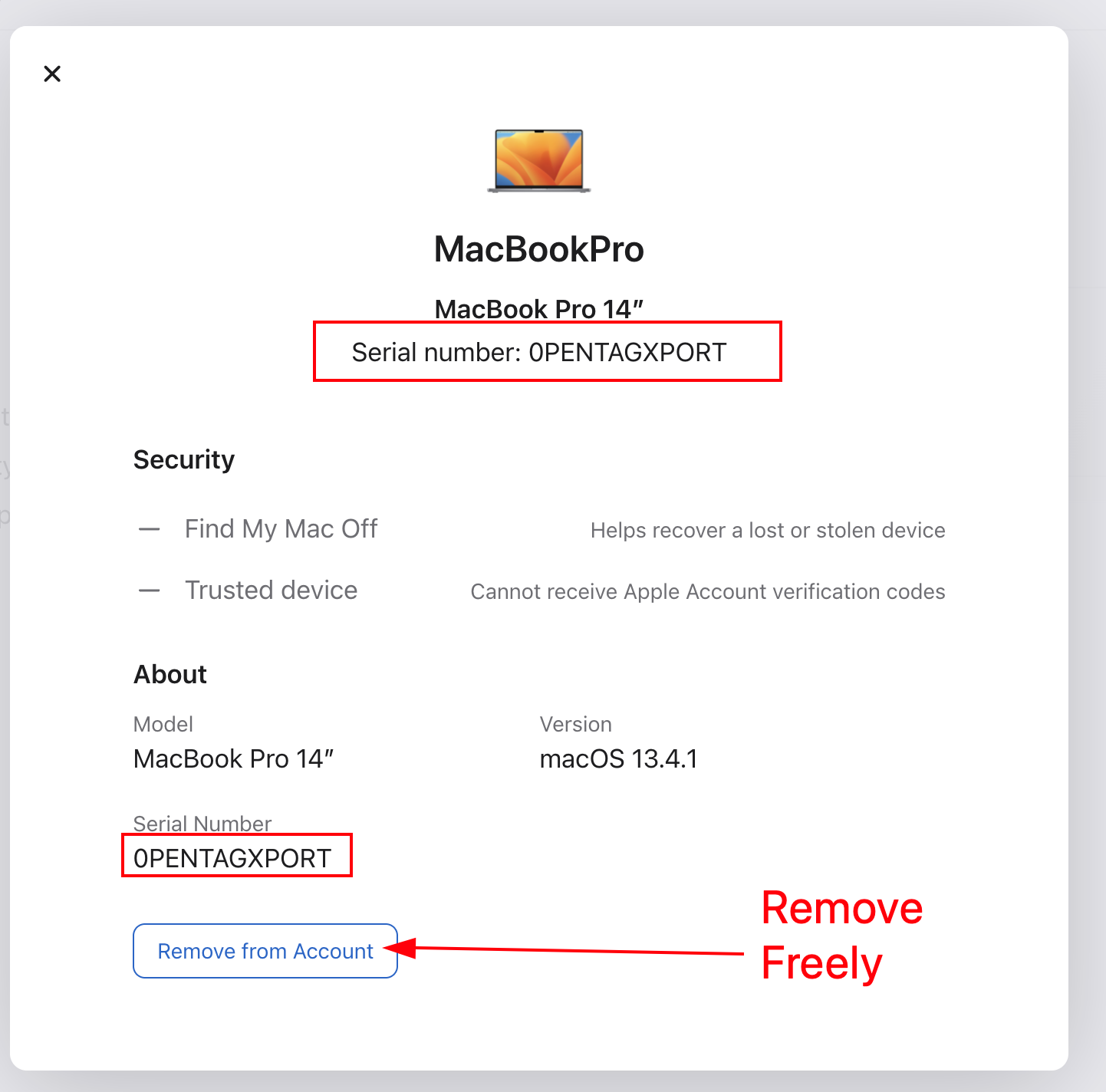 |
Note what Apple shows and what it does not: a model, a version, and a serial. Nothing says which program it is, or that it is not a real computer. The serial is the whole of the evidence.
Apple lists it beside "If you do not recognise this device", which is an invitation to tidy up. Removing it invalidates the app's session. Not "might" — that entry is the session. The app stops being able to read your tags and you have to sign in again from scratch.
Nothing is at risk from leaving it there. It is a sign-in, the same as every other device on your account, and it costs you nothing.
The exporter signs in, reads your tags, writes the zip, and is finished. It holds nothing afterwards and the app does not depend on it. Removing it breaks nothing at all — your imported tags keep working, because they are on your phone and no longer need that sign-in.
If you run the exporter again, it registers again. That is fine.
Every fresh install of the app adds one. Reinstalling, clearing its data, or moving to a new phone registers a new entry rather than reusing the old — Apple ties the entry to the identity established at sign-in, and a fresh install has a new identity.
Do not try to work out which is which by removing them and seeing what breaks. Removing the live one signs the app out, and there is no undo. If you cannot tell them apart, leave them: extra entries cost nothing, and an old one from a phone you no longer have is not doing anything.
If you are sure an entry belongs to an install you no longer use — a phone you have sold, for example — that one is safe to remove.
If you have stopped using OpenTagViewer, removing both entries is the right thing to do and nothing here objects. Your tags are unaffected — they stay registered to you exactly as before, and Apple's own Find My continues working. All you have removed is this project's ability to ask.
Note
Where this is explained in the app. Connecting your iCloud account shows the same warning on screen, on a step titled "This app is a device on your Apple account", including the serial it has just registered. This page exists for the other direction — somebody looking at account.apple.com weeks later with no idea what they are seeing.