Updating the solution
Occasionally it’s necessary to update the solution to a new version; either to resolve an issue or to take advantage of new capabilities.
The new version can either be a stable build or a testing build if you need a fix more urgently.
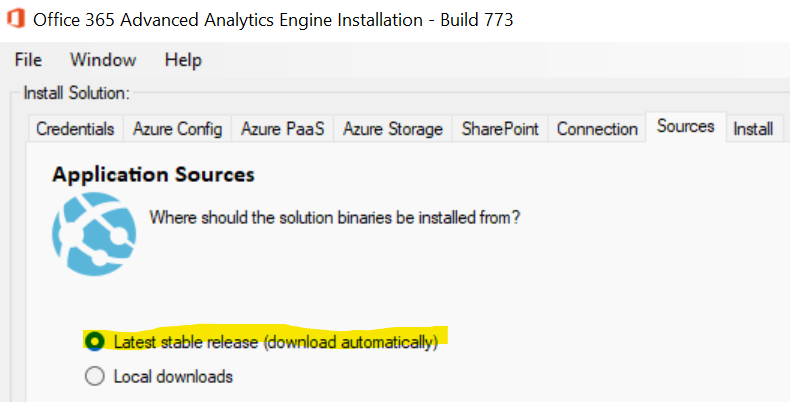
For stable builds, just follow the installation instructions again making sure that the "latest stable" release option is selected in the sources tab:
For testing/dev builds you need to download each component manually from the releases website, and then in the installer specify each file location:
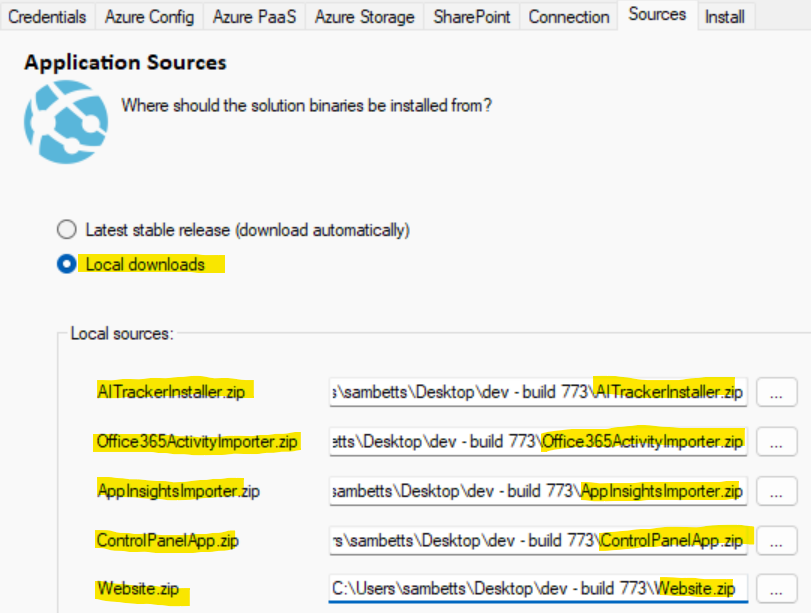
Make sure you don’t mismatch each file.
Start the installation as before from the same configuration file + the above settings. The process will be as before:
- Create Azure resources where necessary (if this is an upgrade, it shouldn’t need to create anything new).
- Update the import web-jobs with the configured versions above.
- Upgrade the SQL schema with any new changes.
- Most new versions don’t introduce schema changes, but some do.
- Save the configuration applied in the SQL database & enter SharePoint URLs installed to, to the "org_urls" table so activity imports work there too.
- Restart the app service.
The output should look something like this:
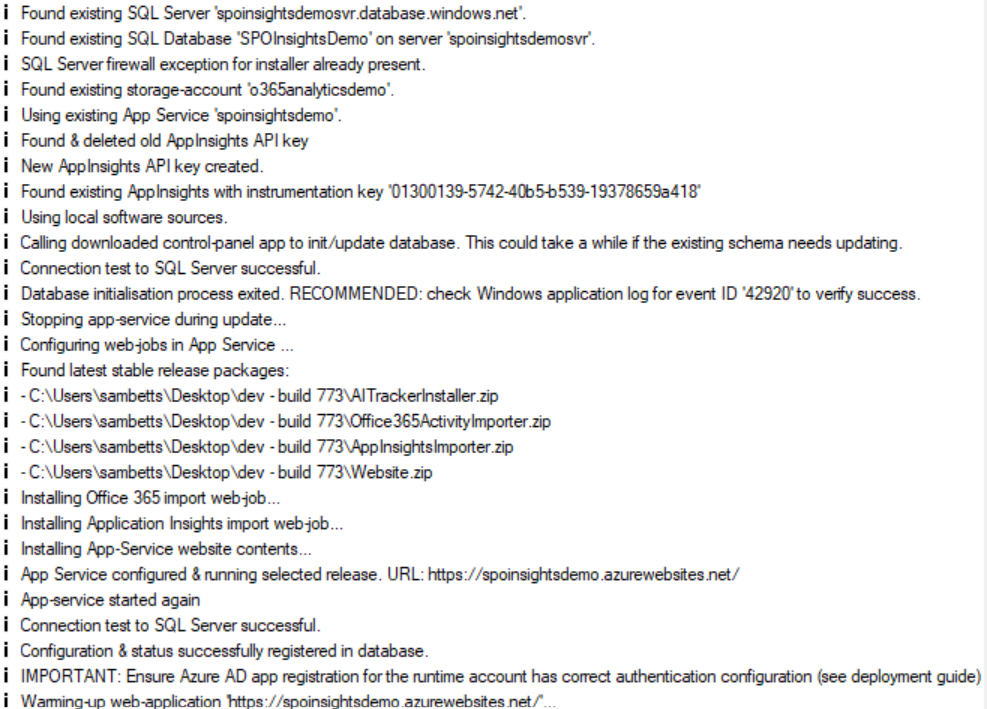
Important: once done, verify the web-jobs are running as per the Verify page. If a database schema change has been applied or is required, then you should double-check the new binaries are running correctly.
Most upgrades do not change the database schema. When they do, the installer will run any pending Entity Framework migrations during step 3 above. Some migrations can take significant time on large tenants — read the release notes for the version you are upgrading to before starting the maintenance window.
The release that adds AddAuditEventsOperationIndex and AddAuditEventsOperationFK repairs a long-missing foreign key on audit_events.operation_id. On databases with more than ~50M audit events the FK validation step can take from minutes to hours depending on storage and SQL tier. Before applying this upgrade on a large database:
- Stop the analytics web jobs.
- Pause / unschedule Power BI dataset refreshes.
- Consider scaling Azure SQL DB up temporarily for the duration of the upgrade.
See Audit Events FK Upgrade for full timing estimates, the orphan-cleanup behaviour, and pre/post sanity-check scripts.