Repository navigation
Home
Barry Launcher is the home screen on the AYN Thor's bottom screen in
PB-OS. Besides its own apps
(Firefox, Discord, Signal, Trackpad, Keyboard), it runs apps that anyone
can make and share (Dino, which comes with it, is one): a folder with a QML file and a small
barry-app.json, zipped.
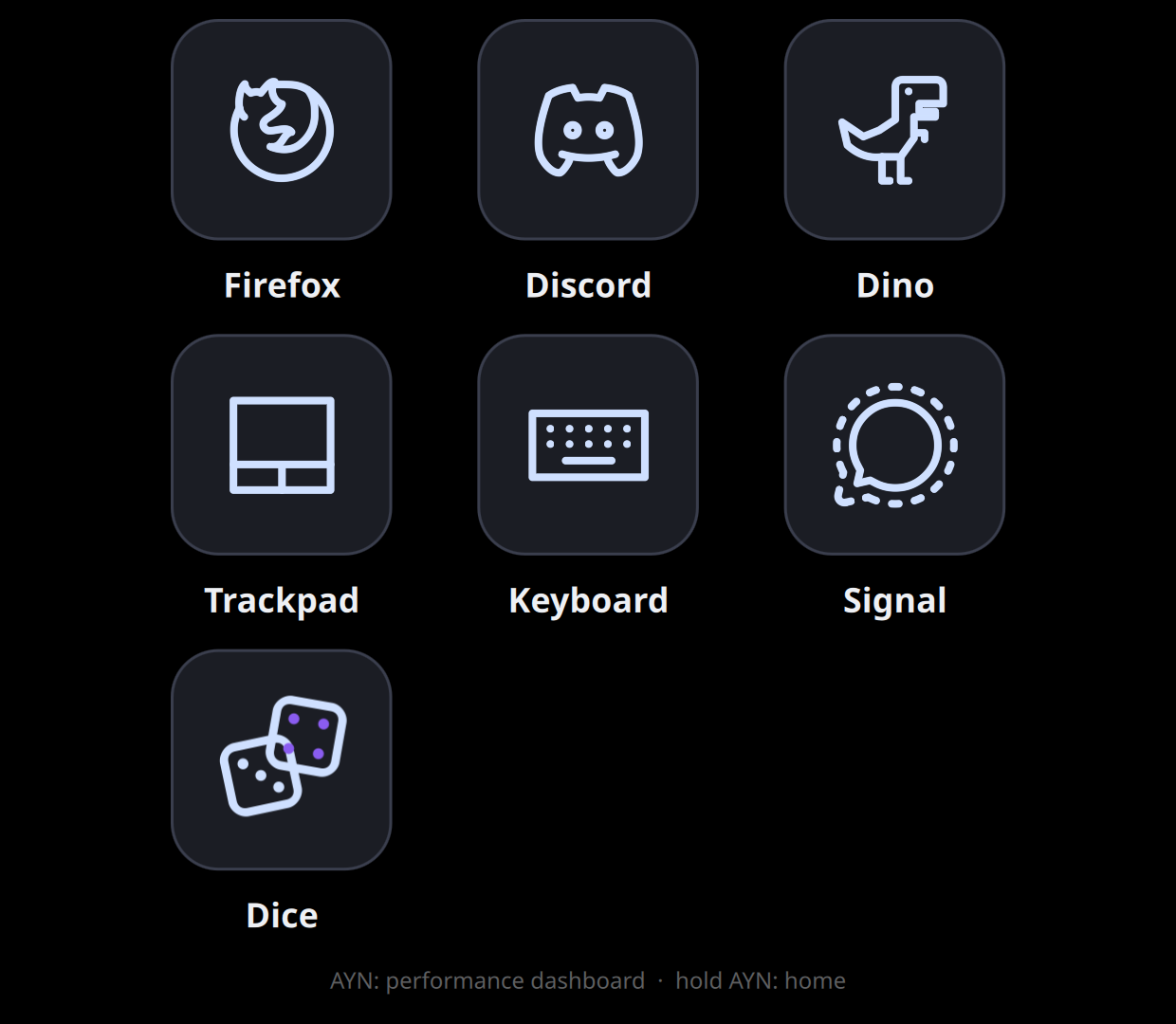
A screenshot from an AYN Thor: Dice is a user app, the rest are Barry Launcher's own.
- Installing apps: get an app's zip onto the Thor, install it, update it, remove it, and open it with a game.
- Apps to try: Dice, WhatsApp, Claude, and Dino if you removed the one that comes with Barry Launcher. All are on the releases page. Pip-Boy, Fallout 4's Pip-Boy, has its own releases.
- Your first app: from the template to an app on your home screen, step by step.
- The Dice example: a complete small app, explained. Web apps: a website as an app, with WhatsApp as the example, and no code at all.
-
App package reference:
barry-app.json, the archive, and the limits. -
The
barryobject: what Barry Launcher gives your app: the screen's scale, a folder to save in, closing. Services: a Python helper for what QML can't do. - Design guidelines: sizes, colours and touch, so your app feels at home.
- Tools: editors, previewing, icons, and what we suggest.
- Barry Simulator: try apps on a Mac, a Windows PC or Linux with a double-click, with their services and stand-in games. Testing and debugging: logs and common mistakes.
- Sharing your app: versions, zips and GitHub releases.
- QML, run by Qt 6's QML engine (the same one Barry Launcher itself uses), with nothing to compile; or a website, opened in a Firefox window of its own (Web apps).
- Full screen on the bottom screen (1240 × 1080 on the Thor), driven by touch.
- Its own tile on the home screen, with your icon. It can be reordered and hidden like the others, and closed with the tile's ✕.
- Not sandboxed: an app runs as you, like any program you install. Install apps only from people you trust.