Repository navigation
Example Dice
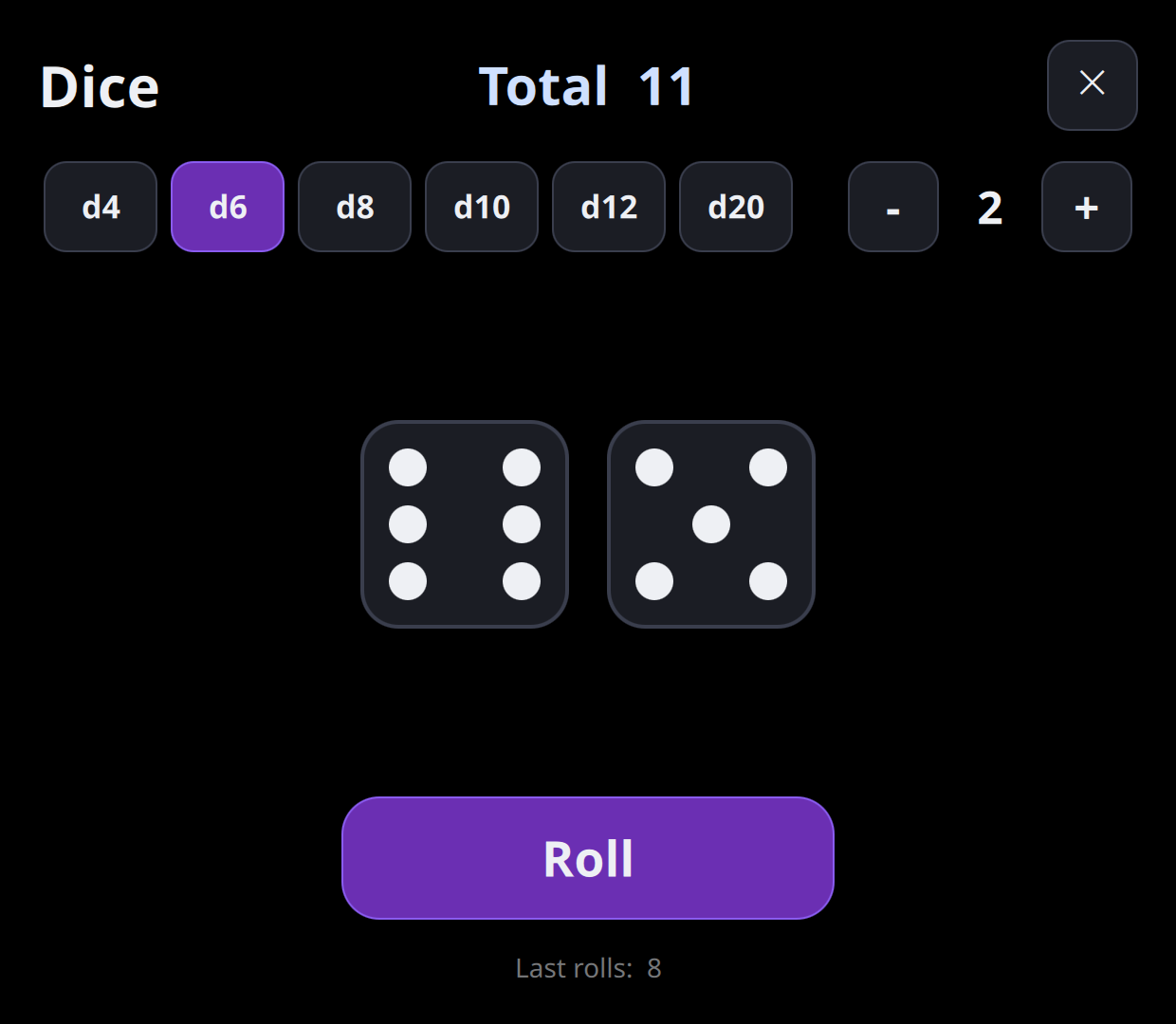
Dice rolls up to six dice, from d4 to d20. Tap Roll to roll them
all, or tap one die to roll it alone. It remembers which dice you use and
your last rolls. Its source is in
apps/dice,
and the zip is on the
releases page.
 |
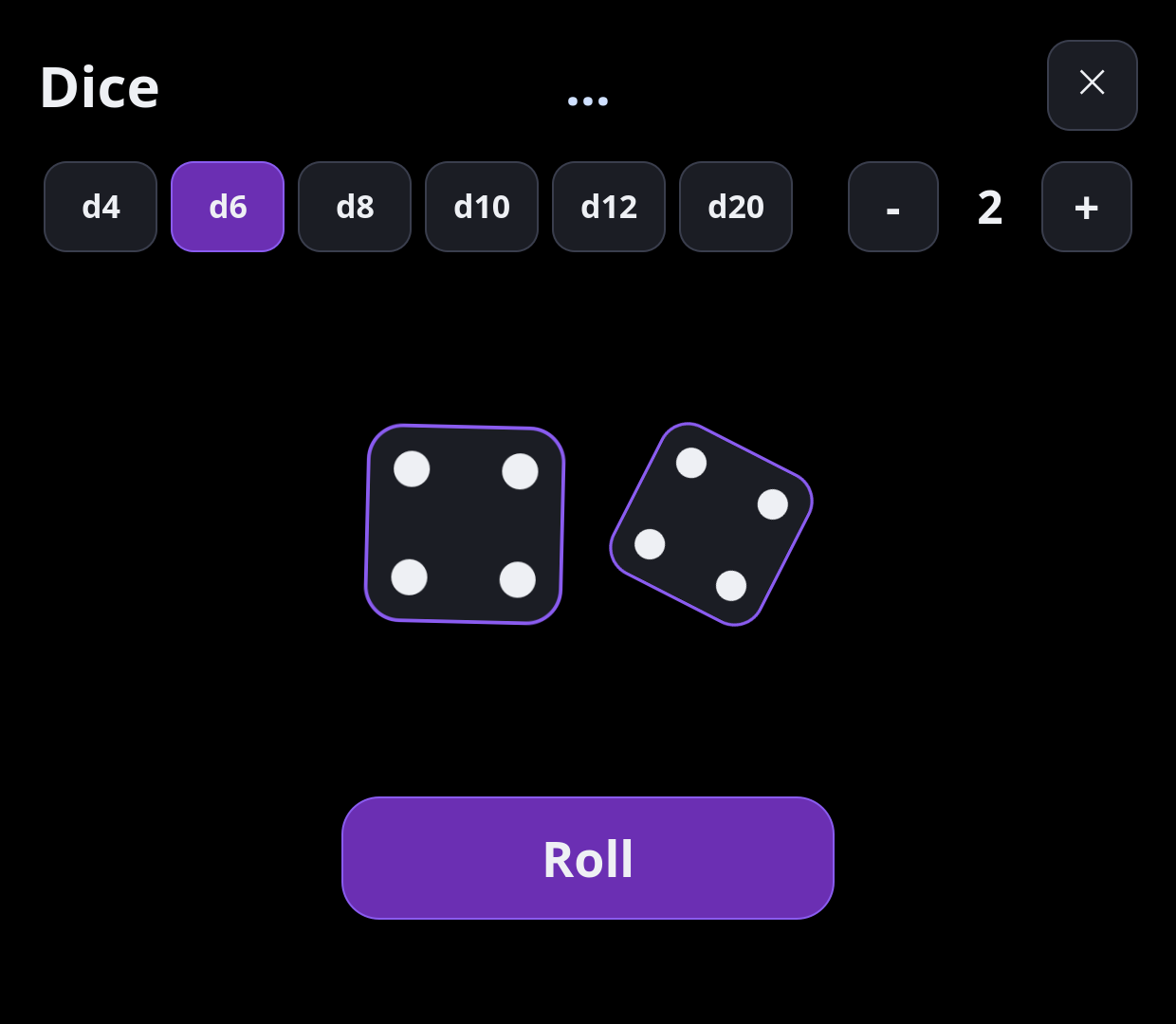 |
| Two d6, on an AYN Thor. | Mid-roll: the dice tumble, their faces flicker, the total waits. |
 |
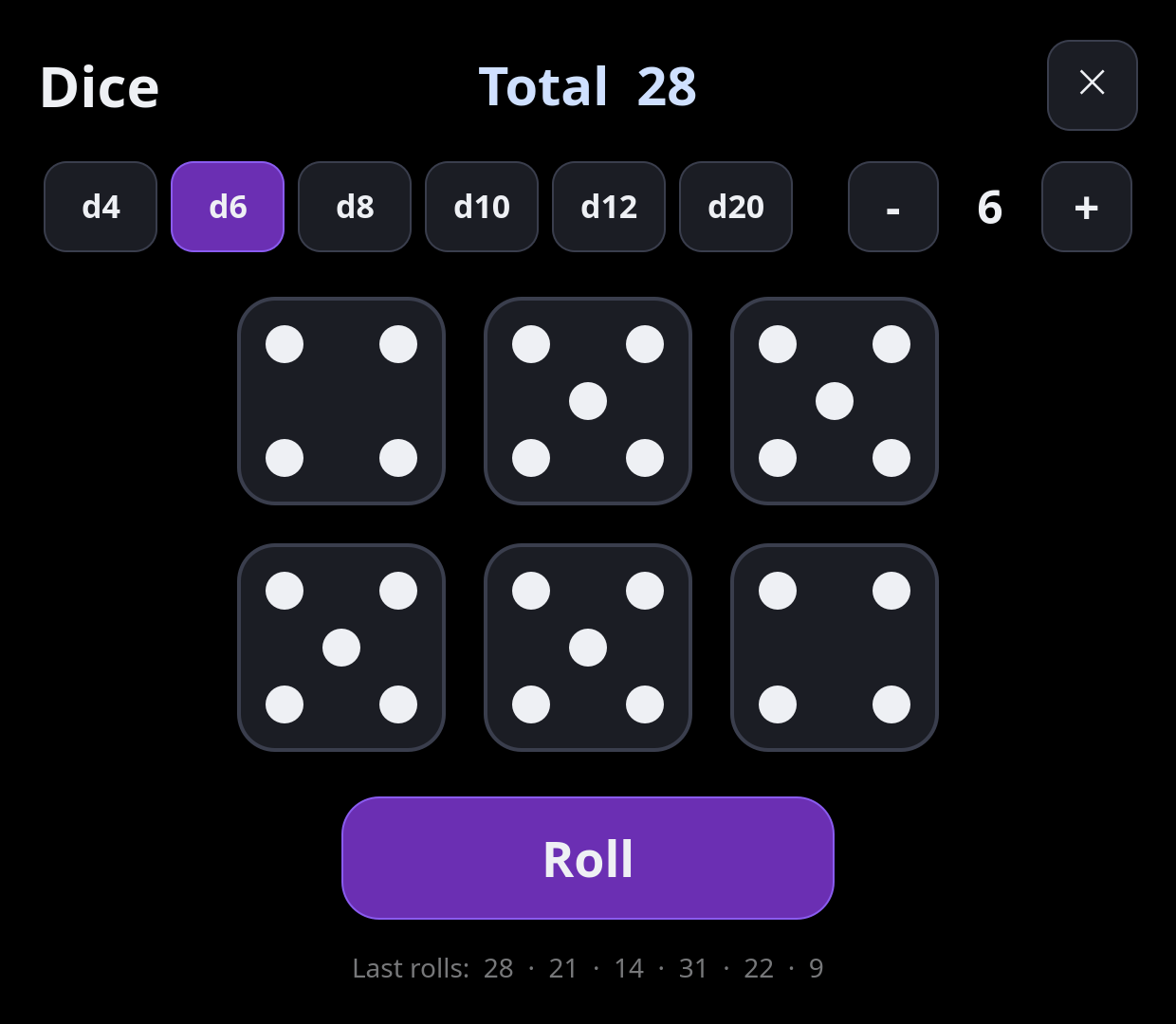 |
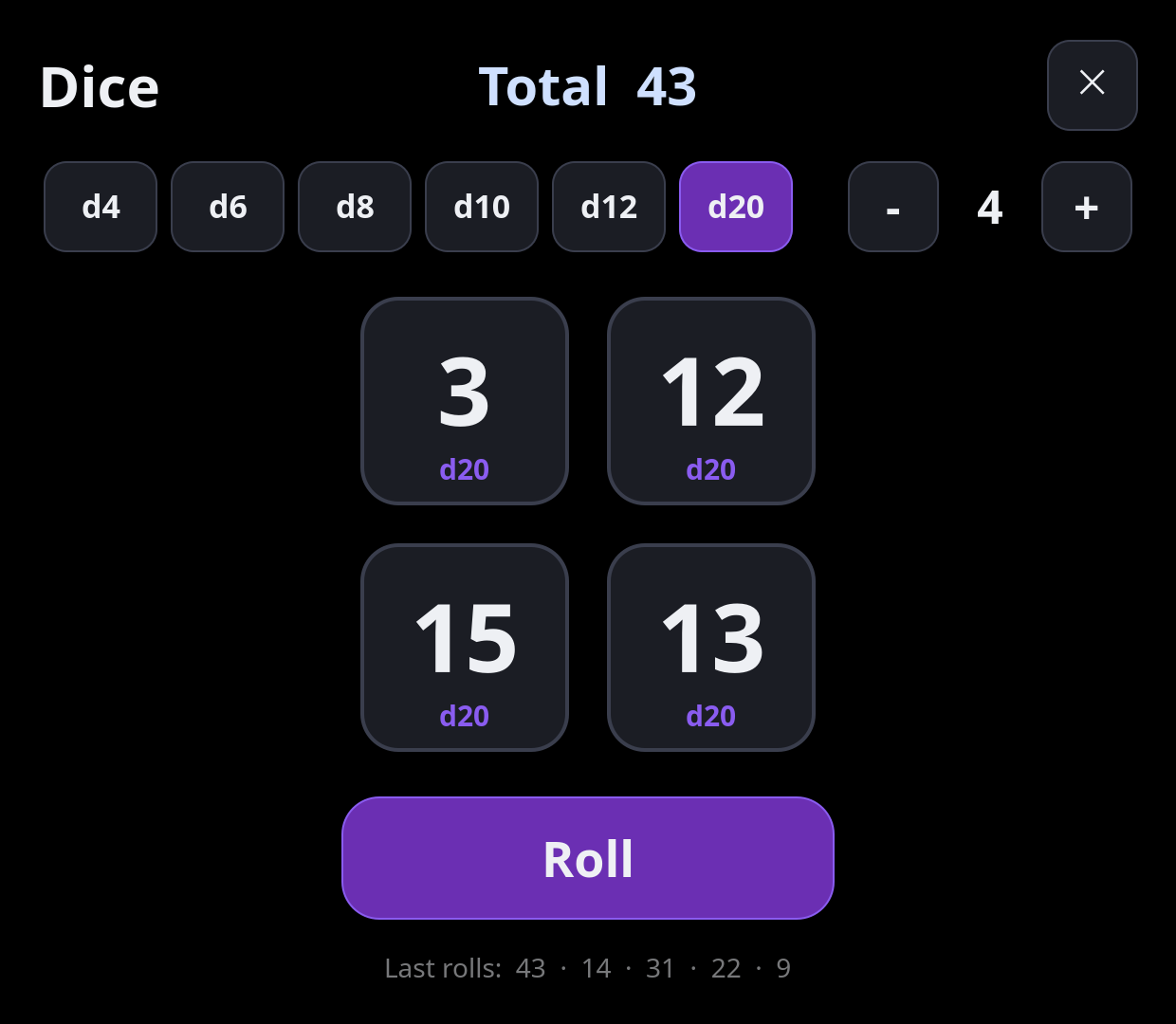
| Four d20, with the last rolls along the bottom. | Six d6. |
The first screenshot is from an AYN Thor; the others are rendered by Barry Launcher's own app host at the Thor's bottom-screen size (1240 × 1080).
apps/dice/
├── barry-app.json   id io.github.project-barry.dice, name "Dice"
├── main.qml         the screen: header, die choices, the dice, Roll
├── Die.qml          one die: its face and its roll animation
└── icon.svg         two dice, in the line style of Barry's own icons
A QML file whose name starts with a capital letter is a component:
Die.qml can be used in main.qml as Die { }, with nothing to import,
because it sits in the same folder.
Rectangle {
    id: app
    required property var barry
    readonly property real s: barry.scale
    color: "black"
Every size in the app is written for the Thor's bottom screen and multiplied
by app.s. Black around the content keeps those pixels dark on the Thor's
AMOLED screen.
Settings {
    id: saved
    location: app.barry.dataDirUrl + "dice.ini"
    property int sides: 6
    property int count: 2
    property string history: ""
}
Change saved.sides and it's written to dice.ini in the app's data
folder. Next start, it's read back. history holds the last eight totals
as text ("17,14,9") because a Settings property is best kept to simple
types.
component Button: Rectangle {
    id: btn
    property string label
    property bool active: false
    signal clicked()
    radius: 24 * app.s
    color: press.pressed ? "#4a4f60" : active ? "#6b2fb3" : "#1b1d24"
    ...
    TapHandler {
        id: press
        gesturePolicy: TapHandler.ReleaseWithinBounds
        onTapped: btn.clicked()
    }
}
An inline component is a component defined inside a file. The die
choices, − and +, close and Roll are all Buttons. The ReleaseWithinBounds
policy means a finger that slides off the button before lifting doesn't
press it.
Repeater {
    id: dice
    model: 6
    delegate: Die {
        required property int index
        visible: index < saved.count
        s: app.s
        sides: saved.sides
        value: app.values[index] || 1
        onTapped: app.rollOne(index)
    }
}
All six dice always exist and the extras are hidden, so a die keeps its value when you go from 3 dice to 4 and back.
function rollAll() {
    const v = []
    for (let i = 0; i < saved.count; i++) {
        v.push(randomValue())
        const die = dice.itemAt(i) as Die
        die.roll(v[i], i * 70)
    }
    values = v
    remember.interval = (saved.count - 1) * 70 + 600
    remember.restart()
}
Each die starts 70 ms after the one before, which reads as a throw rather
than a switch. The roll goes into the history only when the last die lands
(the remember timer), so the history never gives the total away early.
SequentialAnimation {
    id: tumble
    PauseAnimation { id: pause; duration: 0 }
    ScriptAction { script: flicker.start() }
    ParallelAnimation {
        RotationAnimation { id: spin; target: face; property: "rotation"; from: 0; duration: 560; easing.type: Easing.OutCubic }
        SequentialAnimation {
            NumberAnimation { target: face; property: "scale"; to: 0.8; duration: 140; easing.type: Easing.InQuad }
            NumberAnimation { target: face; property: "scale"; to: 1; duration: 420; easing.type: Easing.OutBack; easing.overshoot: 3 }
        }
    }
    ScriptAction { script: { flicker.stop(); face.rotation = 0; die.shown = die.value } }
}- The die spins a whole turn (±360°), so it lands square.
- It shrinks, then grows past full size and back:
Easing.OutBackwith a highovershootgives the bounce. - A
Timer(flicker) shows random faces while it spins; at the end the real value shows.
The d6's pips are nine dots on a 3 × 3 grid, and a table says which are lit for each value:
readonly property var lit: [[4], [0, 8], [0, 4, 8], [0, 2, 6, 8], [0, 2, 4, 6, 8], [0, 2, 3, 5, 6, 8]]- A d100 (two d10s, tens and ones).
- Shake to roll: QtSensors is on the Thor; see whether the accelerometer reaches apps.
-
Sound: a short click with
QtMultimedia'sSoundEffectas each die lands. -
Keep dice: tap and hold a die to keep it out of the next roll (Yahtzee
style).
TapHandlerhasonLongPressed.