Home

A stream mix console for Linux, not a patchbay.
Welcome to the Rostrum wiki. These pages are user guides: how to install Rostrum, set it up, and get a clean split of your audio onto your stream. For design notes and exact technical detail, each page links to the documents in the repository.
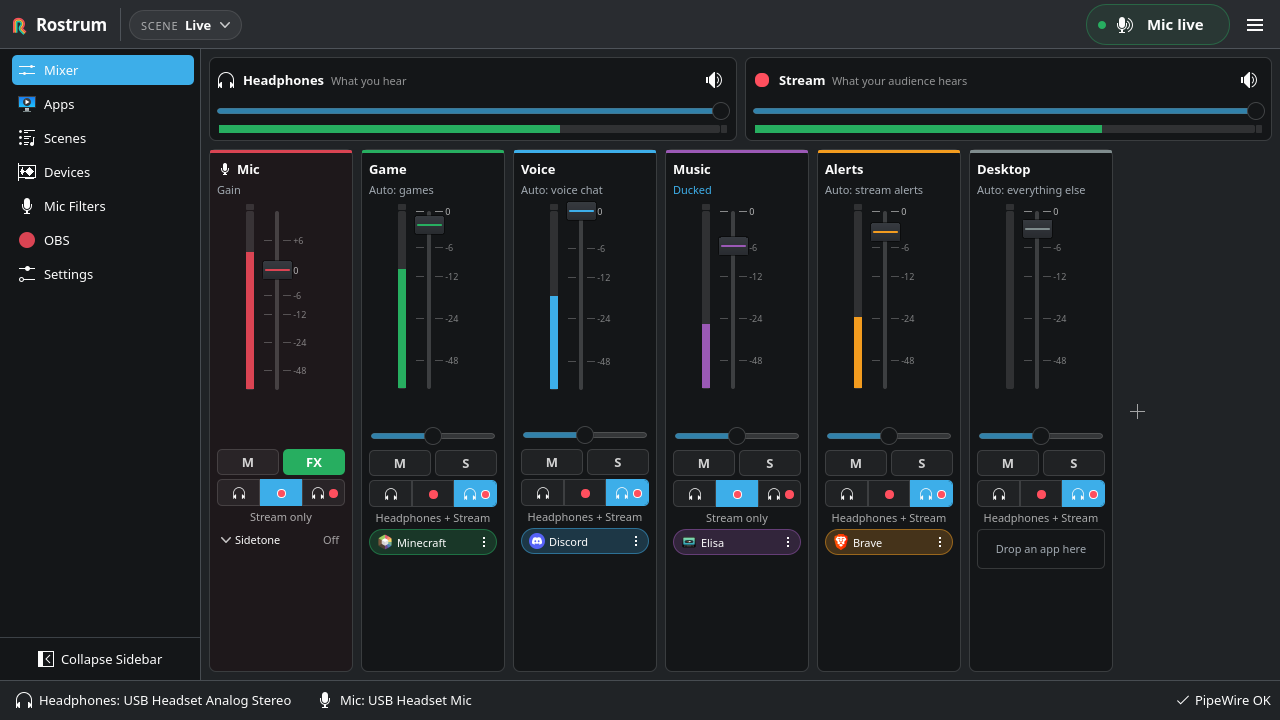
Rostrum splits your game, voice chat, mic, music, alerts and desktop audio into named buses. Each bus has its own fader and mute, and goes to your headphones, to your stream, or to both. OBS records one clean stream mix and your mic.
Tools like qpwgraph and Helvum show every PipeWire port and link. Rostrum hides that graph and gives you a mixing desk instead: faders, meters, mute and solo, and scenes you can switch live.
- People who stream or record on Linux with OBS and want game, voice chat and music on separate faders.
- Anyone who wants music or alerts on stream without hearing them, or voice chat in their ears without sending it to viewers.
- People who find patchbays too low-level and just want each app to land on the right fader.
Rostrum targets current Linux desktops running PipeWire and WirePlumber. It is developed and tested on Kubuntu with KDE Plasma 6 on Wayland. GNOME and other desktops are in scope but get less testing, and X11 is a fallback. See the FAQ.
| Feature | What it does |
|---|---|
| Buses, not wires | Game, Voice, Music, Alerts and Desktop each get a fader, mute and solo; Mic gets gain and mute. Up to 12 buses in total. |
| Two mixes | Each bus goes to Headphones, Stream or Both. By default Music goes only to the stream. |
| Apps find their bus | Discord goes to Voice, Spotify to Music, Steam and Proton games to Game, Streamer.bot to Alerts. Every automatic placement says why. |
| Apps remember their bus | Put an app on a bus once with Always on, and it lands there every time, even before Rostrum starts at your next login. |
| One app at a time | Each app has its own volume and mute on the Apps page, without touching the rest of its bus. |
| Scenes | Recall every level, mute and destination at once from the header, the tray or a global shortcut. Start new scenes from presets, and let levels fade between scenes if you like. |
| OBS in one click |
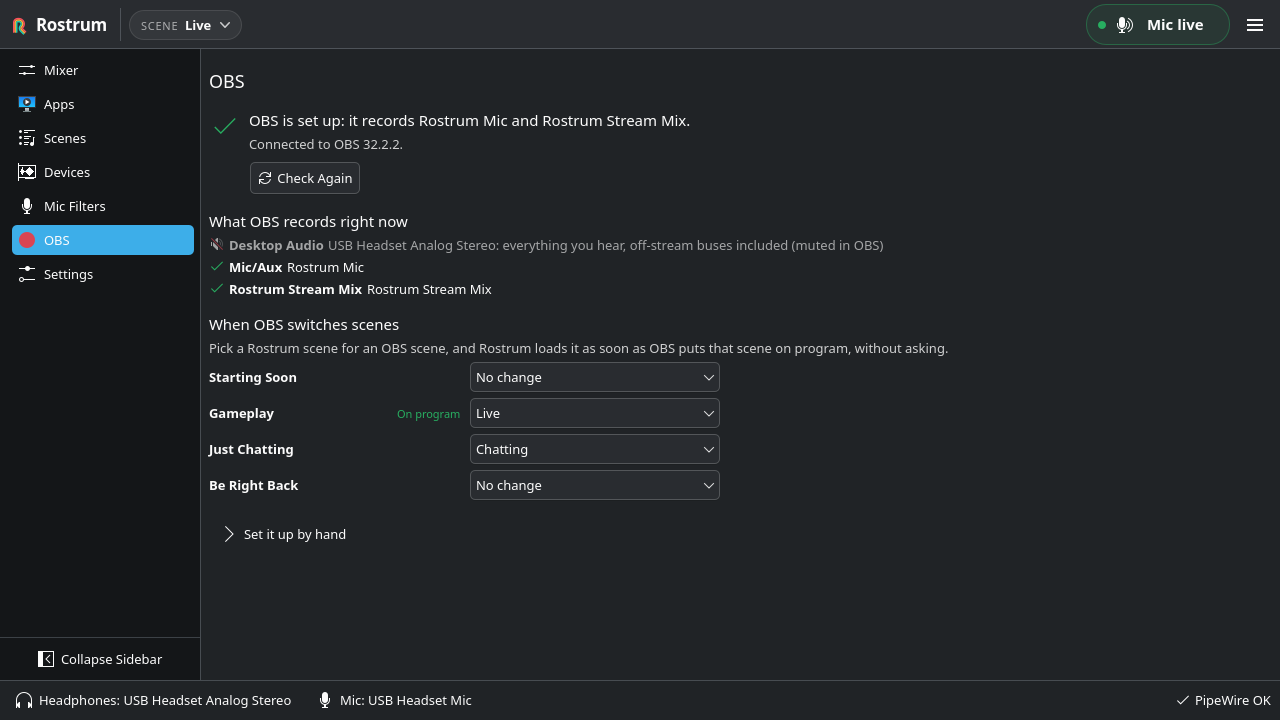
Set Up OBS points OBS at Rostrum Stream Mix and Rostrum Mic, mutes sources that would double your audio, and can undo every change. |
| Follows OBS live | LIVE and REC badges in the header, a warning if a stream starts with your mic muted, and Rostrum scenes that follow OBS scenes. |
| Hotkeys and remote control | Push to talk, push to mute, panic mute and scene hotkeys; the tray; and the rostrum command or D-Bus for Stream Deck buttons and scripts. |
| Auto-ducking | Optional: your mic turns Music down by 12 dB while you speak. |
| Safe by design | The virtual devices live in PipeWire, so audio keeps flowing if Rostrum quits or crashes. If your mic is unplugged, no other mic goes live on stream by surprise. |
The current version is 0.1.0. There are no packages or release downloads yet, so Rostrum is built from source. The project can build an AppImage for each release, but none has been published so far. The planned first feature set is complete and smoke-tested on Kubuntu 26.04; the headset, OBS and reboot checks in the manual test plan still need testing on real hardware.
Start here
- Installation: requirements, building from source, updating and uninstalling.
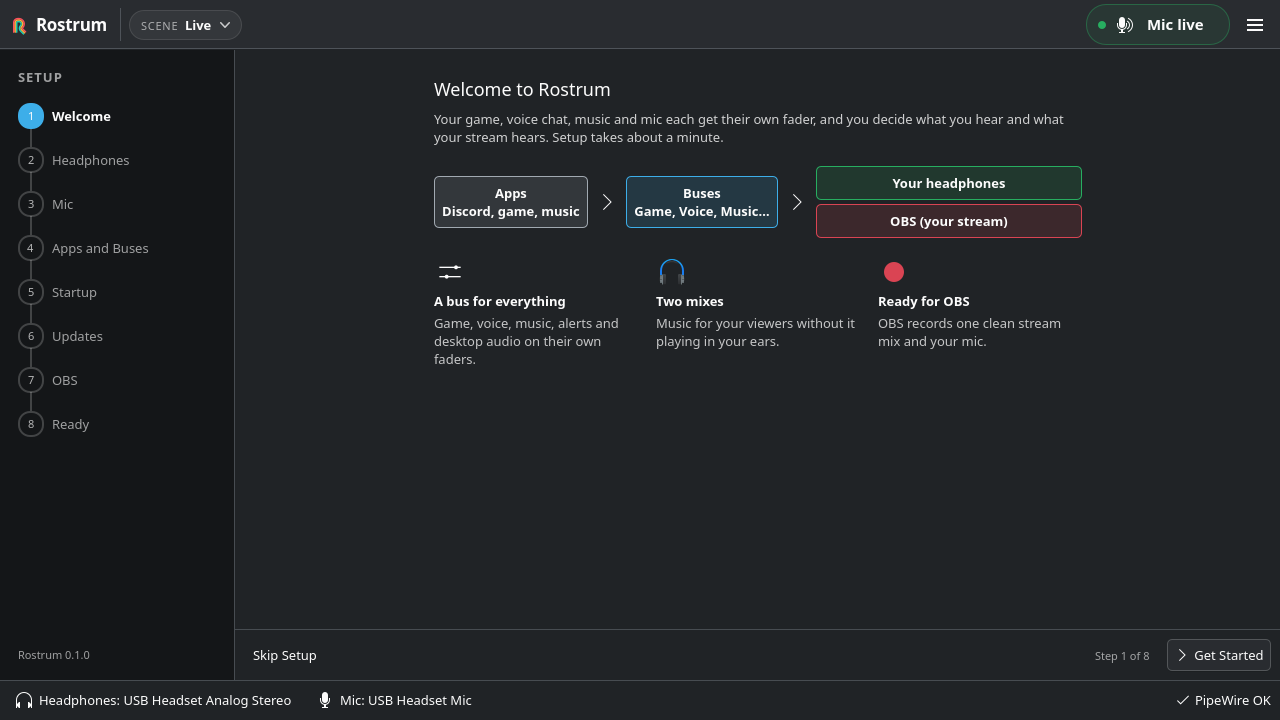
- Getting Started: first-time setup, headphones and mic, the default buses, the two mixes, and the tray.
Using Rostrum
- Mixer and Buses: faders, mute and solo, balance, destinations, the mic strip and sidetone, auto-ducking, undo, Compact View, and the Devices page.
- Apps and Routing: how apps get onto buses, automatic placement, rules, per-app volume and mute, and apps that start before Rostrum.
- Scenes and Presets: saving, switching, scene order, fades, presets, Recently Deleted, import and export.
- OBS Setup: one-click setup, undo, the manual steps, LIVE and REC badges, go-live warnings, and following OBS scenes.
- Keyboard Shortcuts: global hotkeys (push to talk, panic mute, scenes and more), on-screen messages and keyboard navigation.
- Command Line and D-Bus: control Rostrum from a Stream Deck, KDE Connect or a script.
Help and reference
- Troubleshooting: PipeWire problems, missing devices, a silent mic, apps not routed, OBS issues, the log file, and resetting Rostrum.
- Files and Folders: everything Rostrum writes, backups, and how to remove it.
- Privacy and Crash Reports: what leaves your computer, and when.
- FAQ: short answers to common questions.
- Contributing: reporting bugs, suggesting features and sending changes.

- Bugs and feature ideas: open an issue.
- Questions and feedback: hello@getrostrum.dev.
- Security problems: security@getrostrum.dev, or see the security policy.