Cards
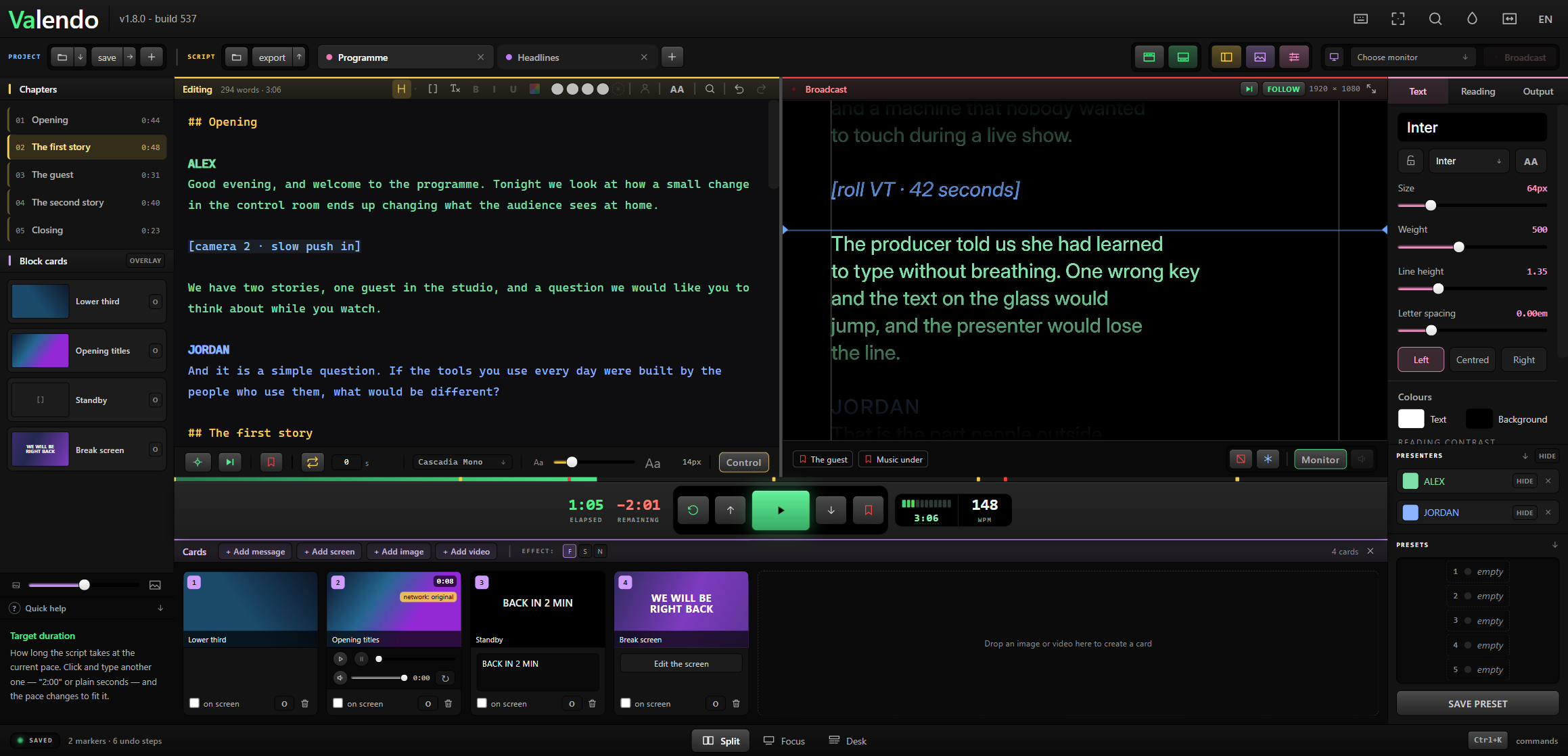
A card is something that goes to the presenter's screen with one click: an image, a video, or a message. Cards belong to the programme, not to a tab, so they survive switching scripts.
Open the drawer with F6, or drop a file anywhere on it.
- Click the card's on screen checkbox.
- Or press
Ctrl+Shift+1…Ctrl+Shift+9for the first nine cards. -
Ctrl+Shift+0clears whatever is on screen.
Drag a card to reorder it — the number, and therefore the shortcut, follows the position.

By default a card replaces the script: the presenter sees the card and nothing else. Turn on overlay and the script keeps scrolling over the card, which is how a lower third and a caption share one screen.
Two levels of switch:
-
Per card — the small
Opill on each card. -
Global — the
OVERLAYswitch in the Assets column and in the drawer header. When it is on, every card overlays, whatever its own pill says. That is deliberate: it is the guarantee that you can put anything on screen mid-show and still have the text visible.
The formula is effective overlay = global || card's own.
Three choices, in the F S N selector beside the OVERLAY switch:
| Treatment | When | |
|---|---|---|
| F | A dark band behind the whole text | Safe over anything. The default. |
| S | A shadow behind each letter | Keeps more of the art visible |
| N | Nothing | When the art already has the contrast |
Valendo plays the file as it arrived whenever the browser can handle it — most phone .mov files play untouched, because inside they are the same format as an mp4 with a different label. Nothing is copied and nothing is converted.
When the browser cannot (ProRes from an edit bay, matroska, avi), ffmpeg steps in: first trying to change only the container, which takes seconds and does not touch a pixel, and re-encoding for real only when the content genuinely will not fit an mp4.
The playable copy lives in userData/convertidos, belongs to that card, and disappears with it. The original is never copied or moved.
Each video card carries a small player: play, pause, a scrub bar, the time, volume with mute, and a loop toggle. Scrubbing while the card is on air moves the presenter's screen with it — the surfaces hold the frame while your hand is on the bar, and follow when you let go.
The PAUSE button puts the card on air stopped on the frame it is on, for pre-positioning before it really goes out.
Audio plays only in the operator's preview, never on the presenter's screen.
Video cards reference the file where it lives, so the link can break — a disconnected drive, a renamed folder. The card says Video not found and offers Relink, which points it at the file's new home without losing anything else about the card.
Images do not have this problem: they are copied into the app and travel inside the .valendo.
A card that is just text — BACK IN 2 MIN, WRAP, STRETCH. Big, centred, no file to manage. Same overlay rules as the others.
Inside the .valendo
|
|
|---|---|
| Images | Yes, embedded |
| Messages | Yes |
| Video | The path, not the file — a colleague opening the project needs the clip too |