Waveshare ESP32 S3 ETH
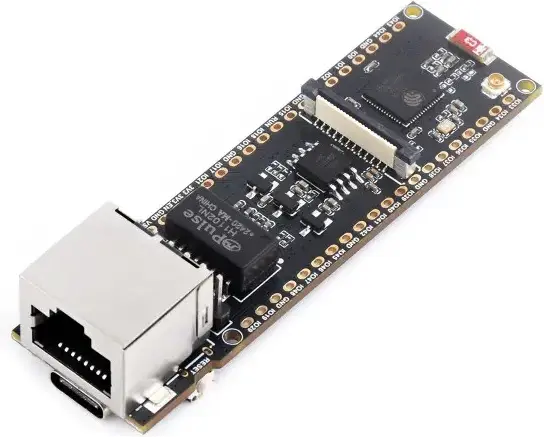
- OpenDeck target name:
ws_esp32_s3_eth - Power: USB C or external power, depending on board setup
- MCU: ESP32-S3
- MIDI: USB
- OSC: Ethernet
- Traffic indicators: 0
- Digital inputs: 4
- Outputs: 5 (PWM / level control)
- Analog inputs: 0
- Board docs: Waveshare ESP32-S3-ETH
- Buy links:
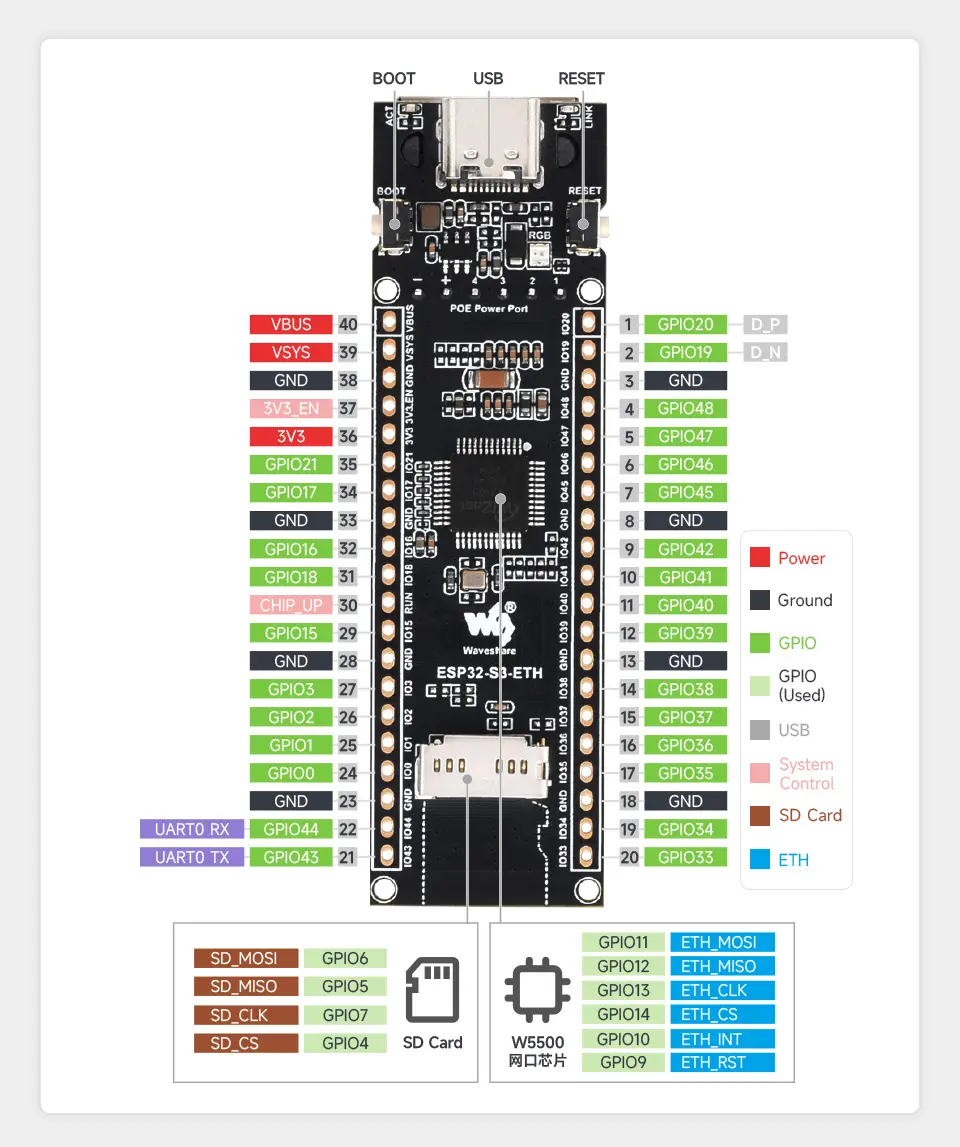
Pinout to use as an reference to pins in later sections:
| Switch # | Pin 1 | Pin 2 |
|---|---|---|
| 0 | GPIO4 | GND |
| 1 | GPIO5 | GND |
| 2 | GPIO6 | GND |
| 3 | GPIO7 | GND |
| Encoder # | Pin 1 | Pin 2 | Pin 3 |
|---|---|---|---|
| 0 | GPIO4 | GND | GPIO5 |
| 1 | GPIO6 | GND | GPIO7 |
Analog inputs are not enabled on this target.
Analog inputs are not enabled on this target.
Note: current-limiting resistors for LEDs are required in order to avoid damage to the board.
| Output # | Anode | Cathode |
|---|---|---|
| 0 | GPIO33 | GND |
| 1 | GPIO34 | GND |
| 2 | GPIO35 | GND |
| 3 | GPIO36 | GND |
| 4 | GPIO37 | GND |
Traffic indicators are not enabled on this target.
| Signal | Pin |
|---|---|
| Vcc | 3V3 |
| GND | GND |
| SDA | GPIO16 |
| SCL | GPIO17 |
DIN MIDI is not enabled on this target.
Touchscreen support is not enabled on this target.
Hold OpenDeck switch 0 / GPIO4 low while resetting or powering the board to
enter the OpenDeck bootloader.
To flash this board with the OpenDeck firmware, go to the OpenDeck configurator and follow the instructions.