Repository navigation
Permissions
The sap-bridge Web Dashboard provides a dedicated UI to review, approve, and revoke access for the AI agent. This ensures that the agent cannot execute unauthorized actions on your SAP backend.
-
Connection settings are encrypted and not visible to the agent.
-
Workspace settings and access to raw connection data is protected by user authentication.
-
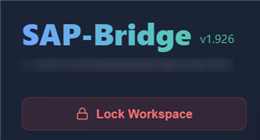
You can lock workspace at any time - this locks both the UI and all agentic tools, until you log in again (the next tool call will fail with "Vault is locked" effectively locking the agent out of SAP or any other
sap-devMCP tool)
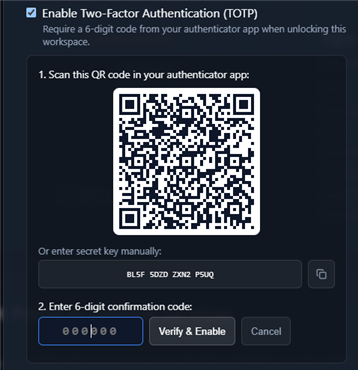
- You can enable 2FA for the dashboard (use e.g. Google Authenticator)
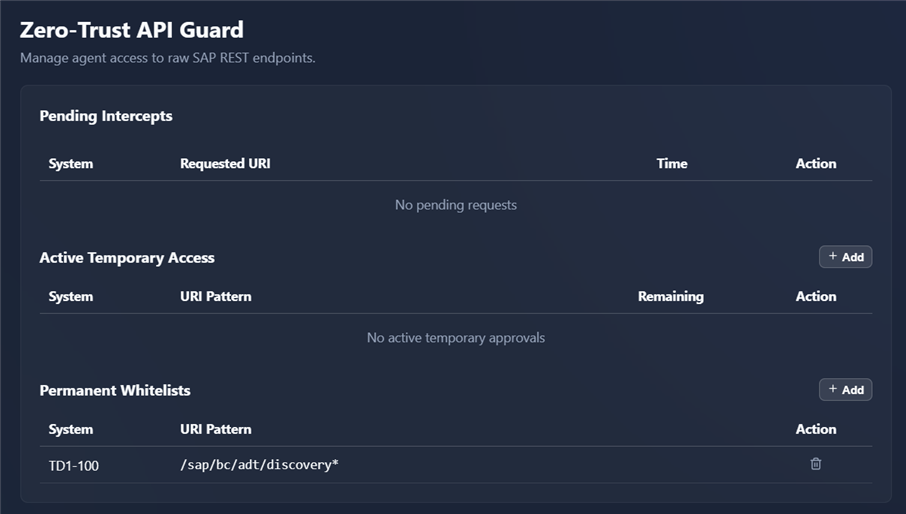
The agent may request access to raw REST API endpoints or OData services. You can review and manage these requests in the Pending Intercepts queue.
-
Method-Level Whitelisting: Approvals are granted at the HTTP Method level (e.g., whitelisting
GETonly to restrict the agent to read-only queries). - OData-Specific Actions: Approvals support matching on OData CRUD actions (READ, CREATE, UPDATE, DELETE) and Function Imports against service path patterns.
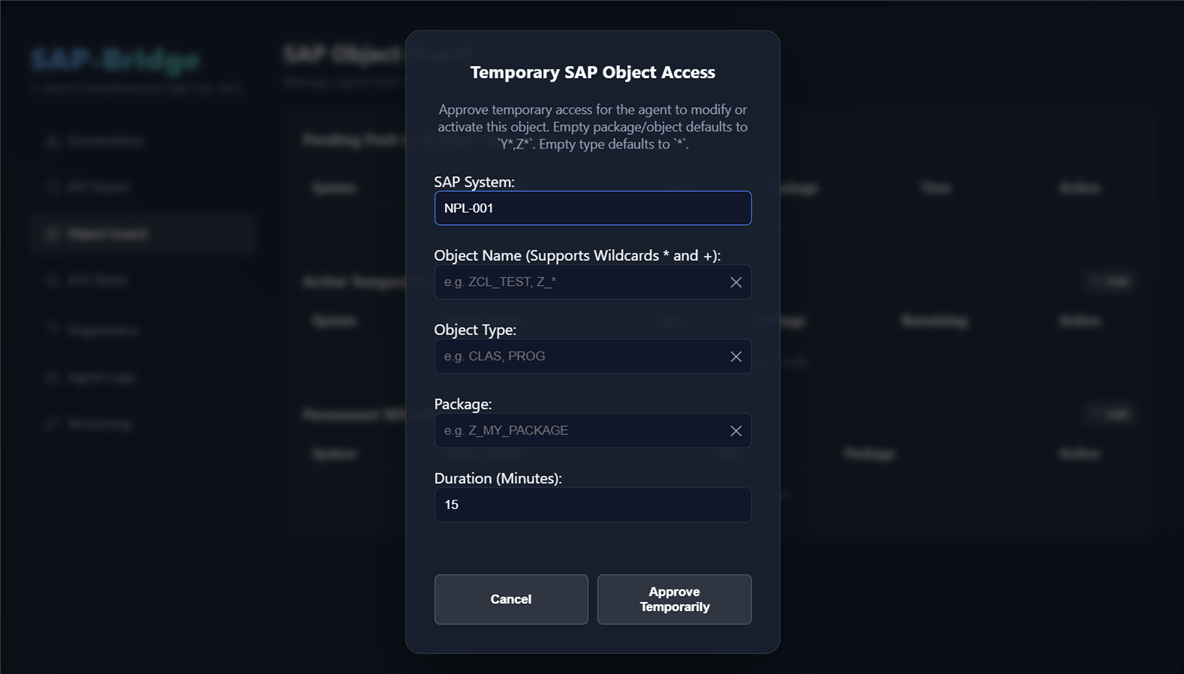
Before the agent can push code or activate changes, it must request write access for specific SAP objects. These requests appear in the Pending Push & Activate queue.
The Cloudification tab manages optional API policy for the whole workspace landscape. Object write permissions and Cloudification exceptions are separate approvals; a push must satisfy both when applicable.
- Select the SAP release profile from the dropdown, enable Cloudification API checks, and click Sync SAP dataset. The sync action saves the selected settings and downloads the dataset. Use Save settings for later enable/disable changes.
- Inspect Pending reviews after a push returns
CLOUDIFICATION_REVIEW_REQUIRED. The row identifies the package, source object, routine, API type/name, and current source line. Approve exact creates an exception for that scope. - Review approved rules under Exceptions. Add opens a modal for a broader rule; Remove revokes an exception.
- After approval, ask the agent to retry the same staged push.
An exception matches package → source object → class method or FORM → API type and name. For example, ZAPP → CLAS:ZCL_APP → ZCL_APP=>RUN → CLASS_OR_INTERFACE:CL_GUI_FRONTEND_SERVICES approves that API in the named method. The approval covers matching references regardless of usage kind and survives changes to line numbers. Renaming or moving the routine changes an exact scope. Each field accepts explicit * patterns; broader patterns also approve future matching references.
The policy covers API references identified by local analysis, including tables, CDS sources, functions, classes, and interfaces. Existing disallowed usage in the stored baseline remains a warning; newly introduced disallowed usage requires review. Removing an exception subjects future introductions to review while existing baseline uses continue to warn. References missing from the selected dataset are unverified, rather than assumed to be unreleased.
Turning Cloudification off leaves workspace abaplint rules, ABAP Unit test-class discovery, and function-parameter validation enabled. See Workspace lint and Cloudification for check outcomes and source coverage.
Before the agent can modify customizing views, edit tables via SM30/SM34, or execute general SAP transaction codes, it must request permissions. These requests appear in the SAP GUI Guard queue in the Web Dashboard.
The SAP GUI Guard enforces granular, scope-specific governance across three distinct access tiers:
-
CUSTOMIZING: Mutating configuration changes requiring CTS Transport Requests (e.g. SPRO activities, customizing tables, view clusters).-
Automatic Lock Detection & Pre-Binding: When the agent attempts customizing,
sap-bridgeautomatically detects any active unreleased CTS transport locks on the target object in SAP and pre-binds the assigned transport request in the Web UI approval queue. - CTS Transport Enforcement: Approvals require an active, open CTS transport request.
-
Automatic Lock Detection & Pre-Binding: When the agent attempts customizing,
-
TABLE_MAINT: Maintenance of non-customizing application or configuration tables and view clusters via SM30/SM34 without transport request assignment.- Grants direct database maintenance permissions without prompting for or requiring a CTS transport request.
-
TRANSACTION: General SAP transaction code access (e.g.,RZ11,SE16,SU01,SPRO).- Protects against unauthorized dynpro transitions and arbitrary transaction calls while enabling the agent to work autonomously once approved.
-
Halt-in-Place: If an unwhitelisted transaction is called directly or reached mid-flow via
CALL TRANSACTION, the engine halts immediately in place on the active dynpro without sending/nor aborting the transaction stack. It returns a structuredUNAUTHORIZED_TRANSACTIONerror so the agent can stay on screen while requesting user permission. -
Safe Retreat Actions: On unwhitelisted screens, navigation actions that exit or back out (
VKey 3Back,VKey 12Cancel,VKey 15Exit, and/n//N) are always permitted through. This guarantees the agent can cleanly back out to a safe screen without triggering authorization blockers. -
SESSION_MANAGERExemption: The initial SAP Easy Access screen (SESSION_MANAGER) is auto-whitelisted on all systems.
To prevent agents from modifying objects or tables under closed or released transports:
- Whenever an agent runs into an object or customizing permission check,
sap-bridgequeries SAP tableE070to verify the active status of the assigned transport request or task. - If the transport request or task has been released (
TRSTATUS = 'R'or'O') or if its parent request is released, the permission is immediately invalidated—purging both the temporary approval and any permanent whitelist rules bound to that transport. - The tool call immediately fails-fast, alerting the agent that the assigned transport request was released in SAP CTS and automatically re-enqueuing the request into the Web UI so the user can re-approve it with an active, modifiable transport.
Before the agent can execute ABAP extension methods (sap_execute_ext_method) or ABAP Unit test suites (sap_run_tests), it must request execution permissions. These requests appear in the Execution Guard dashboard.
-
Method-Level Execution Whitelisting: Approvals can be granted for specific methods on
ZCL_SAP_DEV_RPC_EXT. - AUnit Granular Testing: Controls test suite execution by object, method, and maximum allowed risk level.
To manage multi-system landscapes securely:
- System-Specific Partitioning: The dashboard isolates access permissions by SAP System Client ID.
- System Filter Tab: Users can filter active and permanent permission tabs by specific SAP system IDs to easily audit permissions for different environments (e.g., development vs. QA).
-
Scope Filter & Badges: The SAP GUI Guard view provides interactive scope filtering (
All Scopes,Customizing,Table Maint,Transactions) with color-coded badges for rapid visual triage. -
SameSite Session Security: All dashboard administrative session cookies enforce
SameSite: Laxrules to protect user authentication states.
| Tool Name | Description |
|---|---|
sap_request_api_permissions |
Bulk-requests permissions for multiple raw SAP REST endpoints and specific OData CRUD entity sets by injecting them into the user's Pending Intercepts queue for approval. |
sap_request_object_permissions |
Requests permissions for an SAP object (via local file path or object name/type) by injecting it into the user's Pending Object Guard queue for approval. |
sap_request_gui_permissions |
Requests SAP GUI automation permissions for transactions, table maintenance, or customizing from the user. |
sap_request_customizing_permissions |
Requests customizing write permissions. Specify the execution engine for this request; the user may approve the requested technology or All Engines in the Dashboard. |