Repository navigation
Processing ATC Findings
This feature enables the agent to process ATC findings. Swarm mode is supported (agents are instructed to generate a unique ID)
- Execute ATC run.
- Display Header data from the transaction menu
- Copy Run ID

- In sap-dev dashboard, go to "ATC Runs", click "Import"
- Select source system, enter Run ID to import
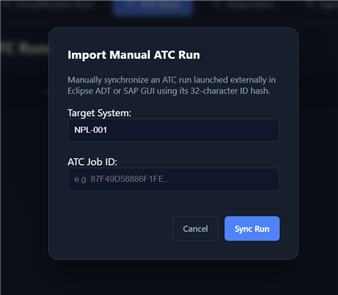
- The findings will be imported and stored in the local database.

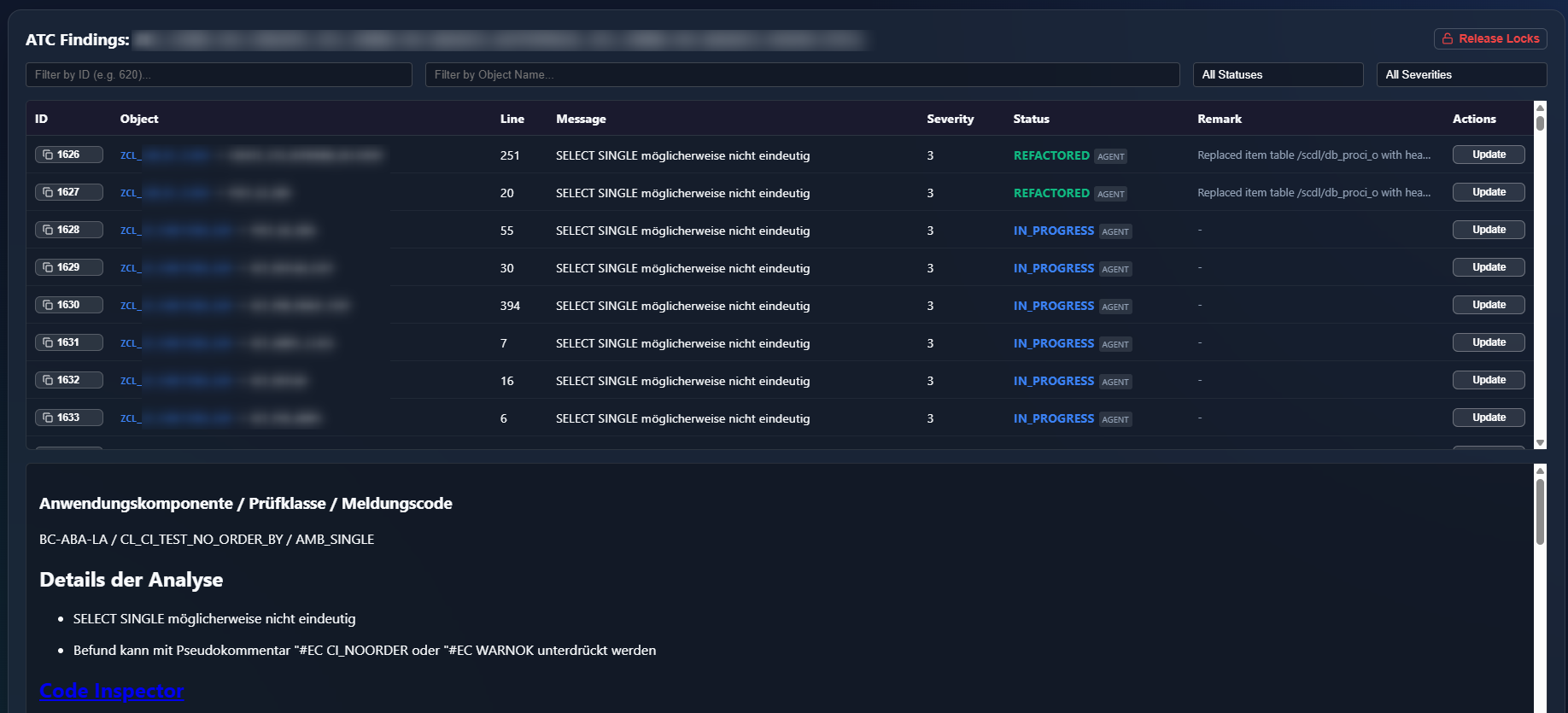
- Instruct the agent to process findings of ATC run
<job_id>. - You can track the progress using the "Findings" button
| Tool Name | Description |
|---|---|
sap_atc_documentation |
Allows the agent to dynamically fetch the fully parameterized HTML remediation documentation for a specific finding on the fly. |
sap_atc_quick_fix |
Evaluates automated ATC quick-fix proposals and returns calculated source diffs without mutating backend state. |
sap_fetch_atc_queue |
Fetches ABAP Test Cockpit (ATC) check findings from the local database queue and stages finding context files. |
sap_update_atc_status |
Updates the local remediation status of a known ATC finding. The status schema lists allowed agent targets. |