Repository navigation
Managing User Relationships
Open Users → All Users, select a user, and find the Relationships section. Select the appropriate Groups and Types, then save the profile.

Each registered user taxonomy gets its own table. The table supports custom taxonomy columns and preserves the taxonomy's permissions and selection mode.
The Users list includes one column for each visible user taxonomy. Memberships are links; selecting one filters the list to users in that term.
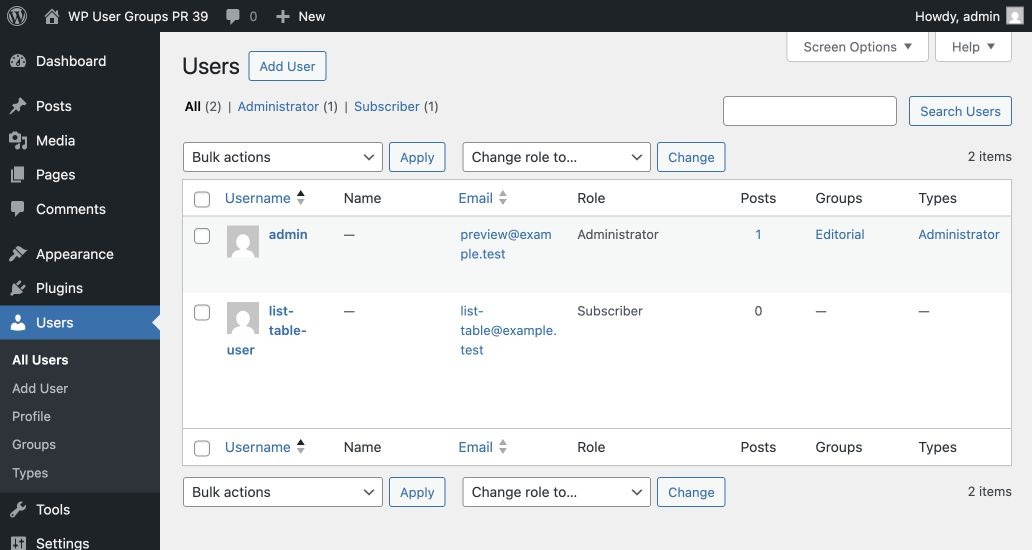
- Select one or more users on Users → All Users.
- Open Bulk actions.
- Choose Add to term taxonomy or Remove from term taxonomy.
- Select Apply.
Bulk actions change only the selected term. They do not replace unrelated memberships.
An empty taxonomy does not display a useless assignment table. Create at least one term before expecting it on the profile screen.
- An exclusive taxonomy allows one selected term at a time.
- A managed taxonomy prevents ordinary users from changing their own
membership. Administrators with
manage_optionsmay still manage it.
These modes apply to custom user taxonomies; the default Groups and Types are neither managed nor exclusive.