Cameras
Live security-camera streams from RTSP / WebRTC / MJPEG sources, displayed on the dashboard or the dedicated /cameras page. The bundled stack includes go2rtc as a streaming bridge.
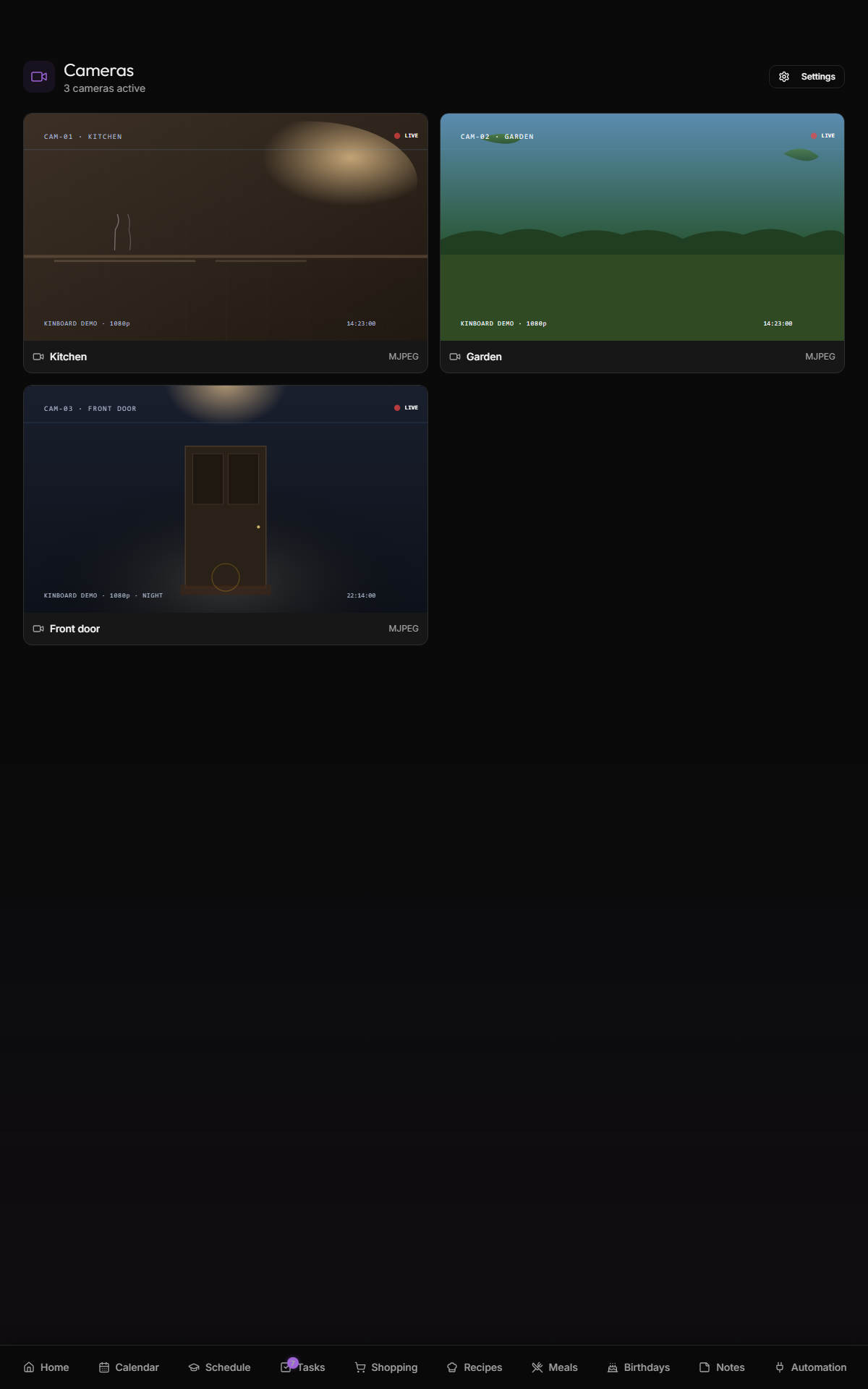
- Render WebRTC streams (low latency, ~200ms) directly in the browser via
<video>+ RTCPeerConnection - Bridge RTSP streams (typical IP camera output) → WebRTC via go2rtc
- Render MJPEG streams (legacy IP cameras) as
<img> - Show snapshot thumbnails (HTTP image URL) when WebRTC isn't established yet
- Digest + Basic auth for cameras that need credentials
- Doesn't record. go2rtc supports RTSP recording but Kinboard doesn't expose it.
- Doesn't do PTZ control. Plain stream display only.
- Doesn't substitute for a proper NVR. Use Frigate / Scrypted / BlueIris if you need motion detection / object detection / longer retention.
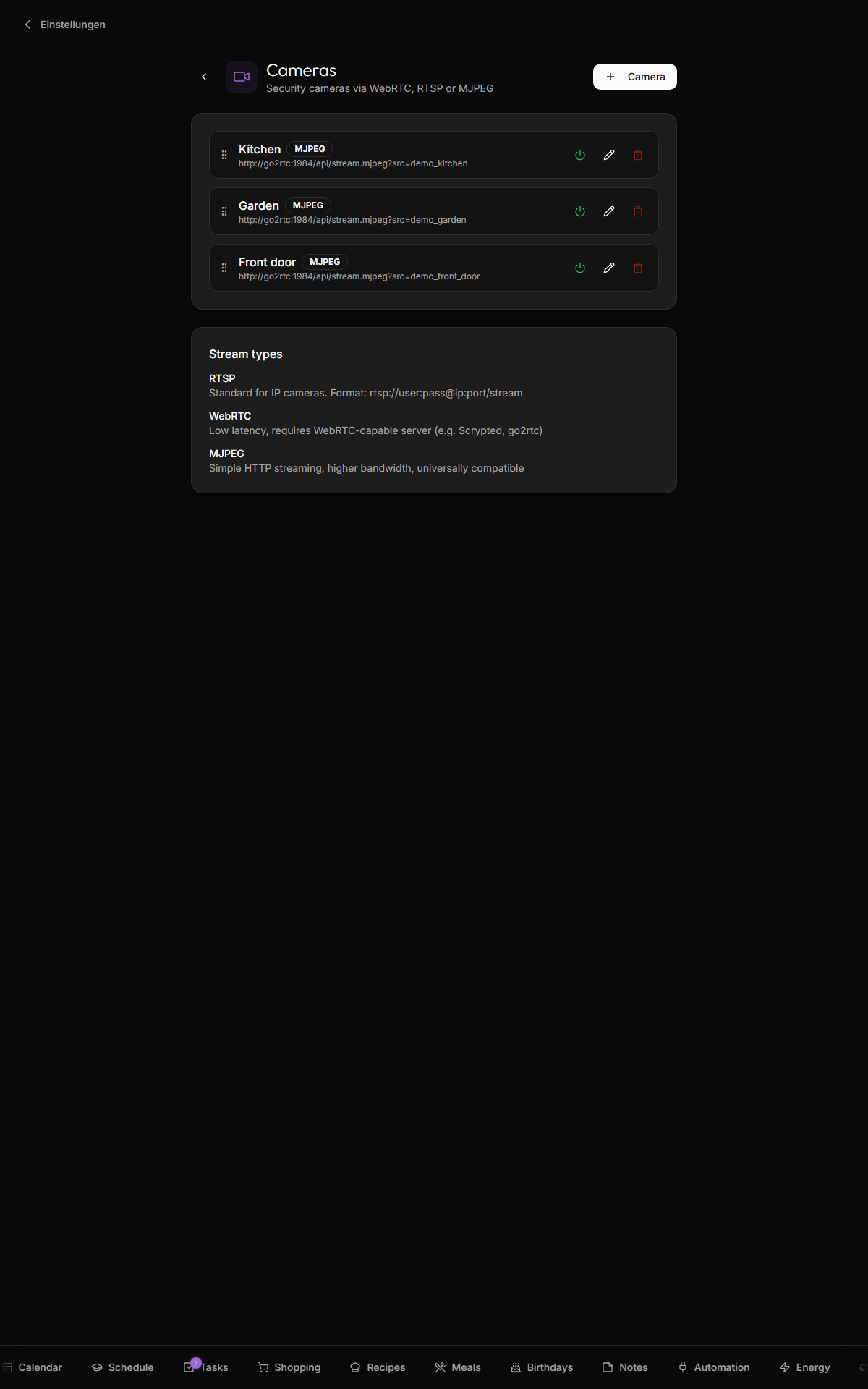
Open Settings → Cameras → + Camera. For each camera:
- Name — friendly label
-
Stream type —
rtsp,webrtc, ormjpeg - Stream URL — varies by type (see below)
- Snapshot URL (optional) — HTTP image URL for thumbnail
- Authentication (optional) — Digest (Hikvision, Amcrest) or Basic, with username/password
rtsp://user:pass@192.168.1.100:554/stream1
go2rtc transcodes this to WebRTC for browser display. The streaming bridge uses the credentials from the URL.
For Hikvision cameras the path is usually /Streaming/Channels/101 (main) or /Streaming/Channels/102 (sub). Use the sub-stream for tile thumbnails to save bandwidth.
For Amcrest/Dahua: /cam/realmonitor?channel=1&subtype=0.
http://192.168.1.100:8080/webrtc?src=mycamera
Used when your go2rtc instance is already configured with named camera entries (in webapp/docker/go2rtc.yaml). Stream URL points at the go2rtc API.
The shipped go2rtc.yaml has placeholder entries you customize for your hardware:
streams:
  hikvision:
    - rtsp://${CAMERA_USER}:${CAMERA_PASS}@${HIKVISION_HOST}:554/Streaming/Channels/101
  amcrest_hd:
    - rtsp://${CAMERA_USER}:${CAMERA_PASS}@${AMCREST_HOST}/cam/realmonitor?channel=1&subtype=0
Set CAMERA_USER, CAMERA_PASS, HIKVISION_HOST, AMCREST_HOST in webapp/docker/.env.
http://192.168.1.100/mjpeg
Direct HTTP image stream. Highest bandwidth. Use as fallback for cameras whose RTSP is broken.
If your camera requires HTTP auth on the snapshot URL or the stream:
-
Digest — most modern IP cameras (Hikvision, Amcrest, Dahua). Kinboard's
/api/camerasproxy handles digest negotiation. - Basic — older cameras. Less secure but sometimes only option.
Credentials are stored in settings.cameras[].auth and only used server-side; the proxy strips them before serving the image to the browser.
If you put go2rtc behind Traefik for public access, the override file docker-compose.traefik.yml.example ships a TCP router for port 8555 (WebRTC TCP fallback). Configure a webrtc entrypoint in your Traefik static config:
# traefik.yml
entryPoints:
  webrtc:
    address: ":8555"
For UDP WebRTC (lower latency, the preferred path), the go2rtc container exposes UDP 8555 directly — no Traefik involvement. Make sure your firewall lets it through.
Set WEBRTC_LAN_IP and WEBRTC_PUBLIC_HOST in .env so go2rtc announces correct ICE candidates to clients on the LAN vs WAN.
go2rtc passes RTSP through to WebRTC unchanged when the camera + browser already speak the same codec (typical H.264 IP cam → modern Chromium = zero transcode, low CPU). If your camera streams HEVC / H.265 (common on 4K cams) and the browser needs H.264, go2rtc re-encodes — and software re-encode of a 4K HEVC stream will saturate a CPU core fast.
To turn on hardware-accelerated transcode (Intel iGPU / AMD VCN / NVIDIA NVENC):
-
Mark the stream as hardware-transcoded in
webapp/docker/go2rtc.yamlby adding the#hardware=vaapimodifier:amcrest_hd: - ffmpeg:rtsp://${CAMERA_USER}:${CAMERA_PASS}@${AMCREST_HOST}:554/cam/realmonitor?channel=1&subtype=0#video=h264#hardware=vaapi#audio=opus
-
Pass the GPU device into the go2rtc container via the per-host override file — copy the example:
cp webapp/docker/docker-compose.override.yml.example webapp/docker/docker-compose.override.yml
The shipped example contains the Intel-iGPU stanza (
/dev/dri/renderD128). Edit if your host has a different render node, or useruntime: nvidiafor an NVIDIA box. -
Verify inside the container after
./start.sh up:docker exec kinboard-go2rtc ls /dev/dri/ # should show renderD128 docker exec kinboard-go2rtc ffmpeg -hwaccels # should list vaapi / qsv / cuda
If the device isn't present, ffmpeg silently falls back to software encode and the stream may stutter or not load at all — easy to miss because the failure mode is performance-shaped, not error-shaped.
| Symptom | Likely cause |
|---|---|
| Black tile, snapshot works | WebRTC ICE failure. Check WEBRTC_LAN_IP matches your LAN IP, and UDP 8555 isn't blocked by firewall. |
| Stream lags by 5-15 seconds | Probably transcoding bottleneck — check go2rtc CPU. Try the sub-stream (lower resolution) or attach a hardware encoder (see Performance section above). |
Stream loads in /api/streams probe but no video in browser |
WebRTC ICE is failing. Likely cause: the host port mapped to go2rtc's UDP 8555 doesn't match what go2rtc.yaml advertises in webrtc.candidates. Both must be 8555 end-to-end on the LAN path, or you need to edit the candidate to match the mapped host port. |
| HEVC/H.265 stream returns 200 over HTTP but the page tile stays black | VAAPI hardware-encoder isn't reachable inside the container. docker exec kinboard-go2rtc ls /dev/dri should list renderD128; if not, the override file isn't loaded — check docker-compose.override.yml exists alongside docker-compose.yml. |
| Auth dialog pops in browser | Stream URL credentials weren't recognized; check digest vs basic. The /api/cameras proxy should handle both — verify auth.type matches your camera. |
| Multiple cameras lock up after a few hours | Some cameras only allow one RTSP session. Use go2rtc named streams (config in go2rtc.yaml) so go2rtc dedupes the underlying connection. |
- Self-hosting — Traefik override + WebRTC port handling
- See
webapp/docker/go2rtc.yamlfor the streaming bridge config - See
webapp/src/components/camera-viewer.tsxfor the player implementation