Family Members
Configured in Settings → Family members. The list of people in your family, used for color-coded events, person assignments on todos, and per-child school schedules.
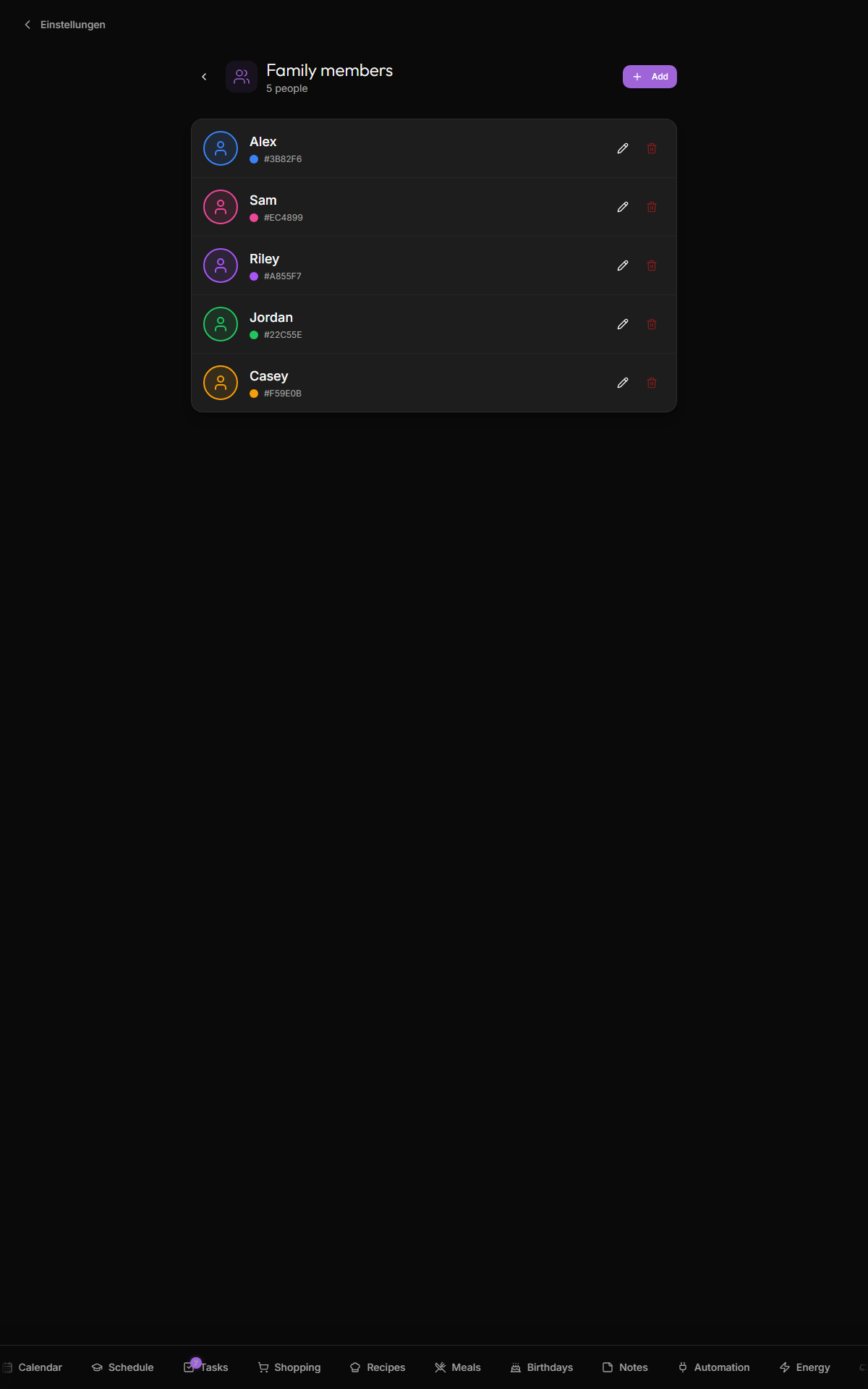
Tap + Add. The dialog asks for:
- Name — what shows up everywhere (e.g. "Mama", "Lisa", "Opa")
- Color — pick from a 16-swatch palette. This color drives every visual mention of this person (event chips, task assignment badges, schedule indicators, etc.)
- Avatar — emoji 👩 / 👦 / 🐱, an uploaded image (cropped to a circle), or a URL
- Child / student — toggle that enables school-schedule features for this person
That's it. Save and the person appears across the app immediately.
Three avatar modes:
Pick from a curated set — most common family emojis (👨 👩 👦 👧 👴 👵 🧔 👱 👸 🤴 👶) plus a few pets (🐱 🐶 🦊 🐼 🐨 🦁) for the family pet's "person" row. Renders inline as text without bandwidth cost.
Drag-drop or pick a JPG/PNG/GIF (max 10 MB). Kinboard:
- Opens a circular crop dialog
- Crops + scales to 256×256
- Saves as a base64 data URL in
people.avatar_url
Locally stored — no upload to a CDN. Works fine for ~200 KB final images per person; larger and the row gets bloated.
Paste a URL — Gravatar, a Google profile photo, anywhere image-served. Kinboard renders the image directly without proxying.
Note: external URLs depend on the source staying up. If your Gravatar provider goes down, the avatar disappears. Uploaded mode is more durable.
Each person's color drives:
- Event chips on the calendar (the chip's left border)
- Task assignment badges on todos
- Schedule cell tints in the school schedule
- Birthday ring dots if linked from a birthday entry
- Avatar ring in the dashboard's family-members row
- The mapping rule preview in Settings → Google Calendar
Pick distinct colors so per-person attribution stays glance-able. The palette has 16 swatches; if you have more than 16 people, repetition will happen. Most families have ≤ 6.
Marks the person as a school-schedule consumer. When toggled on:
- The person can be selected in /schedule view
- The schedule widget on the dashboard picks them
- Their pack list appears on the day-of
Adults don't have schedules. Pets neither. Toggle on only for actual school-attending family members.
Real-time published. Adding / editing / deleting a person on a phone updates the kitchen wall instantly. The person's color change propagates to every event chip, task badge, etc.
Tap the trash icon on the person card → confirm dialog → deleted. Cascade behavior:
- Events assigned to them → become "family" events (no person)
- Todos assigned to them → become unassigned
- School schedules for them → preserved but orphaned (clean up via DB if it bothers you)
- Birthdays linked to them → unlinked but preserved
- Color = mood: pick distinctive colors so glancing at the calendar tells you "those red events are mom's, those blue are the kids'" without reading the names
- Pets get a row: 🐱 / 🐶 emoji avatar, "no birthday" left blank, used for tracking vet appointments
- Grandparents: add as people without "child" toggled — useful for adding their birthdays linked to color
- Edit color when seasonal: "Lisa's color was pink, she's now into green" — change it; everywhere updates
- One person per device. Kinboard's auth model is family-scoped, not person-scoped. The "active person" is implicit per device based on usage; no formal login.
- Permission roles. No "kids can't edit dad's calendar" feature. Trust model is "everyone in the family has the same access."
public.people table. Real-time published.
- Birthdays — link a birthday to a person to inherit the color
- Schedule — child / student toggle enables school features
- Google-Calendar — assign Google calendars to people