Adopting an Existing Stack
Most tools of this kind assume a greenfield. Keelarr assumes the opposite: you have a stack, it works, and you are not going to rebuild it to try something new.
Adoption is therefore staged, and every stage before the last is reversible.
Adoption → Scan Docker.
Keelarr inspects your containers and reports what it found: image, ports, networks, restart policy, mounts, and environment key names only, never values. Nothing is written.
Containers it does not recognise are listed as Unsupported rather than adopted hopefully. That is the point of showing you the list.
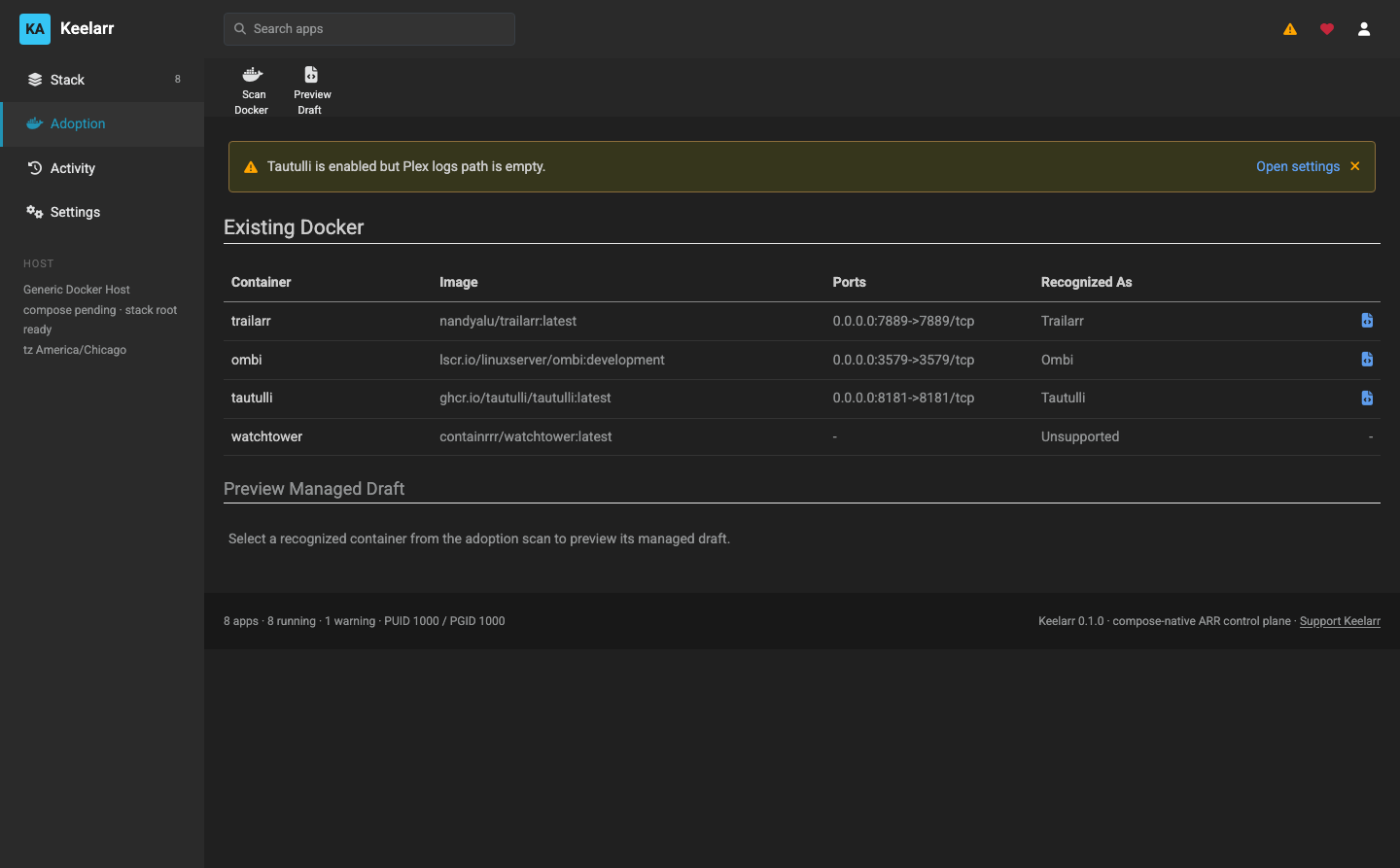
Preview Draft on a recognised container shows the compose.yml Keelarr would
generate for it — before anything exists on disk.
The draft preserves how the container already runs:
- host networking, or a custom network with a static address
- named volumes as well as bind mounts
- entrypoint and command overrides
- restart policy
- the environment keys it was started with
This matters because an imported service is usually not shaped like a catalog
default. A Radarr keeping /config in a named volume must keep using that
volume, not a fresh bind path — otherwise it comes back empty with its database
still sitting in the orphaned volume.
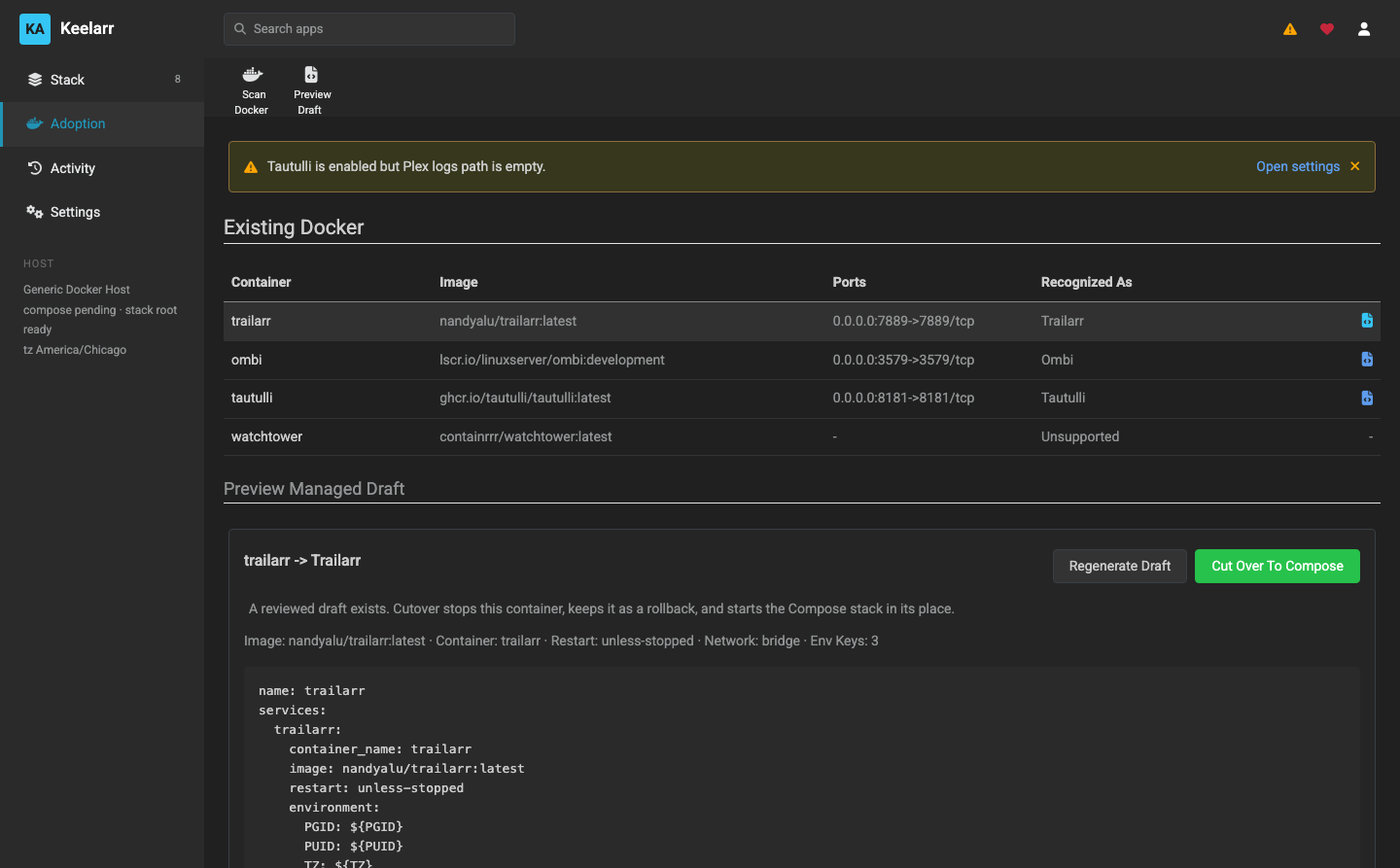
Writes the Compose files to your stack root. Still nothing has changed about the running container — the draft sits beside it.
At this point you can read the generated files, edit them, or delete them and walk away.
The only destructive step, and it runs as a job with declared steps:
| Step | What happens |
|---|---|
preflight |
Verify the draft still matches the live container |
backup |
Save compose, env, docker inspect output, and image identity |
stop |
Stop the live container |
rename |
Rename it to the rollback name, so it still exists |
deploy |
Start the managed Compose service |
verify |
Confirm the replacement is healthy |
revert |
Roll back to the original if it is not |
finalize |
Record managed state |
The original container is renamed, not deleted. If the replacement does not come up healthy, the job reverts automatically.
Preflight catches the case where the container changed after you generated the draft — adopting a stale picture of it would be worse than refusing.
Available afterwards, as its own job:
| Step | What happens |
|---|---|
preflight |
Locate the rollback container |
compose-down |
Remove the managed Compose container |
restore |
Rename and start the original |
verify |
Confirm the original is healthy |
finalize |
Record draft state |
Adoption, cutover and revert have run on a live QNAP against Trailarr, Radarr, Sonarr, SABnzbd and Ombi — including host networking and a custom macvlan network with a static address.
What has not been exercised is anything more unusual than that. If your container has an odd network mode, an unusual config location, or a shape Keelarr does not expect, that is exactly the case worth reporting.
Start with the service you would least mind losing. Trailarr is a good first adoption: small database, quick to rebuild, and it proves the SQLite path works.
Take a copy of anything irreplaceable first. Keelarr backs up compose, env and inspect output automatically, and renames rather than deletes the container — but a manual copy of a named volume holding a library database costs nothing.
Adopt one at a time. The whole point of the staged flow is that you can stop after any step.