Lifecycle
Install, upgrade, roll back, remove, reinstall. Everything slow runs as a job with declared steps you can watch.
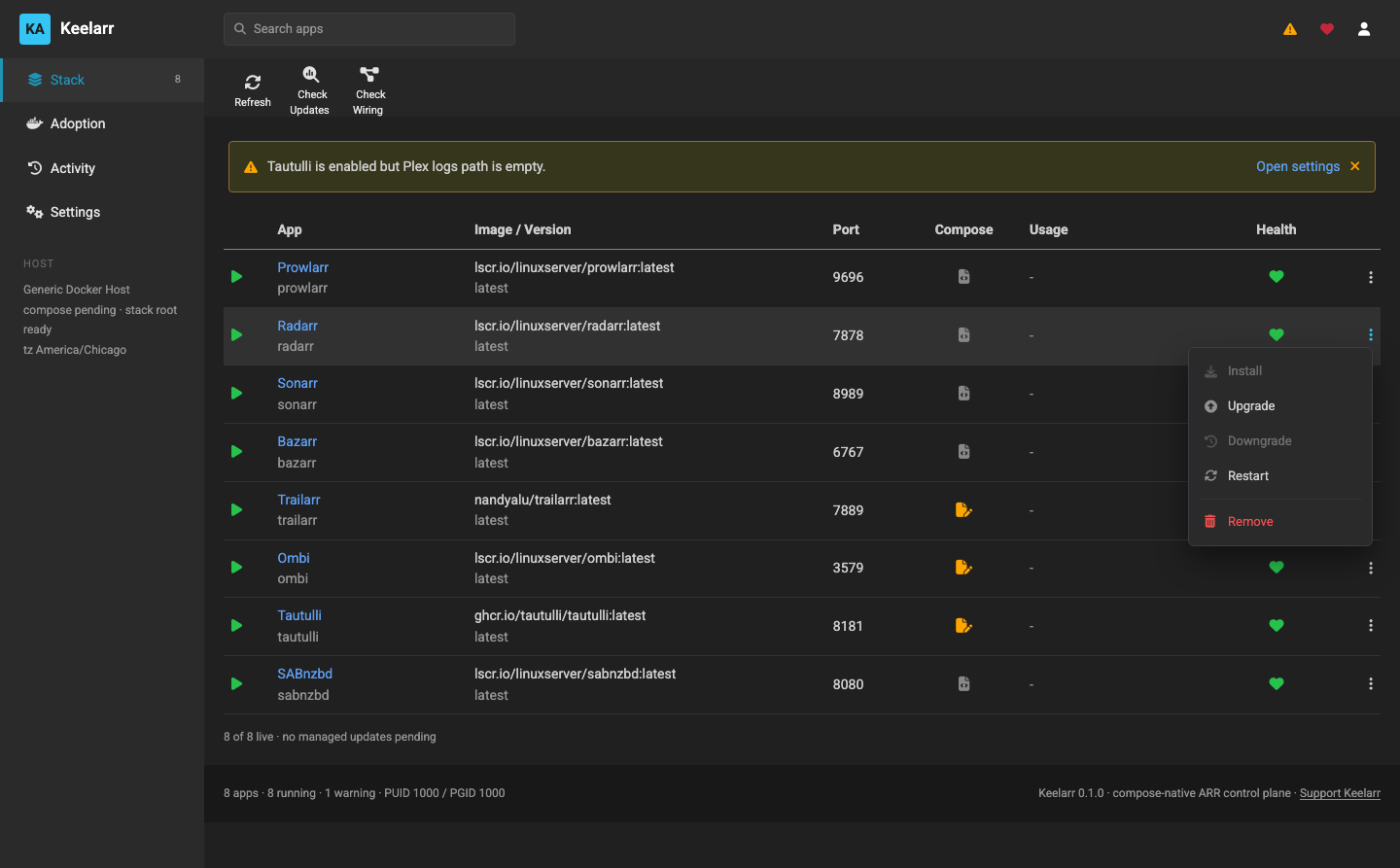
Actions that cannot apply are disabled rather than hidden — Install is greyed because the app is installed, Downgrade because no previous image was recorded.
Keelarr reads each service's version from the image labels, not the tag. A
container on :latest still shows the real release it is running, which is the
only way to know whether an upgrade actually changed anything.
Checks run:
- daily, on a 24-hour interval
- at startup, if the last check is overdue
- after an install
- when you ask
And nowhere else. There is a test asserting exactly that, because a control plane that quietly hammers a registry is a bad neighbour.
Results are stored, so Upgrade All plans from known state rather than re-checking everything first.
- Pull the new image
- Snapshot the app's config directory
- Recreate the container
- Verify it comes up healthy
- If it does not, restore the previous image and the snapshot
Pulls are judged on progress, not a deadline. There is no honest total
timeout for an image pull — it depends on the image, the connection and the day.
A 90-second cap once killed a Trailarr pull that was downloading perfectly well
and went on to finish in 175 seconds. What can be judged is whether it has
stopped: docker compose pull reports every layer, so two minutes of silence
means stalled, not slow.
Plans from stored update state and only touches services with a known update. Services already current are reported as such and skipped.
Skipped steps are marked skipped, not succeeded. An earlier version declared
nine steps for three real upgrades and reported the six it never ran as
successes, which is precisely the kind of false green this project exists to
avoid.
Rolls the image back to the previously running digest, not tag, and restores the config snapshot taken at upgrade time.
That last part is what makes it a real rollback. Reverting only the image leaves an old binary pointed at a database a newer version already migrated. Restoring the snapshot puts both back together.
The rollback is verified before it is kept. The pin is cleared once you upgrade forward again.
If there is nothing to roll back to, Keelarr says so. An upgrade where the "new" image had the same digest as the old one gets reported as unavailable rather than pinning the service to itself.
Taken automatically at upgrade. A tarball of the app's config directory,
excluding the noise — logs, caches, artwork — stored alongside compose.yml,
the docker inspect output and rollback.json.
Nothing parses the contents. It is a directory in and a directory out, which is why it works identically for Radarr's XML, Bazarr's YAML and Trailarr's SQLite, with no per-app knowledge.
This is also why moving an app's database is not the same as writing into its schema: the app wrote the file, the app reads it back, and it migrates it forward on start exactly as it already does.
Choose what to keep:
| Option | Result |
|---|---|
| Keep configuration | Container, image and stack files removed. The config directory stays |
| Remove everything | Container, config, image, stack files and backups. Nothing left |
The dialog tells you which apps still hold a reference to the one you are removing — Prowlarr's sync, Bazarr's link — because those references survive the removal and turn into leftovers the wiring check will report.
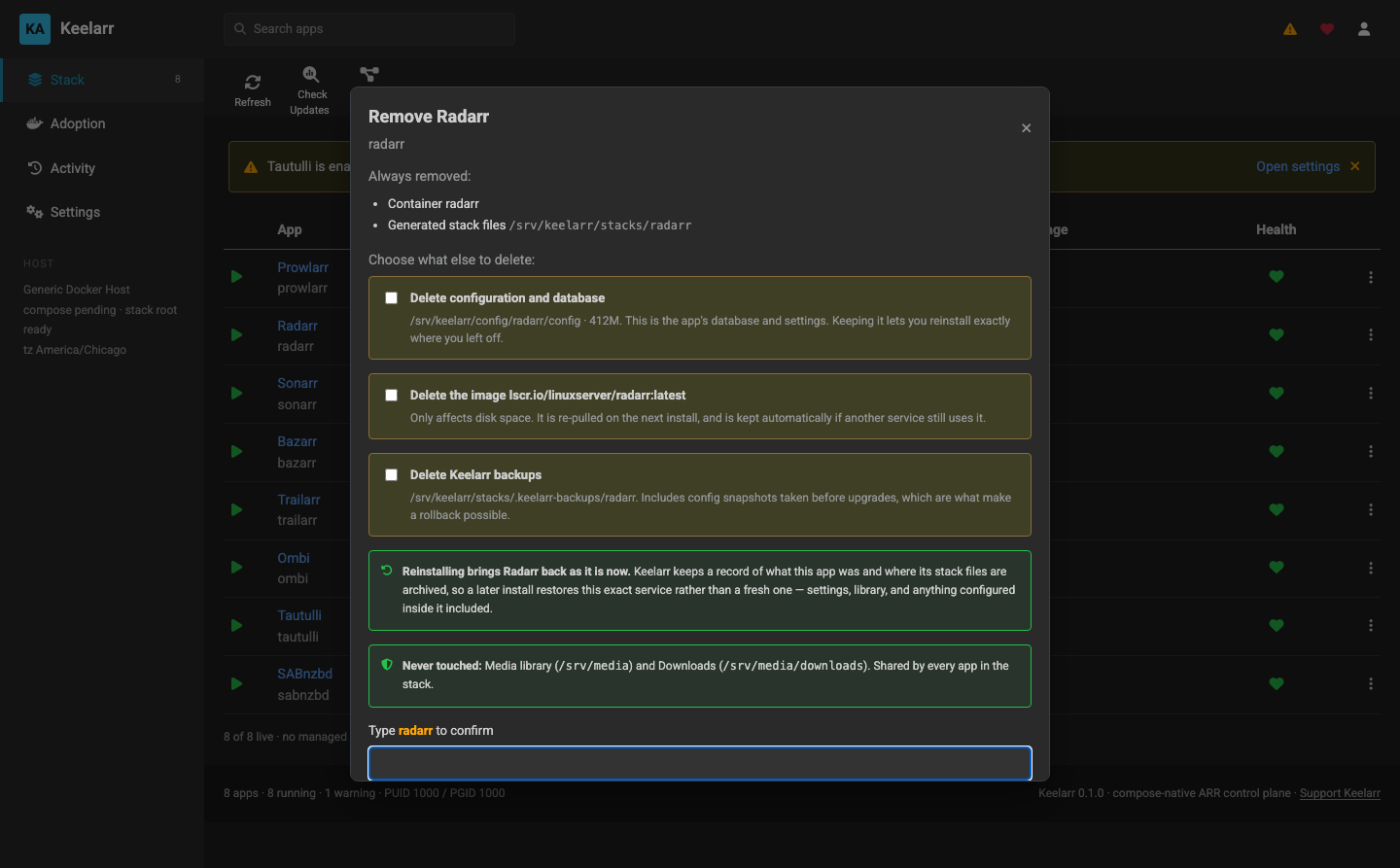
Removing the last service leaves an empty stack, not a repopulated default list. The default selection exists for a first run; after a deliberate removal it would just put apps back that you removed.
If the config was kept, reinstalling brings the app back as itself:
- an imported service returns to its original volume or bind path, not a fresh catalog default
- the archived compose is restored rather than a catalog file regenerated
- the database, indexers, download client and root folders come back with it
Verified on macOS: Prowlarr removed with config kept, reinstalled, and its API
key and prowlarr.db were byte-identical afterwards.
If no snapshot exists, reinstall is a clean install — not an error.
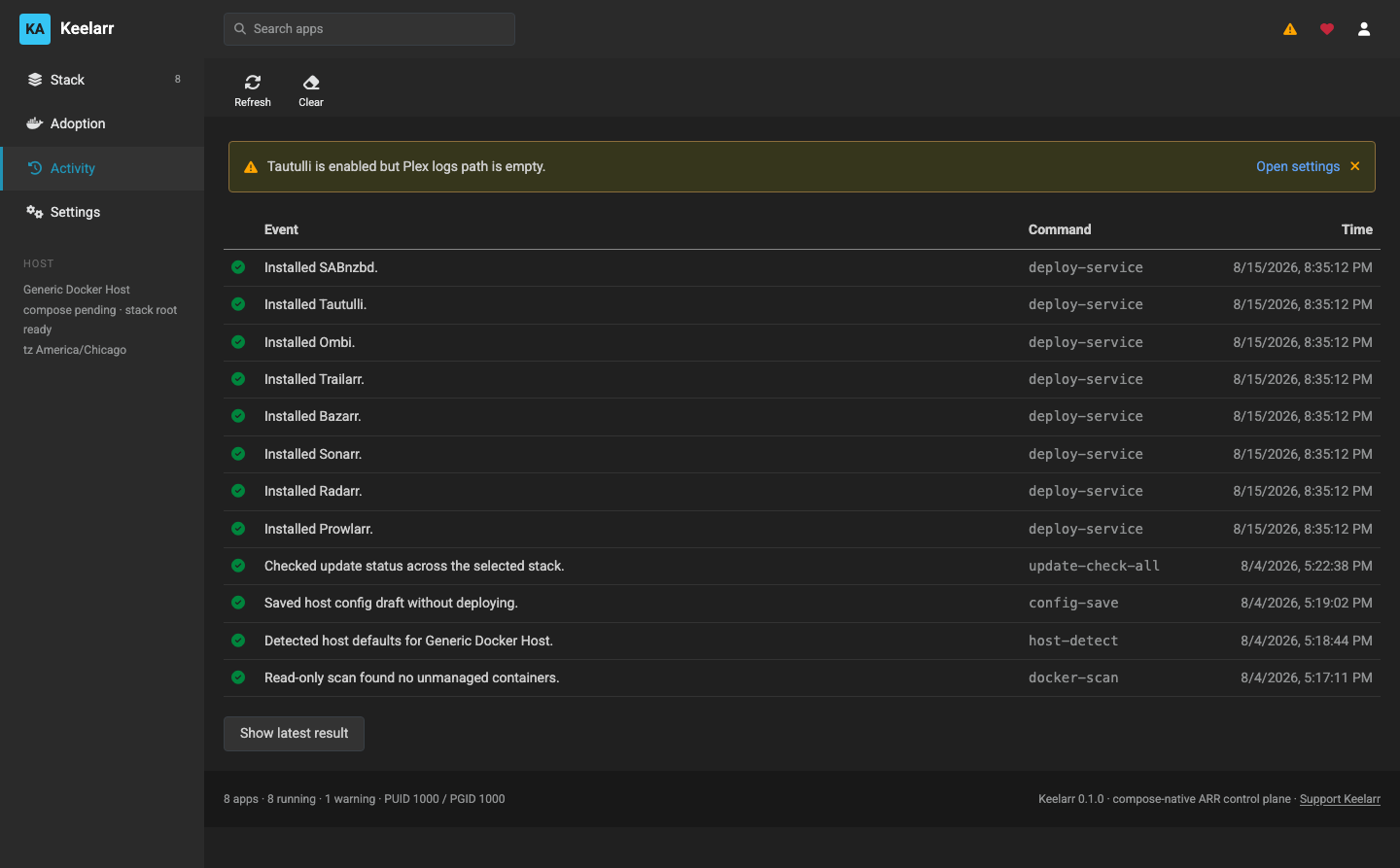
Anything slow returns 202 immediately with a job you can poll. Each job
declares its steps up front, so the UI can show what is coming, not just what has
happened.
Two rules the job registry holds to:
- A job's status is derived from its steps. It cannot report success while containing a failed step
-
A step that did not need to run is
skipped, neversucceeded
Jobs survive a controller restart. One interrupted mid-flight is reported as interrupted with an accurate step list, and the in-app revert can recover from that state.