Repository navigation
Desktop and cards
The desktop shows a big clock, the date, the sunrise / sunset path and a row of up to three glass cards.
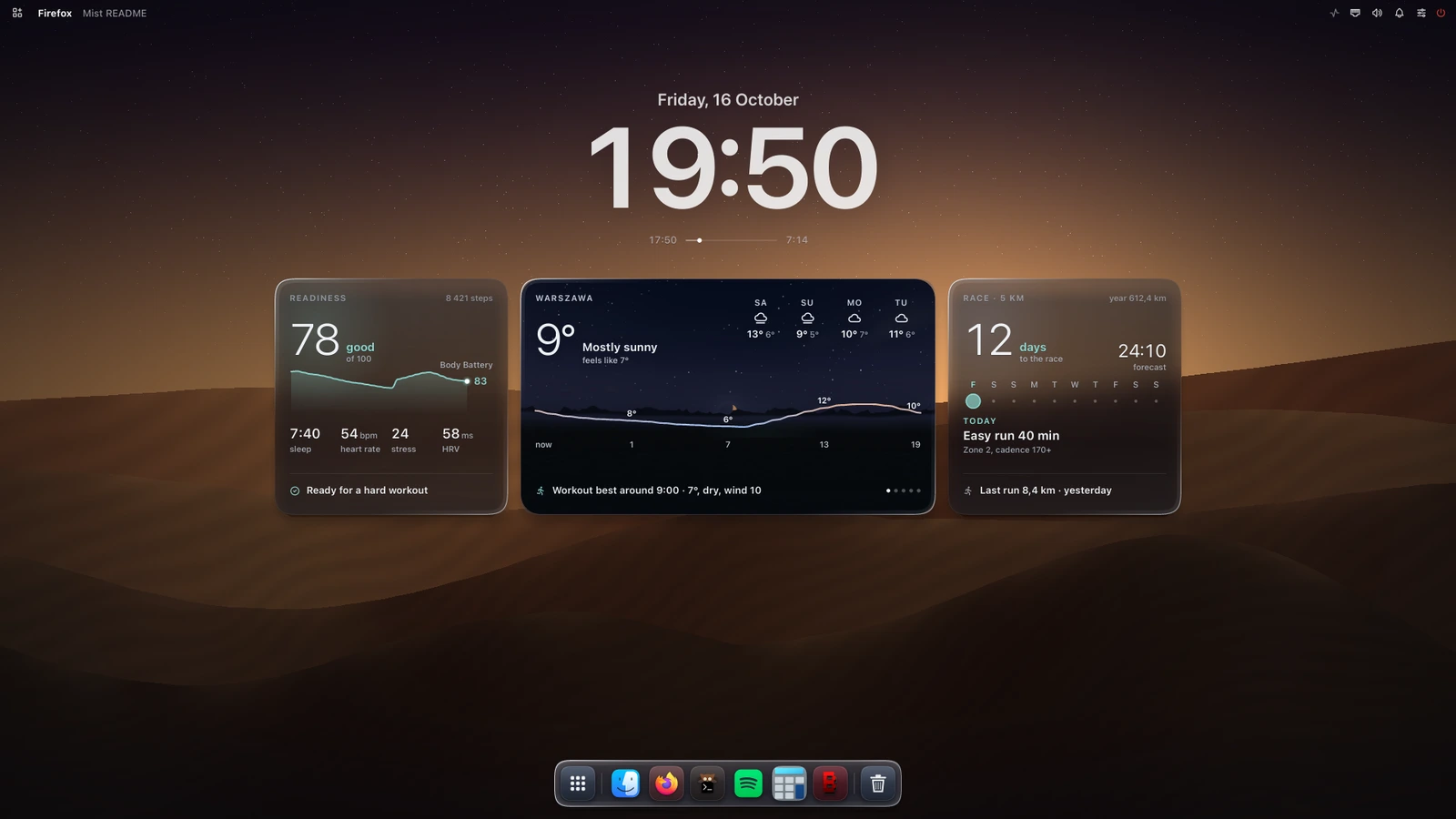
Right click the desktop clock. The sheet has five tabs:
| Tab | |
|---|---|
| General | language and the weather place (search through Open-Meteo geocoding), wallpaper |
| Layout | how many cards, which card goes where, the clock (size, date, sunrise / sunset), the card background (light, normal, dark) |
| Garmin, Weather, Running | what each card shows: the big number, the chart or vitals, the footer |
Cards without their data source (below) are not offered in Layout.
Everything is saved to ~/.config/mist/widgets.json; the keys are listed in
docs/CONFIG.md.
Open-Meteo, no account or key. Hourly curve (temperature, rain or wind), 4 days, a rain nowcast, the best running window, a clothing tip, sun and moon. The live sky behind the card follows the current conditions. Without a place set the card asks for one and nothing is fetched.
Your own Garmin Connect data through a local InfluxDB filled by garmin-grafana: readiness, Body Battery, sleep, HRV, stress, steps; days to the race, the week's plan, the last run, a 5 km prediction.
They need ~/.config/mist/influx.json. Without it these cards are not shown and not offered in the
sheet, and the other cards close up. Setup: docs/guides/garmin.md
(Polski).
The Dynamic Island sits at the top of the main monitor: media with an equalizer, timers, calls,
notifications, volume, the next calendar event (feeds.json), rain alerts. Try the views with
mist-ui-bin msg island demo <name> (Keybindings and IPC).