1.4 Project Settings
You can find the BDC Dialog backend Settings in the Project Settings under "Game"
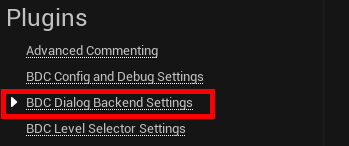
The Settings are mostly to setup an individual optic for the Graph Editor and defining the basic Global values.

Let's get through them.
Define the individual colors for the Node Headers in the Dialog Editor. This is a special Thing to give more freedom in designing your graphs in a barrier free way.
Same as the headers, you can define the color system for the outlines of the nodes.
You are tired of the default white Wires in the graph, simply recolor them as you please.
While you simply can add new Global Values as Runtime, by using the Subsystems SetGlobal<Type> Function, you can also define a basic Set of Globals, which will be loaded and set on Subsystem Initialization.