2.1.3 The Graph
The Dialog Graph is a custom Editor for the DDA DataTable.
It is made of 2 Main Tabs.
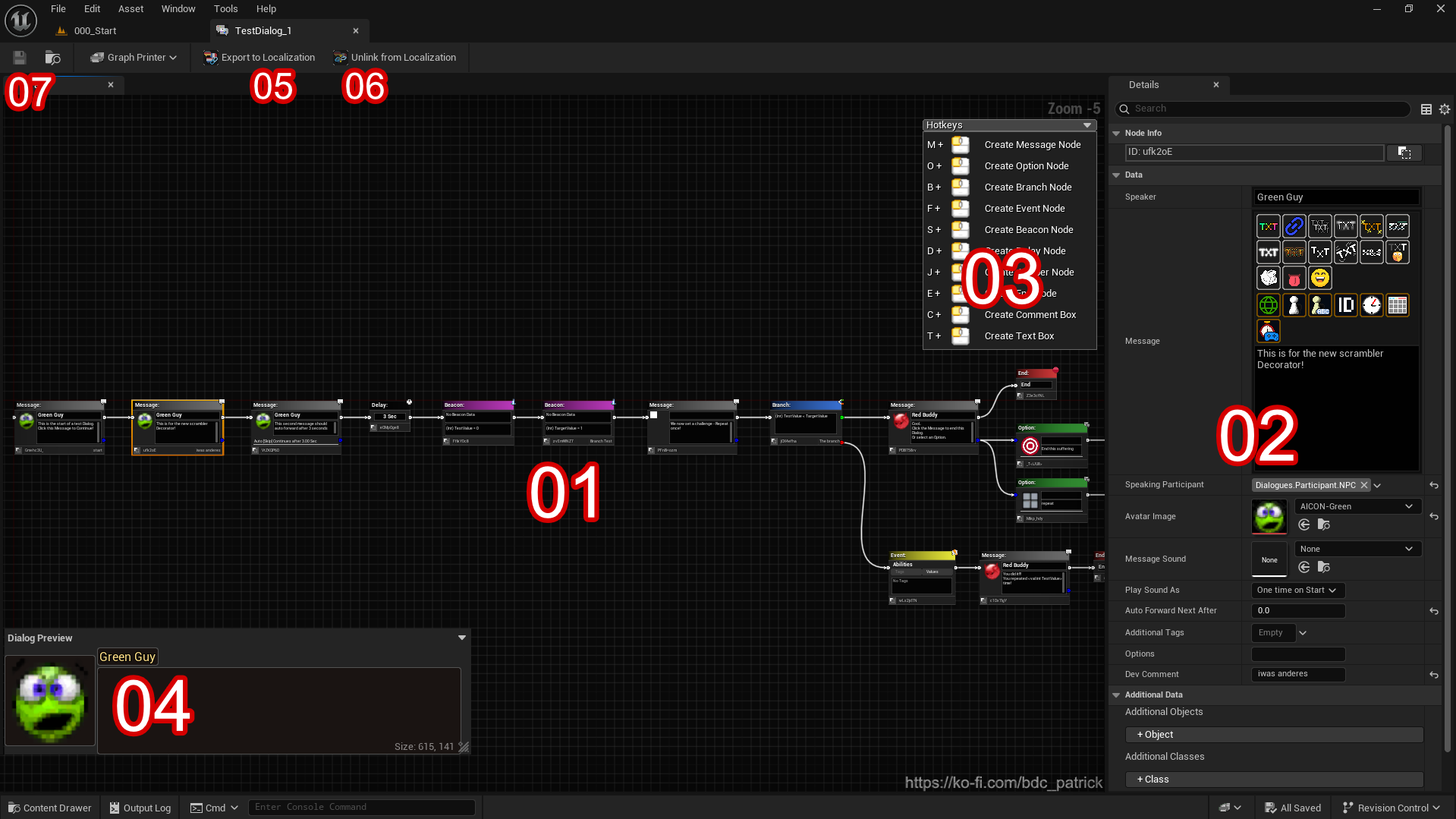
The Node Graph is the Place you add your Dialog Nodes, Comments and allover Logic for the Dialog(ues). A single DDA can hold multiple Dialogues, by just starting a new Dialog Chain.
The Detail tab shows the editable Details of the current selected Node. Each Node has its own custom Editor to set the properties up.
A helper Box which can be collapsed/expanded. It shows the default Hotkey Commands of the Editor, to place Nodes.
A DDA always opens up with a new created message Node, if no Node is present in the Graph.
A Dialog Data Asset contains Nodes, which are the Flow of your messages, Options and Values.
The following chapters will explain you each Node explicitly in detail.
