More Settings
So you saw the basic functionality the plugin had and wanted to know what the other buttons do? You're in the right place!
Let's go through the remaining options one by one.
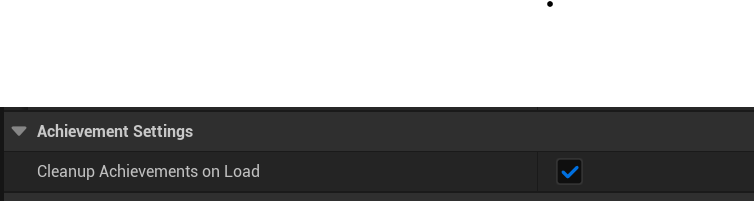
- Cleanup Achievements On Load: When achievement progress is loaded, it will go through every single element and if there is no achievement with the corresponding Link Id, it will be removed. Basically, if you made progress towards an achievement, but that achievement got removed, it will remove the progress for it when progress is loaded.
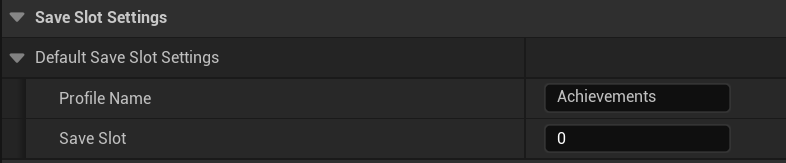
- Default Save Slot Settings: The plugin uses UE5's SaveGame in order to save and load the progress for the achievements. This just allows you to set the profile name (name of the file it will be saved in to) and the Save Slot to use. For more information, please visit UE's documentation here
I briefly went over the first before, but lets go into a bit more detail.
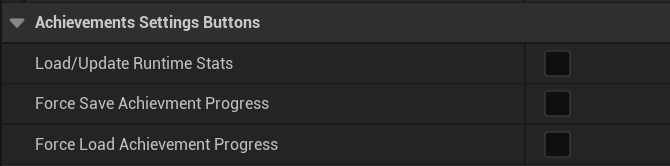
- Load/Update Runtime Stats: Every achievement has a Transient (doesnt save) struct that shows the current progress towards the achievement. This will simply load them for all the achievements
- Force Save Achievement Progress: This is just used for debugging. If you want to make progress and then save them here instead of using the Blueprint Node, you can do that
- Force Load Achievement Progress: Same as saving, but then loading