Session
English · Русский
Kitten for kitty: a full-screen overlay for browsing and managing Claude Code sessions — right from the terminal, on a hotkey.
It opens on the projects screen — every project from ~/.claude/projects with its
session count and live activity; the current one (by window cwd) is marked (here):
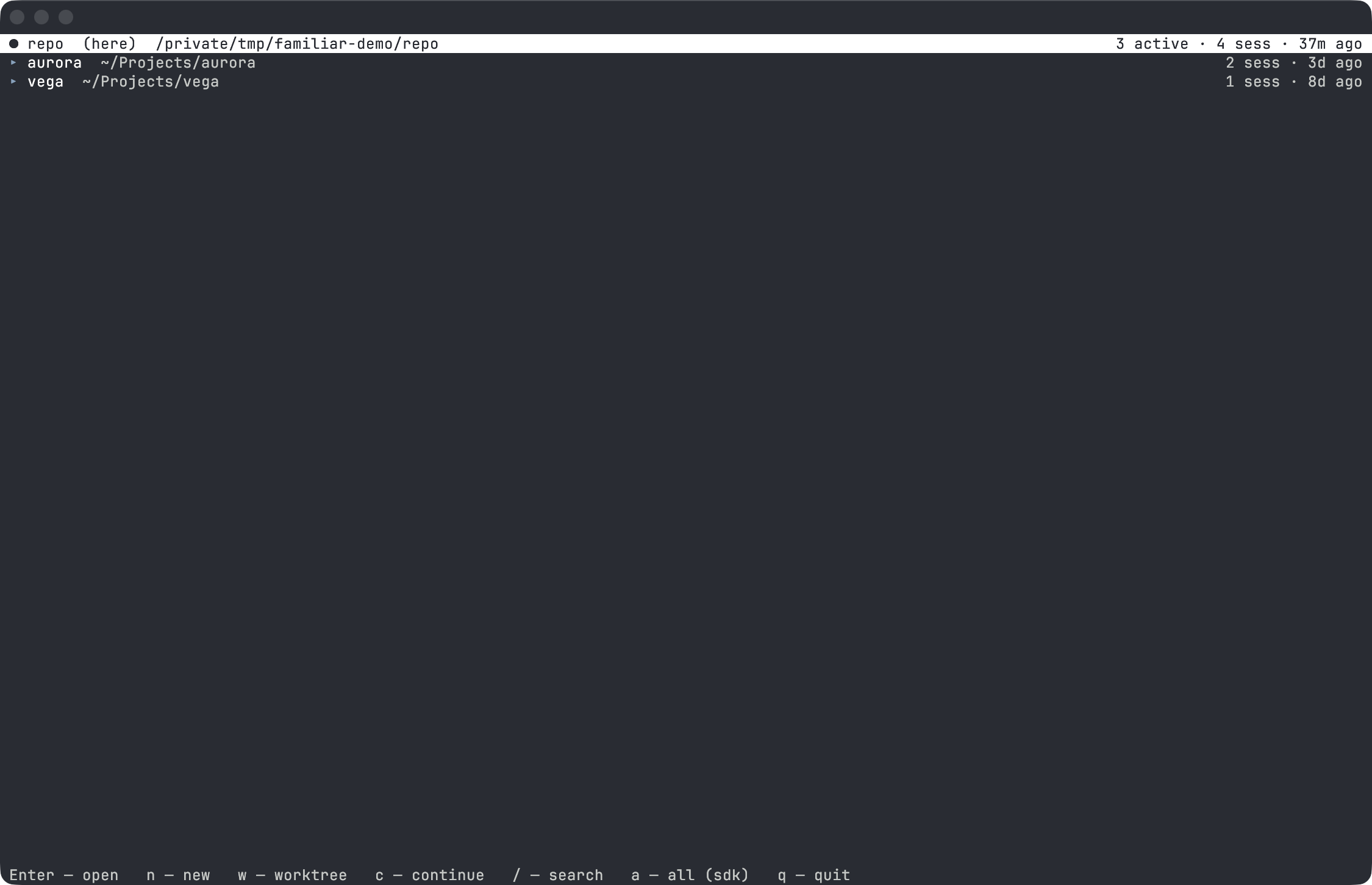
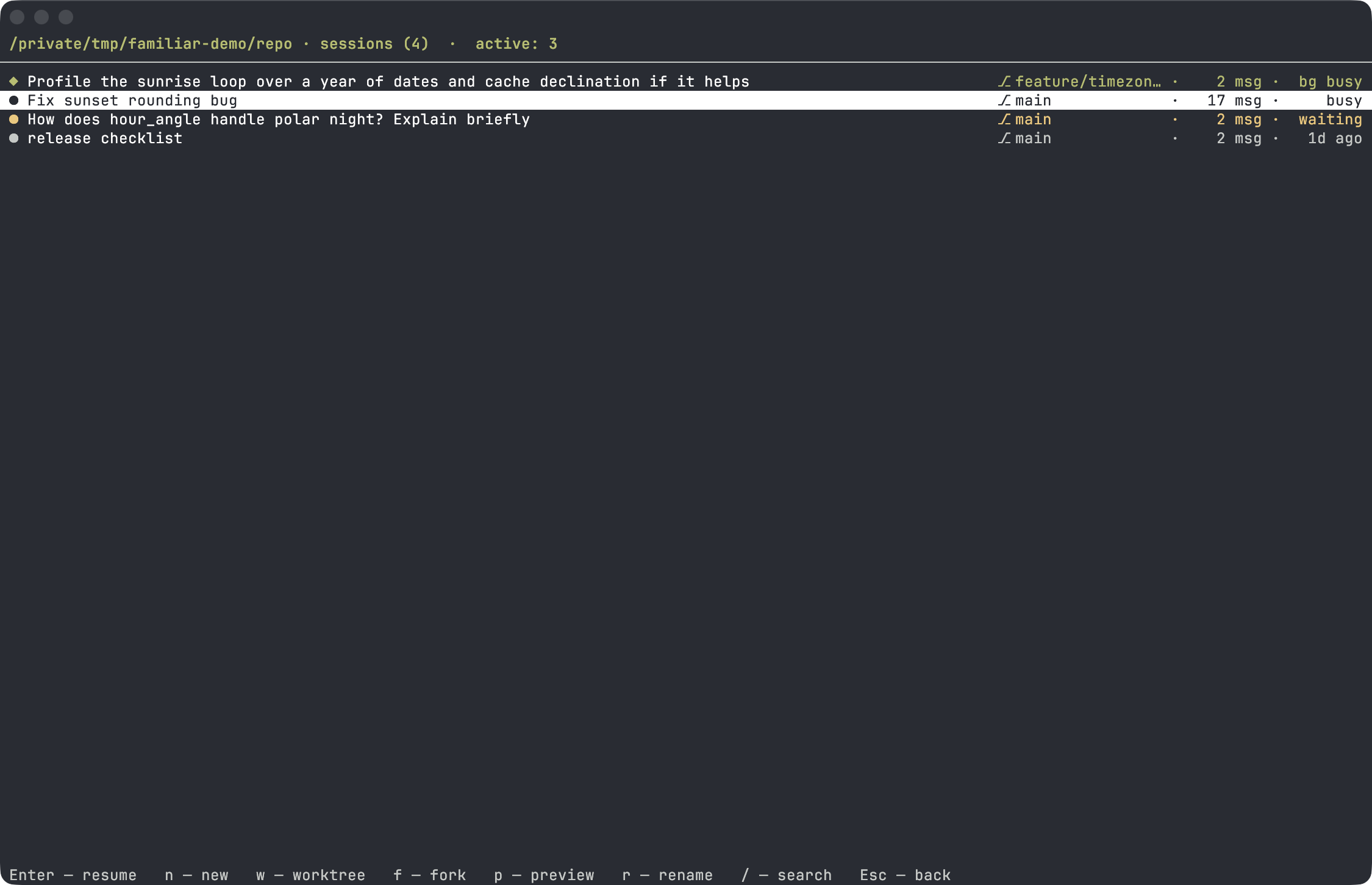
Enter opens the project's sessions. Running ones show their real status — busy
(green), waiting (yellow), ◆ bg busy for a background agent — plus the git
branch and message count; a renamed session keeps its custom title:
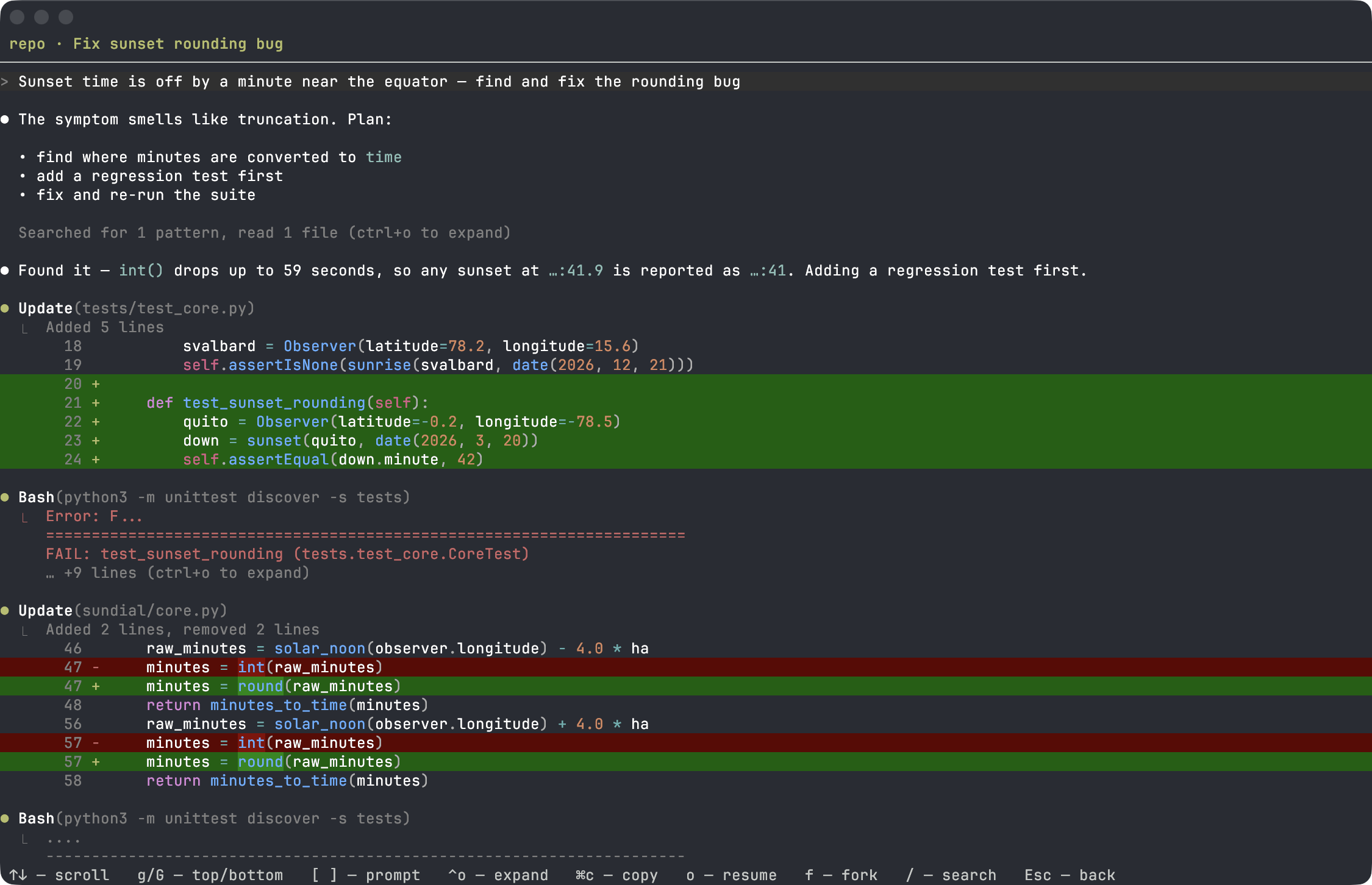
p (or →) previews the conversation as a Claude Code-style transcript: the
prompt, tool calls with their output, file edits as coloured diffs, errors in red,
markdown answers with highlighted code:
-
Projects → sessions navigation. A list of projects (
~/.claude/projects), and inside it — the sessions of the selected project. The current project (by windowcwd) is marked(here). -
Live activity. Shows which sessions are running right now and their
status (
busy/idle/waiting: permission prompt) — the data source is reliable, from the registry of live processes, not from file timestamps. Background agents are marked separately (◆,bg idle): they cannot be resumed while they run — see How activity is determined. -
Resume / fork.
o(orEnter) — a new tab withclaude --resume <id>in the project folder;f— the same, but--fork-session(fork the conversation without touching the original session). -
New session / continue.
n— a newclaudein the folder (the project, or the session's project);c(on the projects screen) —claude --continue(resume the project's last session). If the project window is already busy with a runningclaude, the new session opens beside it in a split — that needs thesplitslayout from the terminal config; on a stock kitty it just opens as a separate window instead (either way the running session isn't covered, and nothing breaks). -
Worktree.
w—claude --worktree <name>: create an isolated git worktree and start a session in it (parallel work without touching the main working tree). The name is asked for in the input line; if empty, Claude generates it itself. -
Conversation preview as a Claude Code-style transcript: turns (
>/⏺), tool calls with their argument (⏺ Bash(git status)) and output (⎿), errors in red. File edits show as⏺ Update(tests/x.py)with a summary and a coloured diff, a file read as⎿ Read 402 lines, and leaving plan mode as⏺ Updated planwith the plan in a frame. Claude's answers render markdown (bold, italic, inline code, headings, lists, tables) with syntax-highlighted code blocks. Long output is folded (… +N lines);Ctrl+oexpands all of it. Exploration calls — searching, reading, listing — collapse into a summary line (Searched for 2 patterns, read 1 file); commands, file edits, plans and failed calls always stay visible. Plus text search (/, jump withn/N, highlighted). -
Renaming a session (
r). Writes acustom-titleentry into the session file — the same thing the/renamecommand does in Claude Code, so the name shows up both there and here. -
List filter by name (
/in the list). - Hides noise: sdk sessions (
entrypoint: sdk-cli) and internal~/.claude/…folders are hidden by default; toggle witha. - Shortcuts also work on a Russian keyboard layout (by key position).
familiar enable sessionReload the config with Cmd+Ctrl+, (macOS) or restart kitty. Open with: cmd+shift+s.
Minimal fallback — a manual map in ~/.config/kitty/kitty.conf (or a separate
include file):
map cmd+shift+s kitten /path/to/familiar/plugins/session.pyUnlike familiar enable, this bare map lacks the toggle-to-close behavior, the
guard against re-opening the overlay on top of itself, and the Cyrillic key
duplicates for the Russian layout.
Mouse: click a row — select; click the selected row again — open (enter the project / resume the session).
Lists (projects / sessions)
| Key | Screen | Action |
|---|---|---|
↑/↓, PgUp/PgDn
|
both | navigation |
g / G, Home/End
|
both | to start / end |
| mouse click | both | select row · click again — open |
Enter |
both | open project / resume session |
→ |
sessions | preview (on projects — open) |
n |
both | new session (claude) in the directory |
w |
both | worktree (claude --worktree) + new session |
c |
projects | continue (claude --continue) |
a |
projects | show all sessions / cli only |
o |
sessions | resume — new tab with claude --resume
|
f |
sessions | fork — resume with --fork-session
|
p |
sessions | preview conversation (same as →) |
r |
sessions | rename session |
/ |
both | search (filter) the list |
Esc |
both | back (or clear the filter) |
q |
both | quit |
Preview
| Key | Action |
|---|---|
↑/↓, PgUp/PgDn, mouse wheel |
scroll |
g / Home, G / End
|
jump to the start / end of the history |
[ / ]
|
jump to the previous / next user turn |
| click a folded line | expand / collapse it (output, plan, file contents, tool summary) |
Ctrl+o |
expand all folded output (press again to collapse) |
| drag with the mouse | select: within a line — a span, across lines — whole lines |
⌘c |
copy the selection |
/ |
search the conversation text |
n / N
|
next / previous match |
o |
resume |
f |
fork (resume with --fork-session) |
Esc ←
|
back |
q |
quit |
Claude Code keeps a registry of live processes in ~/.claude/sessions/<pid>.json
(sessionId, cwd, status, waitingFor, kind). The plugin reads it and checks that the
pid is alive — so active sessions are detected precisely, with a real status, not by
mtime.
Entries with kind: bg are background agents. Claude Code refuses to attach to a live
agent (claude --resume answers "stop it there first to resume here"), so such sessions
are marked with ◆ and a bg <status> label, and o/Enter does not start a resume on
them. The options: stop the agent, attach to it via claude agents, or fork the
conversation (f) — a live process does not block a fork.
-
~/.claude/projects/<enc>/<uuid>.jsonl— sessions (<enc>is the project path with/and.replaced by-). The title comes fromcustom-title(/rename), otherwiseai-title, otherwise the first message. -
~/.claude/sessions/<pid>.json— registry of running sessions and their statuses.