Terminal Config
English · Русский
A real, working kitty configuration — macOS.
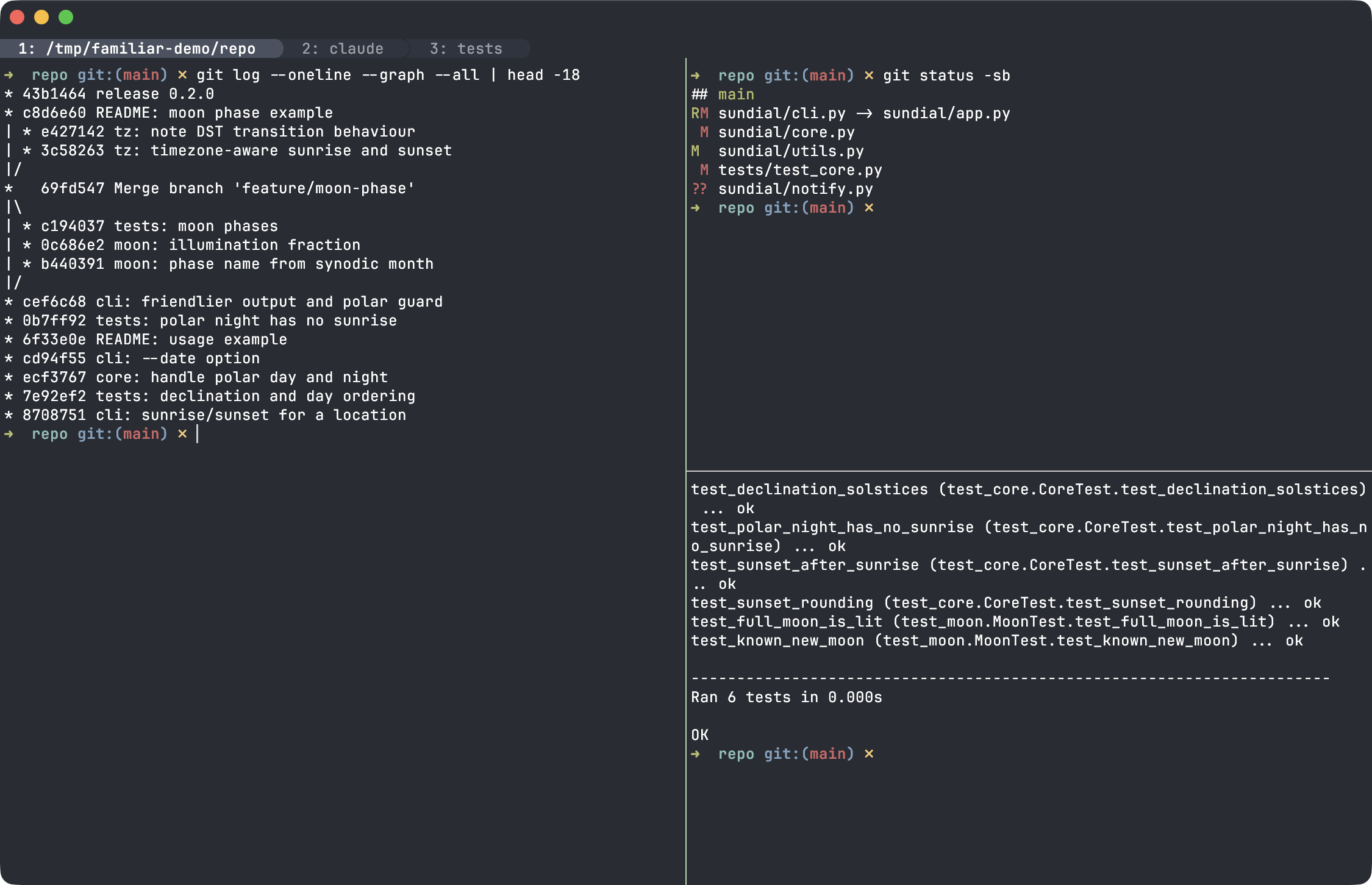
A Ghostty-flavoured look, Ghostty-style splits and rounded powerline tabs, and
fixes for driving Cmd/Ctrl shortcuts on a Russian keyboard layout. It ships
in the repo under config/ and is optional: the kittens run on any kitty.
These are personal
Cmd-centric macOS bindings with Cyrillic key duplicates. Fork it, read it, adapt it — don't adopt the whole thing blindly. What to change for your machine and layout is in Adapting it.
-
Palette — Ghostty's default dark theme, taken from
ghostty +show-config --default(foreground/background + the 16 ANSI colors), inghostty.conf. - Font — JetBrains Mono 12.
-
Tabs — top, rounded powerline "pill" style (
tabs.conf). -
Splits — Ghostty-style panes (
splits.conf). - Titlebar — tinted to the terminal background (macOS).
-
macOS — the config uses
macos_titlebar_color,hide_macos_app,minimize_macos_window,Cmd-based bindings, and a macOS-specific keyboard fix (see The Cmd+W fix). - kitty — tested on 0.47.
-
JetBrains Mono installed — otherwise kitty silently falls back to another
font and the intended look changes. Change
font_familyinghostty.confto use your own. -
Optional: the kittens from this repo — wire them in separately with
familiar enable --kittens(see Installation).
The easy path is the familiar helper: familiar enable --all pulls in this
config (as terminal.conf) plus the kittens. See Installation.
To use just this terminal config by hand, copy the files and restart kitty:
cp config/*.conf ~/.config/kitty/
cpoverwrites same-named files (notablykitty.conf) — back up your existing config first if you have one.
The theme, splits, tabs and layout work right away. Add the kittens separately
with familiar enable --kittens — it generates their maps with the absolute
paths kitty needs.
Grouped into keys/ (shortcuts + layout) and look/ (appearance); the two
hubs (kitty.conf, terminal.conf) stay at the root.
| File | What it sets |
|---|---|
kitty.conf |
Thin entry for the manual cp path — just include terminal.conf. |
terminal.conf |
Look-only hub — pulls in the others in order (restored-defaults first, so its clear_all_shortcuts runs before anything is mapped). This is what familiar enable --all includes. |
keys/restored-defaults.conf |
clear_all_shortcuts + a curated macOS Cmd set: font size (Cmd+=/-/0), new window/tab (Cmd+N/T/Enter), tab nav (Cmd+Shift+[ ]), rename tab (Cmd+Shift+I), clipboard (Cmd+C/V), search (Cmd+F), clear screen (Cmd+K/L), scroll, quit/hide/minimize (Cmd+Q/H/M), edit/reload config (Cmd+, / Cmd+Ctrl+,). |
look/ghostty.conf |
The look: Ghostty's default dark palette + JetBrains Mono 12 + macOS titlebar tinted to background. Needs the font installed. |
keys/russian-ctrl.conf |
Remaps Ctrl+<Cyrillic> to the same control code as the Latin key, by physical ЙЦУКЕН→QWERTY position — so Ctrl+C/V/… keep working while typing Russian. |
keys/splits.conf |
Ghostty-style panes: Cmd+D / Cmd+Shift+D split, Cmd+Shift+arrows move focus, Cmd+Shift+Enter zoom (stack), Cmd+W close pane, Cmd+Shift+W close tab. |
look/tabs.conf |
Top rounded powerline "pill" tabs + colors, Cmd+1…9 go to tab. |
look/darcula.conf |
Optional JetBrains Darcula theme (familiar enable --theme darcula). Loaded after ghostty.conf and tabs.conf, so it overrides their colors (terminal palette and tab bar); the font, the titlebar and the pill shape of the tabs stay. |
Note: clear_all_shortcuts wipes all of kitty's built-in shortcuts,
including the cross-platform Ctrl+Shift (kitty_mod) defaults — only the
curated Cmd set above comes back. restored-defaults.conf is a snapshot of
kitty's defaults frozen at a kitty version; re-check it after a major upgrade.
Two pieces make hotkeys work while the Russian layout is active:
-
russian-ctrl.confmaps everyCtrl+<Cyrillic>to the control code of the Latin key in the same physical position (Ctrl+с→Ctrl+C, …). -
splits.confcarries Cyrillic duplicates of theCmdbindings (D→вfor split); the kittens' duplicates (S→ы,R→к,L→д) are generated byfamiliar. Tab switching uses number keys (Cmd+1…9), which are layout-independent — no duplicate needed.
Don't use a Russian layout? Delete russian-ctrl.conf (and drop its
include from terminal.conf) and remove the Cyrillic duplicate map lines —
the Latin bindings are unaffected.
The one genuinely non-obvious part. On macOS, kitty's built-in
Cmd+W → close_tab is sticky: it has an ASCII fallback that pre-converts the
physical W key — which types ц on the Russian layout — back to w and
grabs it, so Cmd+W closed the tab instead of the pane, even in Russian.
-
clear_all_shortcuts yesis the only way to drop that default; thenrestored-defaults.confbrings back just theCmdshortcuts I actually want. -
splits.confmapsCmd+Wtoclose_windowwith--allow-fallback=ascii, which converts the physical W to Latinwand matches reliably on any layout. - A direct
map cmd+цdoes not work — the macOS input method swallows it (observed withkitty --debug-keyboard). The ASCII fallback is the robust path.
--allow-fallback=ascii only triggers for non-ASCII input, so Latin layouts
(Dvorak, Colemak, …) are unaffected.
-
Not on macOS? Remove the
macos_*options inghostty.confand rebindCmdtoCtrl/Superthroughout; theCmd+Wfix is macOS-only. - No Russian layout? See Russian keyboard layout.
-
Different font? Change
font_familyinghostty.conf. -
Terminal only?
familiar enable --terminalwires in just this config, without any kittens (or use the manualcpabove).
Writing your own theme (terminal palette + kitten highlighting): see Themes.