Repository navigation
Shell and Tray
Left-click the tray headset icon to open the sidebar shell. Close the window to keep the tray running (if Close window to tray is on). Use Exit on the tray menu to quit.
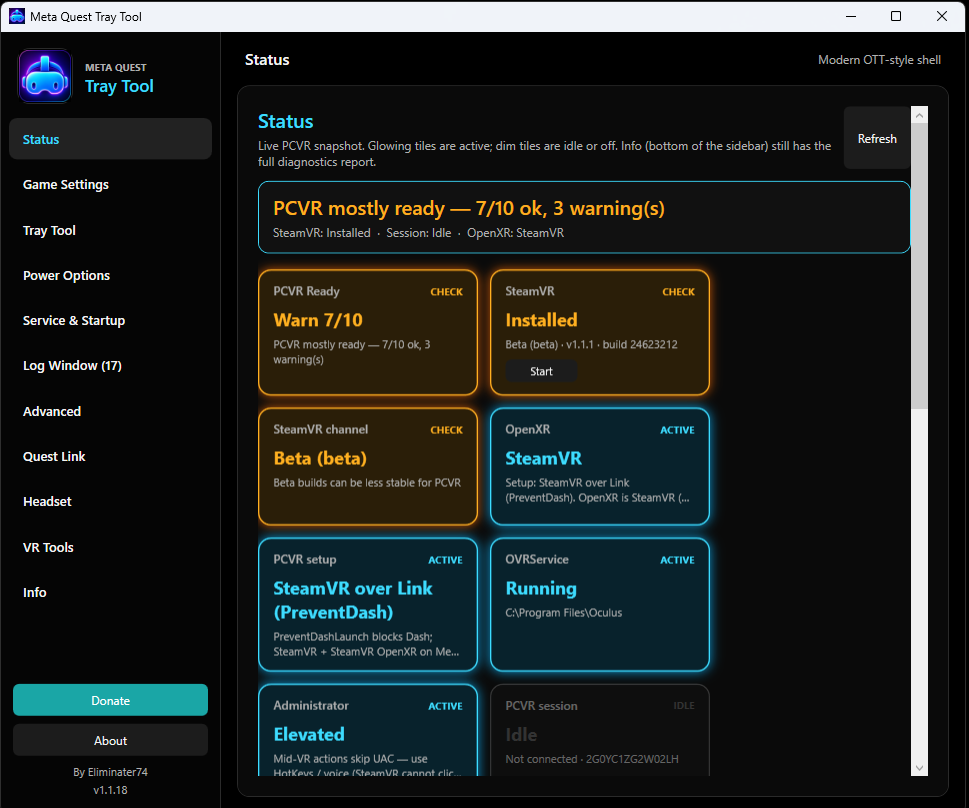
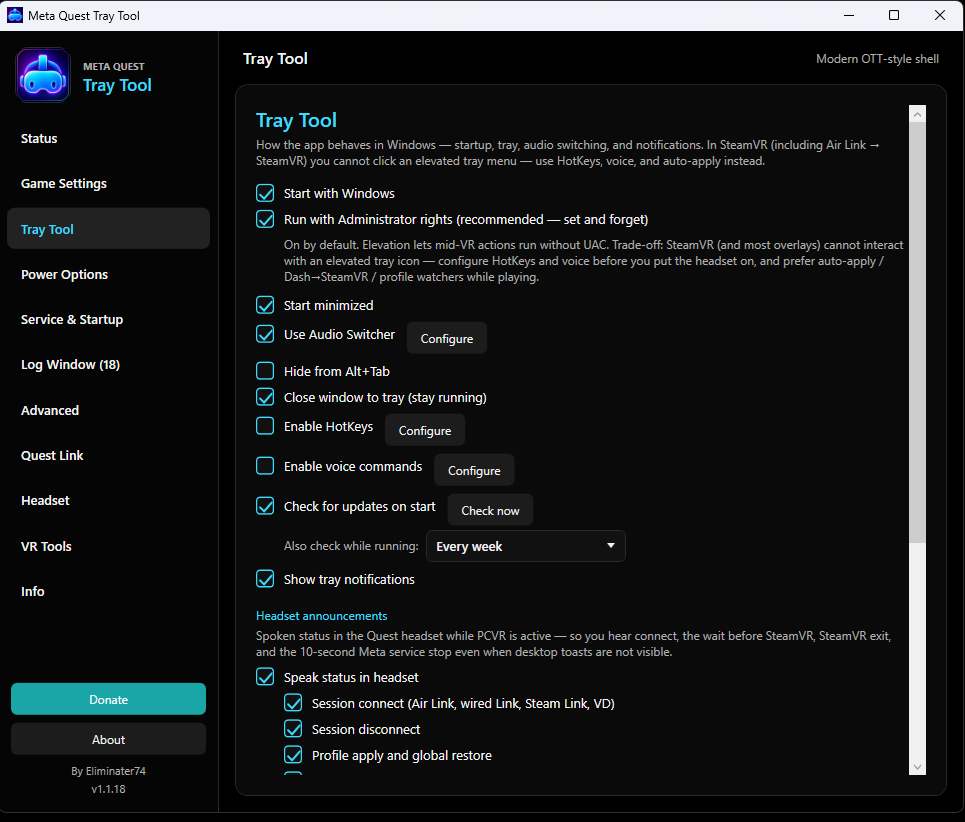
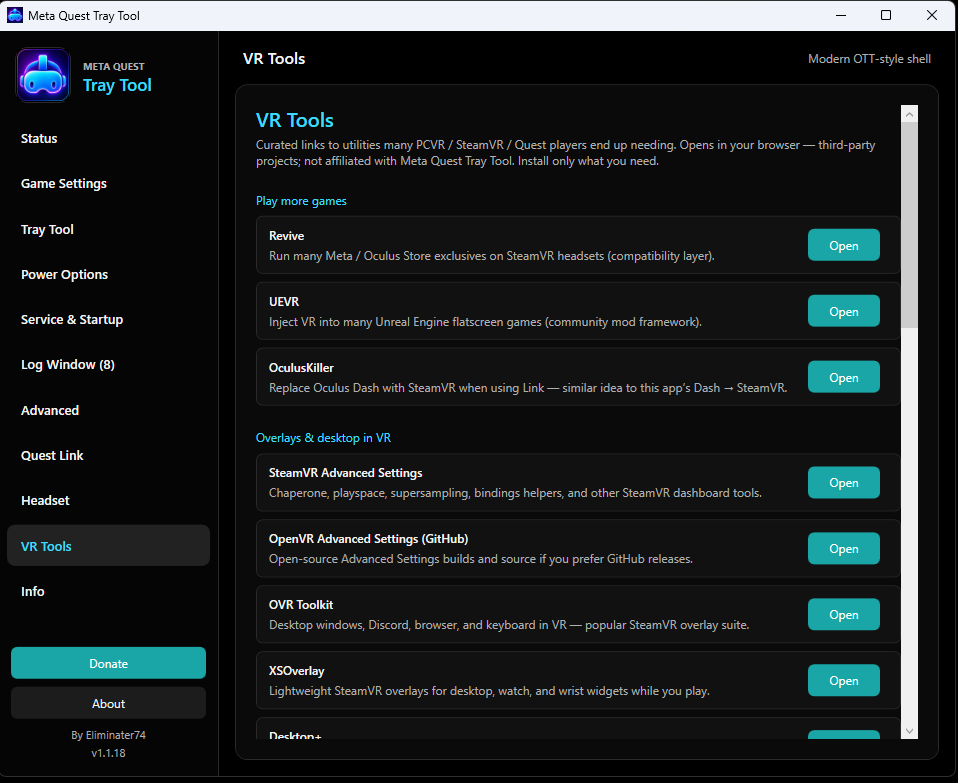
| Page | Purpose |
|---|---|
| Status | Default home. Live chips: PCVR Ready, SteamVR install/running/Stable|Beta, OpenXR, OVRService, elevation, session type, ADB, battery/Wi‑Fi, active profile, HotKeys/Voice, Dash→SteamVR, GPU, audio. |
| Game Settings | Global Super Sampling, ASW, FOV, HUD, OpenXR, overlay-close list. Opens Profiles / Global defaults. |
| Tray Tool | Start with Windows, elevation, audio switcher, HotKeys, voice, screenshot controls, headset announcements, verified updates, theme, notifications. |
| Power Options | VR vs desktop power plan, USB selective suspend, restart OVRService after sleep. |
| Service & Startup | Start/Stop/Restart OVRService, Manual-at-boot, PreventDashLaunch, CoreChannel, SteamVR Home. |
| Log Window | Startup checks, profile applies, Link writes, audio/power. Refresh / open log folder. |
| Advanced | Reset settings, wipe profiles, library import, backup export/import, check updates, Debug Tool GUI, stuck-helper repair, process diagnostics, sanitized support ZIP. |
| Quest Link | RemoteHeadset bitrate presets through 960 Mbps, startup protection for high fixed bitrate and DBRMax values, encode width, HEVC, slices, sharpening, DBR, Mobile ASW, GPU presets, Quest Link mirror screenshots. |
| Headset | ADB props, Wireless Pair/Connect, trusted serial, apply-on-connect, ADB screenshots, VR headsets only, Pause ADB. |
| VR Tools | Curated third-party links (overlays, wireless PCVR, tracking, essentials). |
| Info | PCVR Ready checklist, persistent Meta runtime compatibility status, Recover PCVR, session probe, system dump. |
| Donate / About | PayPal + version / credits. |
Typical actions:
- Open Settings, Meta Horizon Link, Oculus Debug Tool
- Start SteamVR over Link, Open SteamVR Home, Recover PCVR, Cycle Perf HUD, Save last-good
- Game Settings, Profiles, Quest Link, Screenshots, OpenXR, Audio, Power, Headset (ADB: screenshots / VR headsets only / Pause / Resume), HotKeys / Voice
- Start / stop / restart OVRService
- Check for updates, VR Tools, Donate, Exit
Tray Tool → Theme: Pure Black (default), Dark, or Light.
Only one tray instance can own the app lock. Starting a second copy now shows a blocker with
the running process ID and explains how to close it. The second copy then signals the existing
tray to show its shell and exits. The normal-user --session-helper process is an internal
launch helper; it does not block the tray from starting, records its tray owner, exits when that
owner is gone, and is cleaned up during tray exit even if its helper pipe stops answering.
v1.1.25+ adds Advanced → Repair stuck helper and Copy diagnostics for rare
hidden-process cleanup cases.
Watchers poll slowly when nothing is connected (~30–45s) and faster during PCVR. Disabled features stop their timers. Status/Info pause when the shell is hidden to the tray.
The updater downloads the exact GitHub Setup.exe asset, checks the published SHA-256 sidecar and expected size, locks the installer bytes before launching, and only stops this app's bundled adb.exe so other Android tools are not disturbed.
Use Advanced → Copy diagnostics or Info → Copy system info when reporting a problem. Support exports redact local identifiers such as user paths, machine names, serial-like values, Wi-Fi SSIDs, and saved wireless ADB endpoints.