Picker_Mixer
Mixers are sliders that mix colors from a Pin color to another Pin color. The first slider is the "Pole" mixer while all other sliders are "Linear" mixers. All mixing channels respect the mixing color space mode selected.
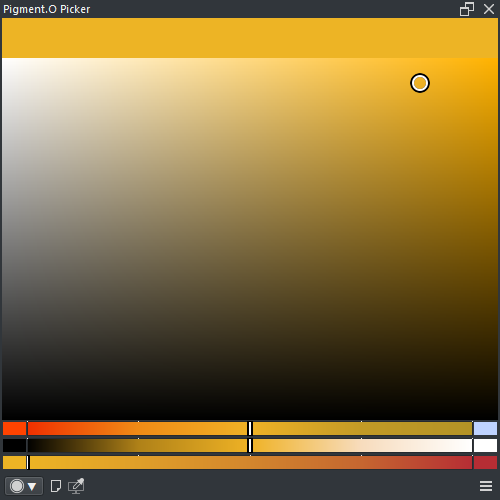
Pole Mixer will generate a mix from the currently canvas picked color in the middle into the "Pole" Pin colors on the left and right side. Because it is dynamic color picking will reset the slider to the middle when the mix changes.
Linear Mixers generate a simple gradient from one Pin color on the left to another Pin color on the right and this behaviour is static. There can be as many "Linear" mixers are needed.
- LMB : Select a value
- SHIFT + LMB : Set value to half
- CTRL + LMB : Snap to nearby mark
- ALT + LMB + Drag : Select amount of marks
- ALT + LMB x2 : Reset amount of marks
- RMB : Toggle auto snap to marks
- LMB + Drag_UP : Apply pin color to Krita
- LMB + Drag_Down : Save active color to pin
-
RMB : Pin menu
- APPLY : Apply pin color to Krita
- SAVE : Save active color to pin
- CLEAN : Clean pin color
- SHIFT + CTRL + ALT + LMB : Clean pin color