Picker_Mixer
Mixers are sliders that mix colors from a Pin color to another Pin color. All mixing channels respect the mixing color space mode selected.
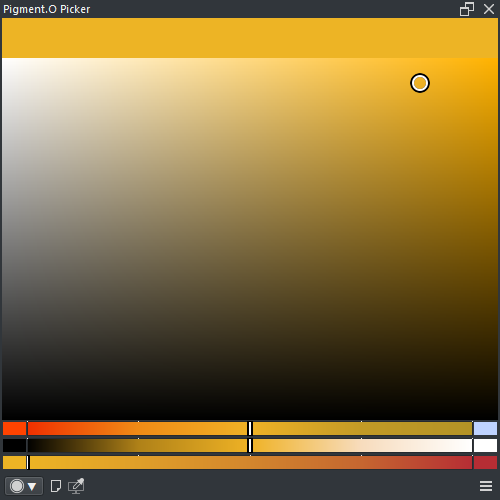
This dynamic color mixer uses the last canvas color ( middle ) to mix with color temperature tones ( Warm, Cold ). Because it is dynamic, color picking from the canvas will reset the slider to the middle as the mix changed.
This dynamic mixer uses the last canvas color ( middle ) to mix with two custom pin colors ( Left, Right ). Because it is dynamic, color picking from the canvas will reset the slider to the middle as the mix changes.
This static mixer generates a simple gradient from two custom Pin colors ( Left, Right ).
- LMB : Select a value
- SHIFT + LMB : Set value to half
- CTRL + LMB : Snap to nearby mark
- ALT + LMB + Drag : Select amount of marks
- ALT + LMB x2 : Reset amount of marks
- RMB : Toggle auto snap to marks
- LMB + Drag_UP : Apply pin color to Krita
- LMB + Drag_Down : Save active color to pin
-
RMB : Pin menu
- APPLY : Apply pin color to Krita
- SAVE : Save active color to pin
- CLEAN : Clean pin color
- SHIFT + CTRL + ALT + LMB : Clean pin color
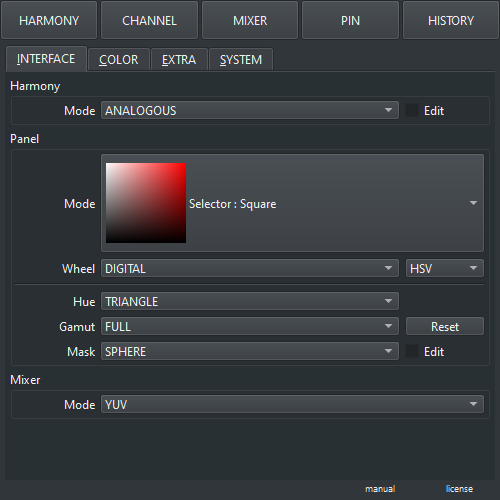
- Mode : Color space for all mixers except Panel Mask ( GRAY, SRGB, LRGB, CMYK, RYB, YUV, HSV, HSL, HCY, ARD, XYZ, XYY, LAB, LCH )