Repository navigation
Unload Tabs
Adds Unload Tab to a tab's right-click menu. It frees the memory the page uses but keeps the tab where it is, dimmed, and the page loads again when you open it.
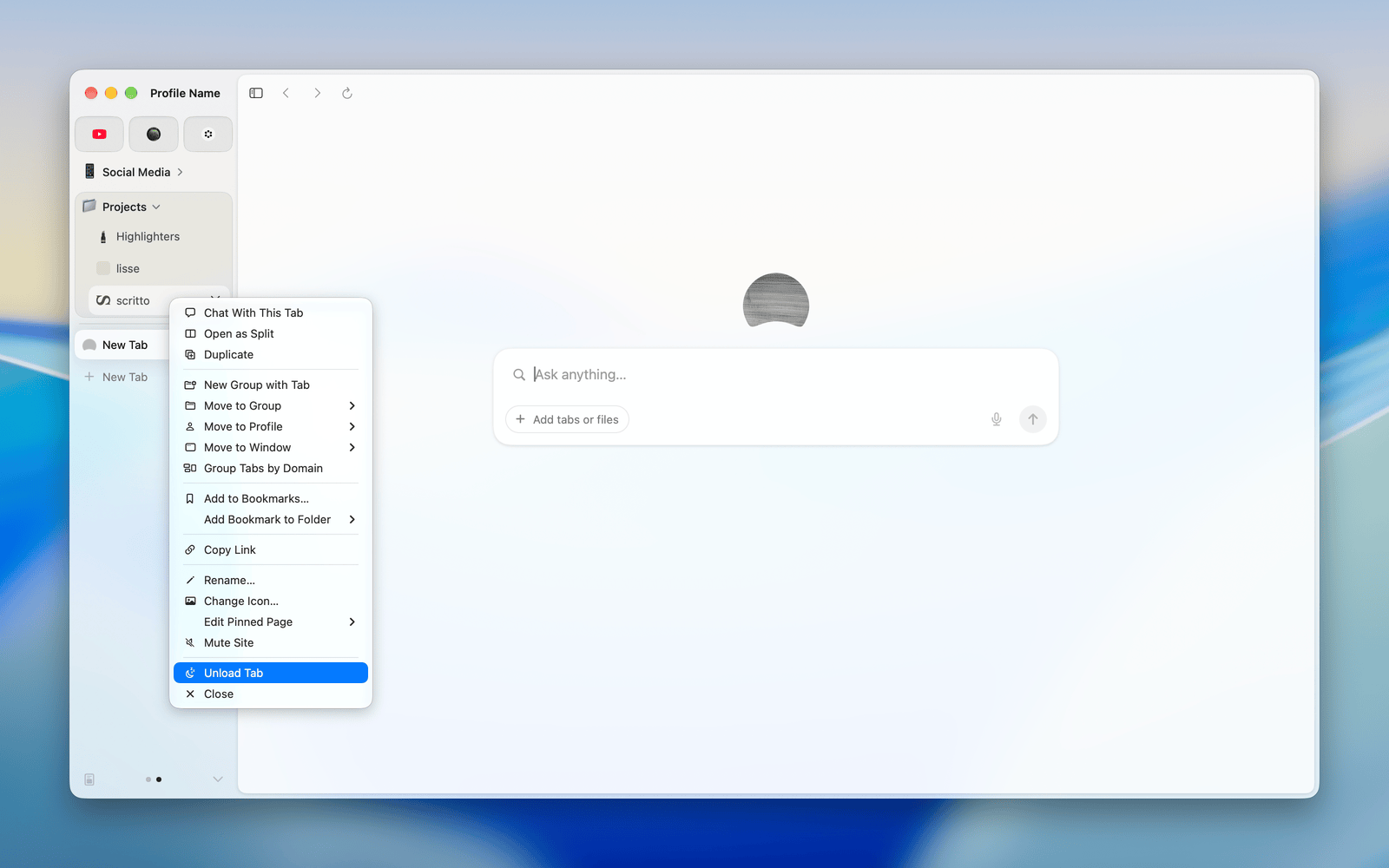
Right-click a tab you're not looking at and choose Unload Tab. The page reloads from scratch when you open the tab again, so anything you'd typed into it that the site didn't save is gone.
It's off by default. Open Dia → Settings → Patches and switch on Unload Tabs. Or run:
diatweaks enable unloadTabWhy is Unload Tab greyed out?
The tab is the one on screen. Switch to another tab first.
Why isn't Unload Tab in the menu?
It only shows for a tab whose page has loaded, isn't unloaded already, and isn't split. It also stays out when another loaded tab has the same address, so it never unloads the wrong one.
Why didn't the tab dim?
Dia keeps some pages loaded, such as one playing audio. The tab only dims once the page has really gone.