Home
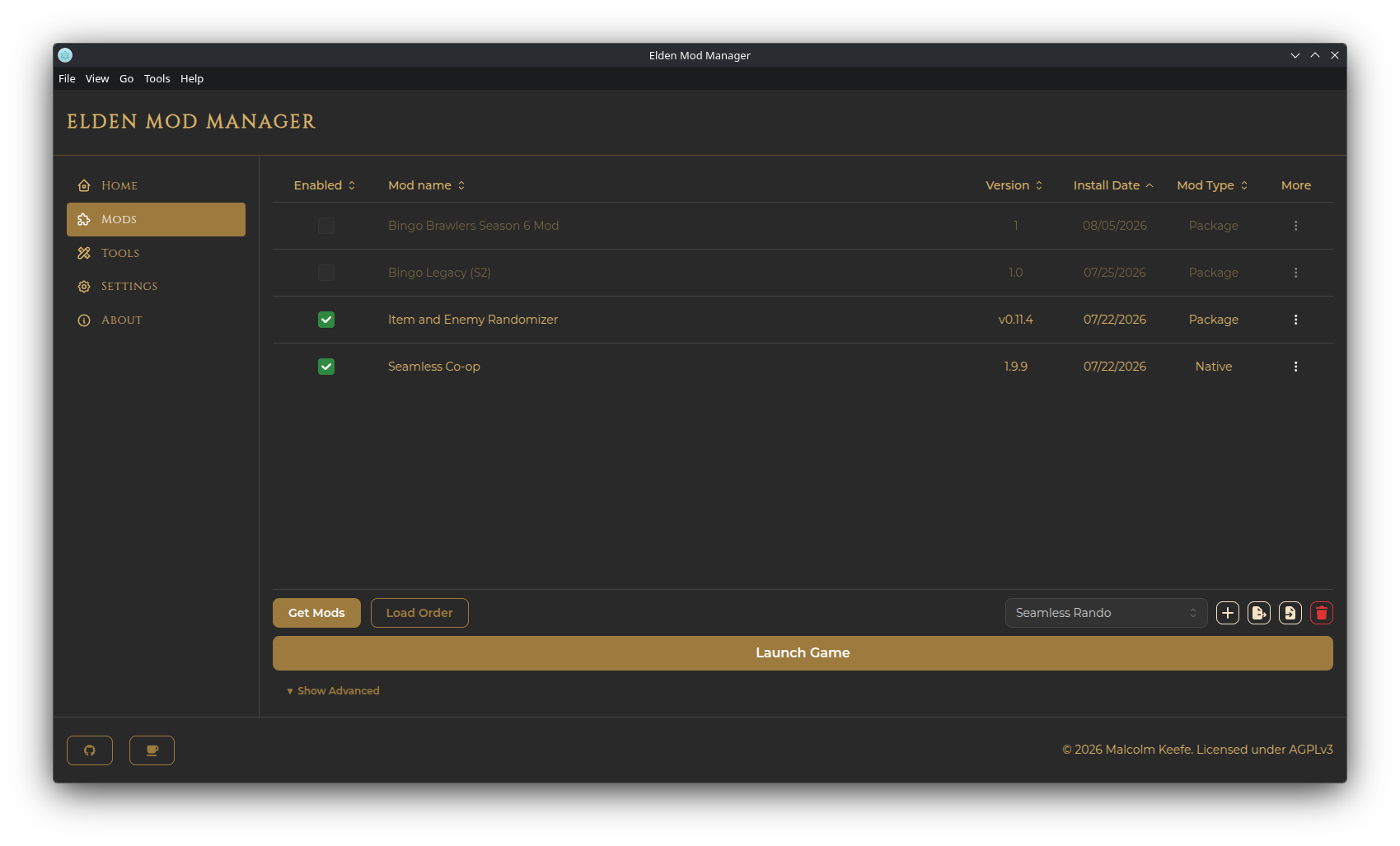
Elden Mod Manager is a desktop app for managing mods for Elden Ring. It runs on top of me3, the mod-loading tool that actually injects mods into the game at launch.
The app keeps your mods in their own managed folder, separate from your Elden Ring install, and gives you:
- A mod list where you install, enable/disable, and remove mods
- Load order control, including advanced per-mod ordering rules
- Profiles — save different mod setups (e.g. one profile per playthrough or character) and switch between them instantly
- A built-in Get Mods browser for Nexus Mods, plus the ability to add mods from a local archive or folder
- Tools management for companion executables that ship alongside some mods (randomizers, config utilities, etc.)
- One-click launching, both modded (via me3) and vanilla (via Steam)
- Installation — requirements, downloading, first-launch setup
- Getting Started — a tour of the app and your first mod install
- Managing Mods — the mod list, enabling/disabling, editing, load order
- Get Mods & Nexus Integration — browsing Nexus, installing from archives/folders
- Profiles — creating, switching, exporting, and importing profiles
- Tools — managing companion executables
- Launching the Game — modded vs. vanilla, launch options
- Settings & Backup — folder paths, launcher settings, exporting/importing app settings
- Troubleshooting — common issues and fixes
- Linux Support — running Windows-only tools via Proton, the Proton launch verb, and other Linux-specific notes
- The Steam version of Elden Ring (the only officially supported platform)
- Windows or Linux — macOS is not currently supported
- Nothing else to install — the me3 mod loader is bundled with the app
Found a bug or have a question? Open an issue on GitHub Issues.