SERP AI Sessions
SERP AI Sessions are role-scoped development environments for AI agents. Each session is scoped to one element (a service, an HMI component, a deployment, or the architecture as a whole), receives context for that role, and cannot write outside the allowed scope.
The current VS Code integration launches Claude Code as the first agent backend, but the SERP model is intentionally modular. The session system owns the context, scope, workflow, validation, summaries, and runtime tools; the agent runner is an adapter. Any AI agent that can connect to the session MCP server and respect the tool protocol can be integrated behind the same SERP session boundary.
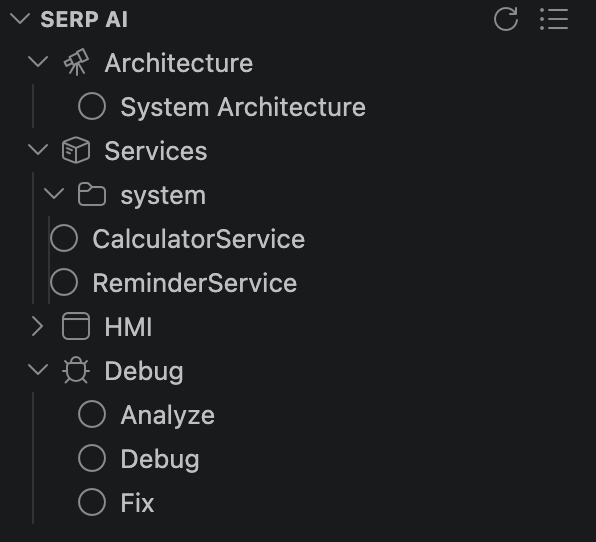
A session ties together three things:
- Role — determines what kind of work the AI agent is doing and what it is allowed to write
- Element — the specific service, HMI component, or deployment the session is scoped to
- Workflow — a structured set of stages that guide the work from discovery to completion
The context guard and scope guard hooks enforce these boundaries automatically on every prompt and every file write.
SERP does not treat a specific AI assistant as part of the architecture. It treats the assistant as a pluggable execution backend for a session.
| Layer | Owned by |
|---|---|
| Role, element scope, workflow state | SERP session manager |
| Context sync and scope enforcement | SERP guards |
| Spec validation, decisions, summaries, runtime calls | SERP MCP tools |
| Code reasoning and edit proposals | Configured AI agent backend |
Claude Code is the currently supported backend in the VS Code extension. Other agents can be added by implementing the same session launch and MCP integration path.
| Role | Write Scope | Responsibility |
|---|---|---|
| Architecture |
specs/ only |
Design service decomposition, topology, and interface contracts |
| Service | src/components/<Group>/<Service>/ |
Implement one service's business logic |
| HMI | src/hmi/<App>/ |
Implement one HMI component |
| Debug | Read: broad; Write: scoped | Investigate runtime issues, analyse logs, fix bugs |
The agent can read broadly in all roles (specs, generated files, other services' sources for reference) but writes are strictly gated to the allowed paths for the role.
From the Explorer panel:
- Right-click a service in the Services branch → Start AI Session.
- The appropriate role is inferred from the element type.
For architecture work:
- Right-click a deployment → Start Architecture Session.
- Opens an Architecture-role session scoped to the full
specs/directory.
Result: The configured AI agent opens with the session context pre-loaded via MCP. The session appears in the Sessions branch of the Explorer.
The context guard runs before each AI prompt. It:
- Diffs all watched spec and source files against their state at the start of the session (or since the last prompt).
- Injects only the changed content into the agent's context as a compact diff.
- Keeps the agent's understanding current without re-reading every file on every turn.
This keeps context lean and ensures the agent always has an up-to-date view of recent edits, including changes made outside the session (for example, by another developer or a parallel session).
The scope guard runs on every file edit the agent attempts. It:
- Checks the target write path against the session's list of allowed paths.
- If the path is within scope, the write proceeds normally.
- If the path is outside scope, the write is blocked and the agent receives an error message explaining which paths are allowed.
This prevents accidental writes to generated files, other services' implementations, or spec files from a Service-role session.
The extension spawns a local MCP server as a stdio subprocess:
node mcp/dist/server.js
The server runs from the extension install path. AI sessions connect to it automatically when a session is started. The server provides the following tools:
| Tool | Description |
|---|---|
serp_session_getContext |
Load the session's role, allowed and forbidden paths, and knowledge documentation |
serp_session_sync |
Sync session state; called automatically by the context guard hook on each prompt |
serp_validation_run |
Validate all specs in the workspace; returns structured errors and warnings |
serp_workflow_status |
Get the current workflow stage and completion state |
serp_workflow_recordQuestion |
Record an architectural question for later resolution |
serp_workflow_recordAssumption |
Record an assumption made during design or implementation |
serp_workflow_completeStage |
Mark the current workflow stage complete and advance to the next |
serp_decisions_append |
Append an entry to the architectural decision log |
serp_decisions_list |
List all recorded architectural decisions |
serp_summary_update |
Update the session work summary |
serp_summary_get |
Retrieve the current session work summary |
serp_runtime_call |
Invoke a runtime method on a running process from within the AI session |
serp_runtime_listMethods |
List all runtime-accessible methods for a service |
Sessions follow structured workflows with named stages. Example stages for the Architecture role:
- Discover — understand the problem domain, existing specs, and constraints
- Design — propose service decomposition and interface contracts
-
Specify — write the
.sidl.yamlspecs for each service and interface - Review — validate specs, resolve questions, finalize decisions
Stage completion is tracked via serp_workflow_completeStage. The Explorer's Sessions branch shows the current stage for each active session.
Session state is stored in .serp/sessions/<uuid>/ within the workspace root. Each session directory contains:
- The session's role and element ID
- Workflow state (current stage, completed stages)
- Recorded questions, assumptions, and decisions
- The work summary
Sessions survive VS Code restarts. Reopening VS Code with the same workspace restores all active sessions, and the configured AI agent can be reconnected to resume work.
- Explorer — Sessions branch, right-click to start a session
- Architecture Dashboard — Service detail panel shows active sessions
-
Runtime Inspector — AI sessions can call runtime methods via
serp_runtime_call - Plugin Overview — Extension overview and installation