Repository navigation
Features Tour
StackRadar's sidebar groups the tabs into Workspace, Machine, AI and Clean-up. Every panel has an ⓘ hint (hover or keyboard-focus it). Any tab except Overview / Projects / Environment can be switched off in ⚙ Settings. Every table sorts: click a column header, click again to reverse. Light / dark mode and colors: Themes.
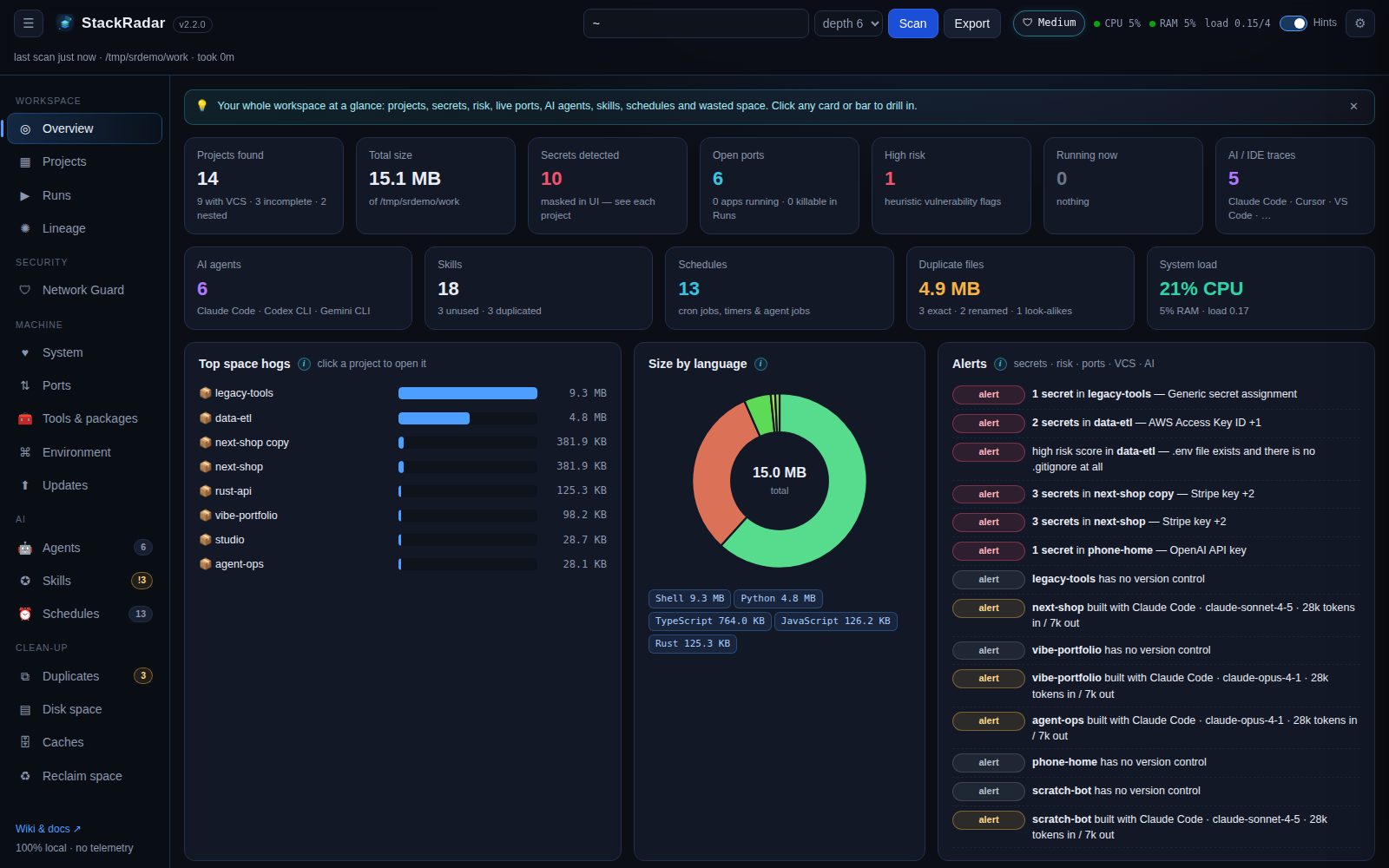 KPI cards (projects, total size, secrets, open ports, high risk, running now, AI/IDE traces, agents, skills, schedules,
duplicate space, system load), the top space hogs, size by language, and a prioritised alert list. Cards are clickable.
KPI cards (projects, total size, secrets, open ports, high risk, running now, AI/IDE traces, agents, skills, schedules,
duplicate space, system load), the top space hogs, size by language, and a prioritised alert list. Cards are clickable.
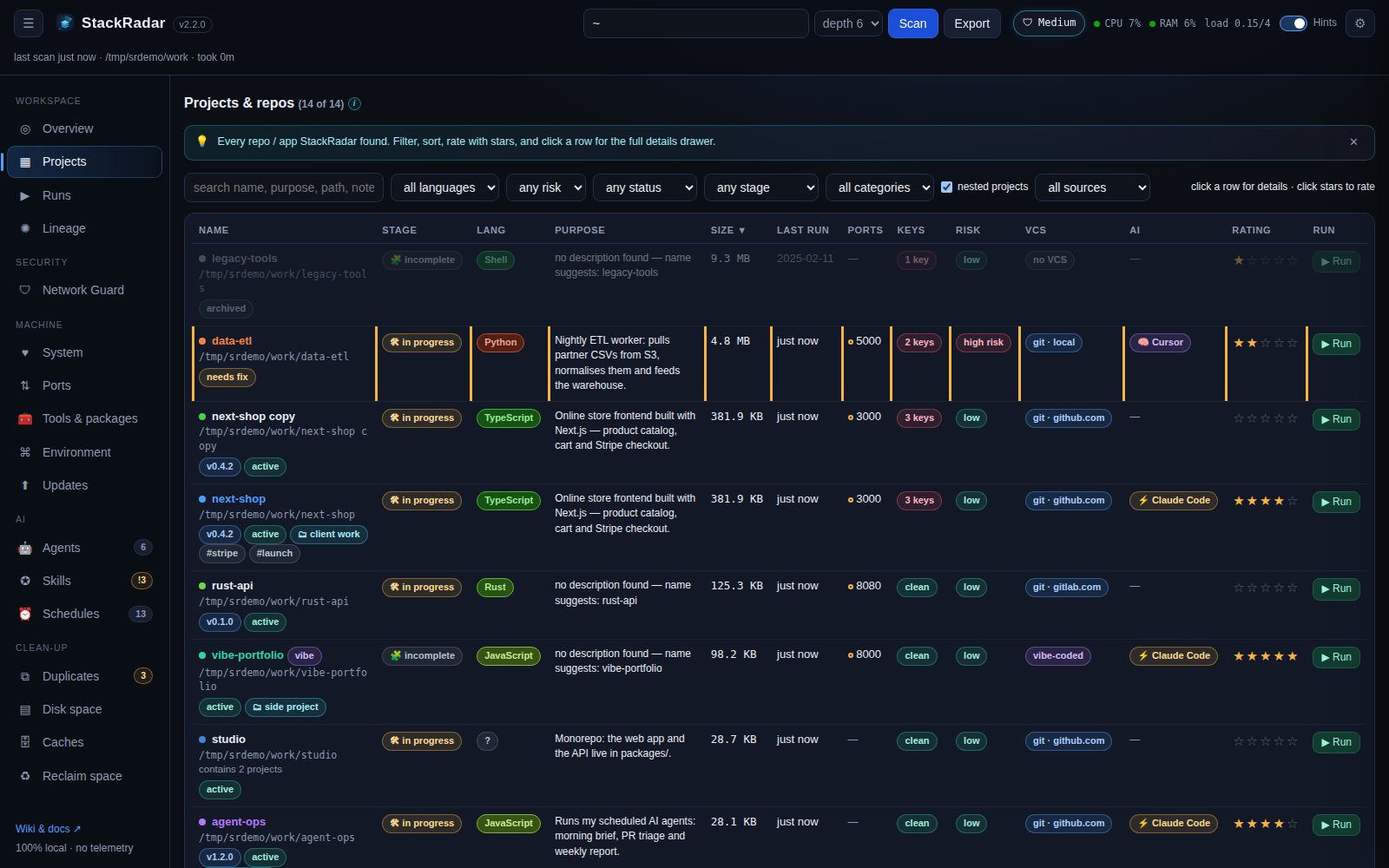 A sortable, filterable table of every project: colour tag, version, status (active / needs fix / archived), stage,
language, purpose, size, last run, ports (open = green, expected = amber), secret count, risk, VCS, AI tool, star rating
and a ▶ Run / ■ Stop button.
A sortable, filterable table of every project: colour tag, version, status (active / needs fix / archived), stage,
language, purpose, size, last run, ports (open = green, expected = amber), secret count, risk, VCS, AI tool, star rating
and a ▶ Run / ■ Stop button.
- Every project is found, including projects inside projects (packages in a monorepo, a repo inside a repo: shown with ↳ inside …), plain git repos with no package file, and unfinished folders (a README plus some code, a few loose scripts, notebooks, a static site). Your home folder itself is never treated as a project.
- Stage: ✅ ready (runnable, described, in version control), 🛠 in progress or 🧩 incomplete, with what's missing (no run command, no README, not in git, fewer than 3 commits, only a few source files, no manifest).
- Categories and tags: give projects your own category (client work, side project, learning …) and tags in the drawer; filter by category.
- Click any tag (language, dependency, AI tool, stage, category, your tags) to see every project that has it, and for a dependency, what that package does.
The details drawer (click a row):
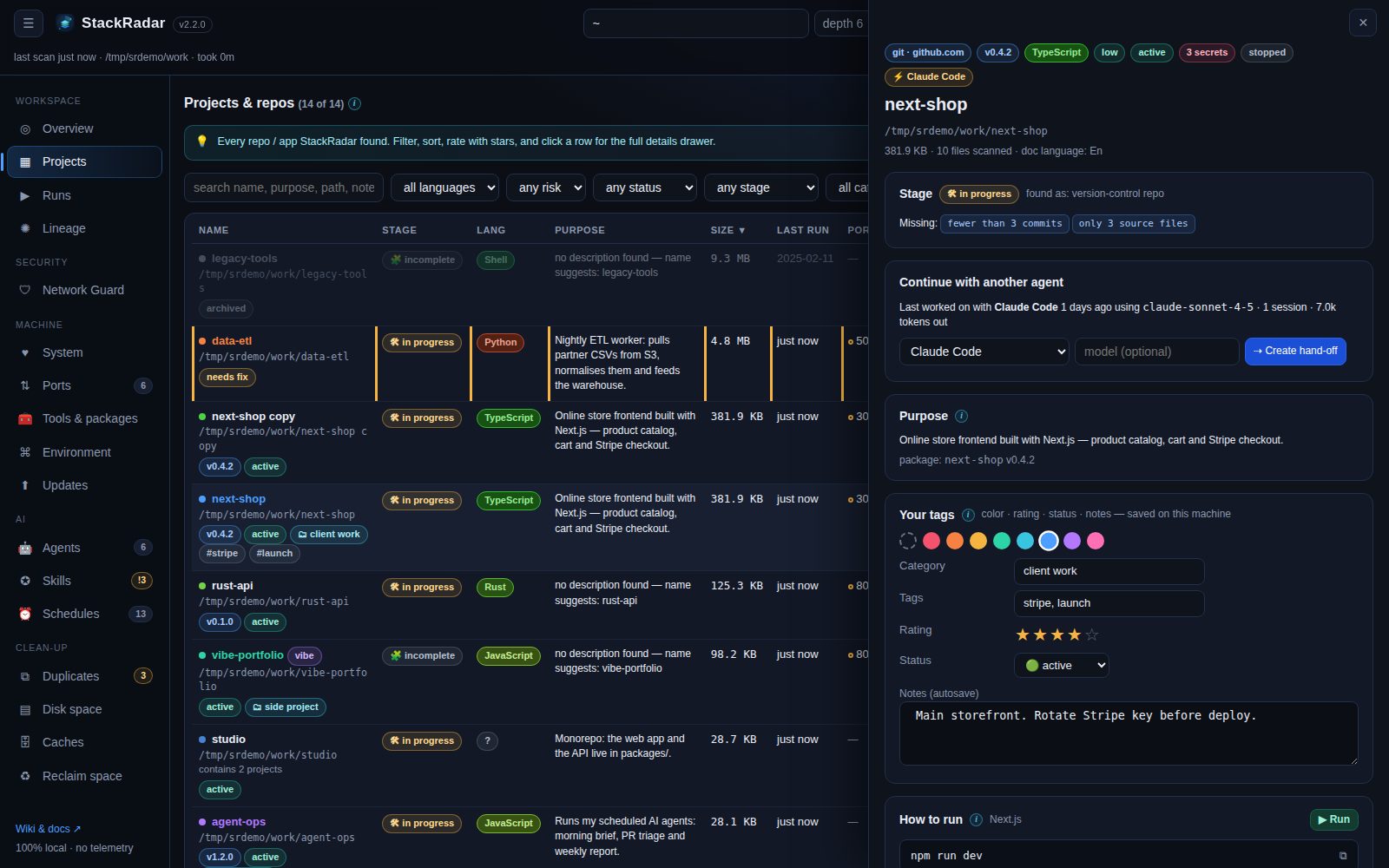
Stage and what's missing · parent / nested projects · continue with another agent (see AI agents & skills) · purpose · your category, tags & notes · how to run (+ ▶ run with a port) · ports · masked secrets · risk flags · last run evidence · git origin · dependencies with outdated check and ⬆ update buttons · schedules found in the code · skills used here · AI traces and token usage · documents · size breakdown · danger zone (delete to Trash, move, rename, show in file manager).
Start any project from StackRadar and watch a live, Colab-style console. Restart on another port, stop one or all, and kill processes that belong to scanned projects (system processes are never listed).
See Lineage graph.
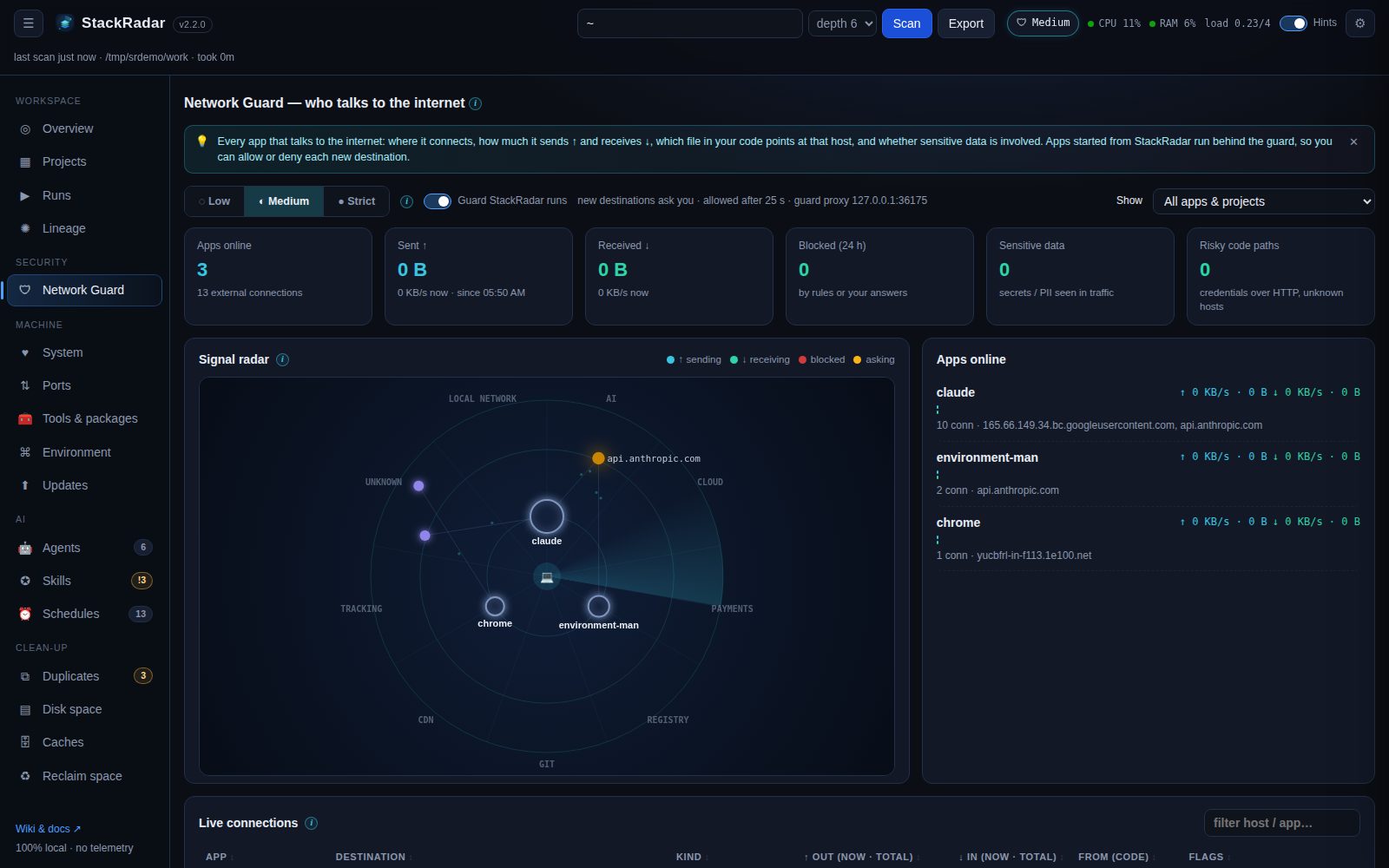 Live signal radar of every app that talks to the internet, bytes ↑ / ↓, the file and line behind each connection,
allow / deny prompts and Low / Medium / Strict levels. See Network Guard.
Live signal radar of every app that talks to the internet, bytes ↑ / ↓, the file and line behind each connection,
allow / deny prompts and Low / Medium / Strict levels. See Network Guard.
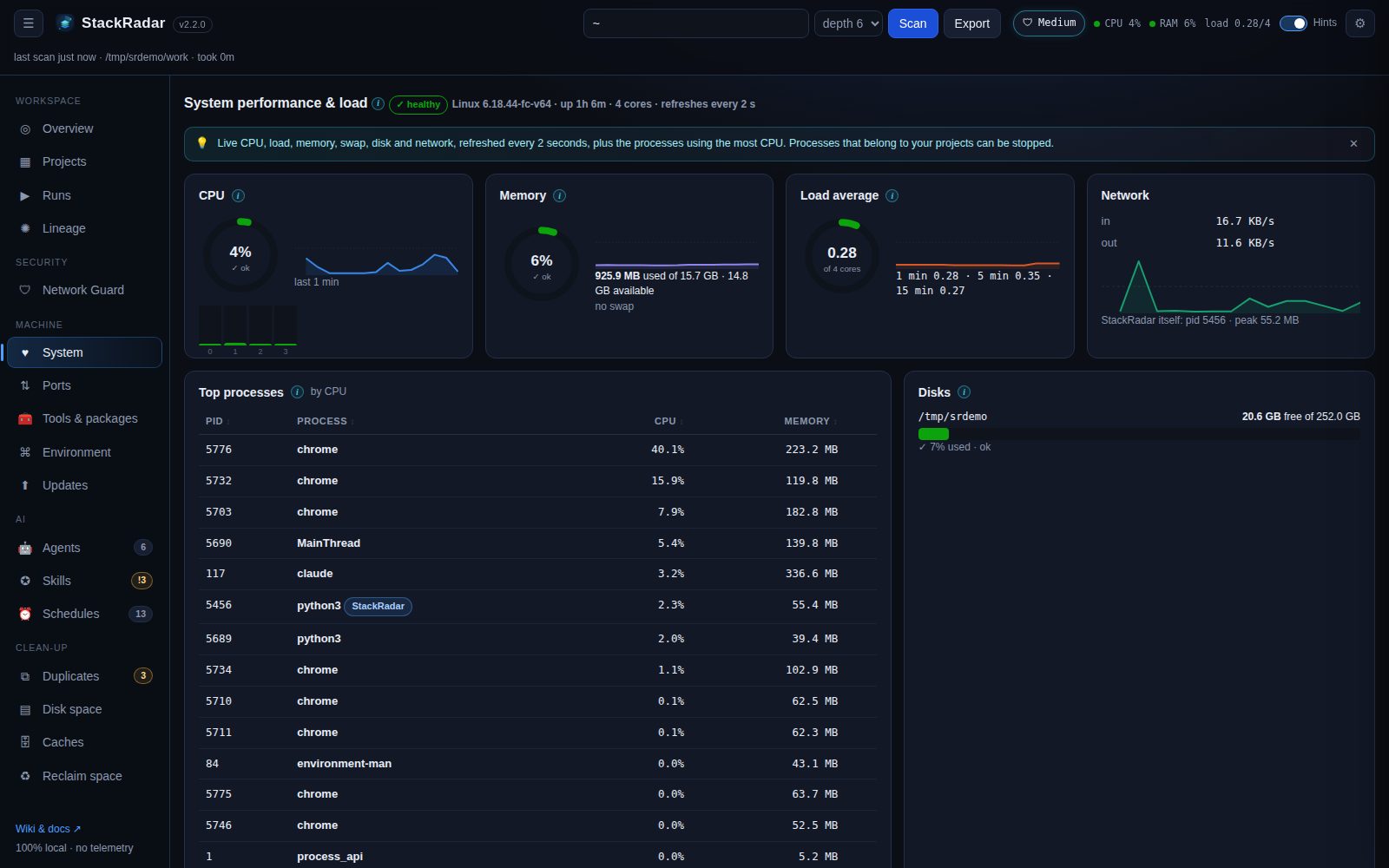 See System monitor.
Every listening port with its program, project and who can reach it, and Stop / Force kill. See Ports.
Versions, newest versions, last used, unused packages, update / remove, and what's new. See Tools & packages.
Installed tools and versions, global npm / pip / Homebrew packages, Docker containers / images / disk use, shell rc analysis (exports, aliases, PATH additions, version managers) and installed IDEs.
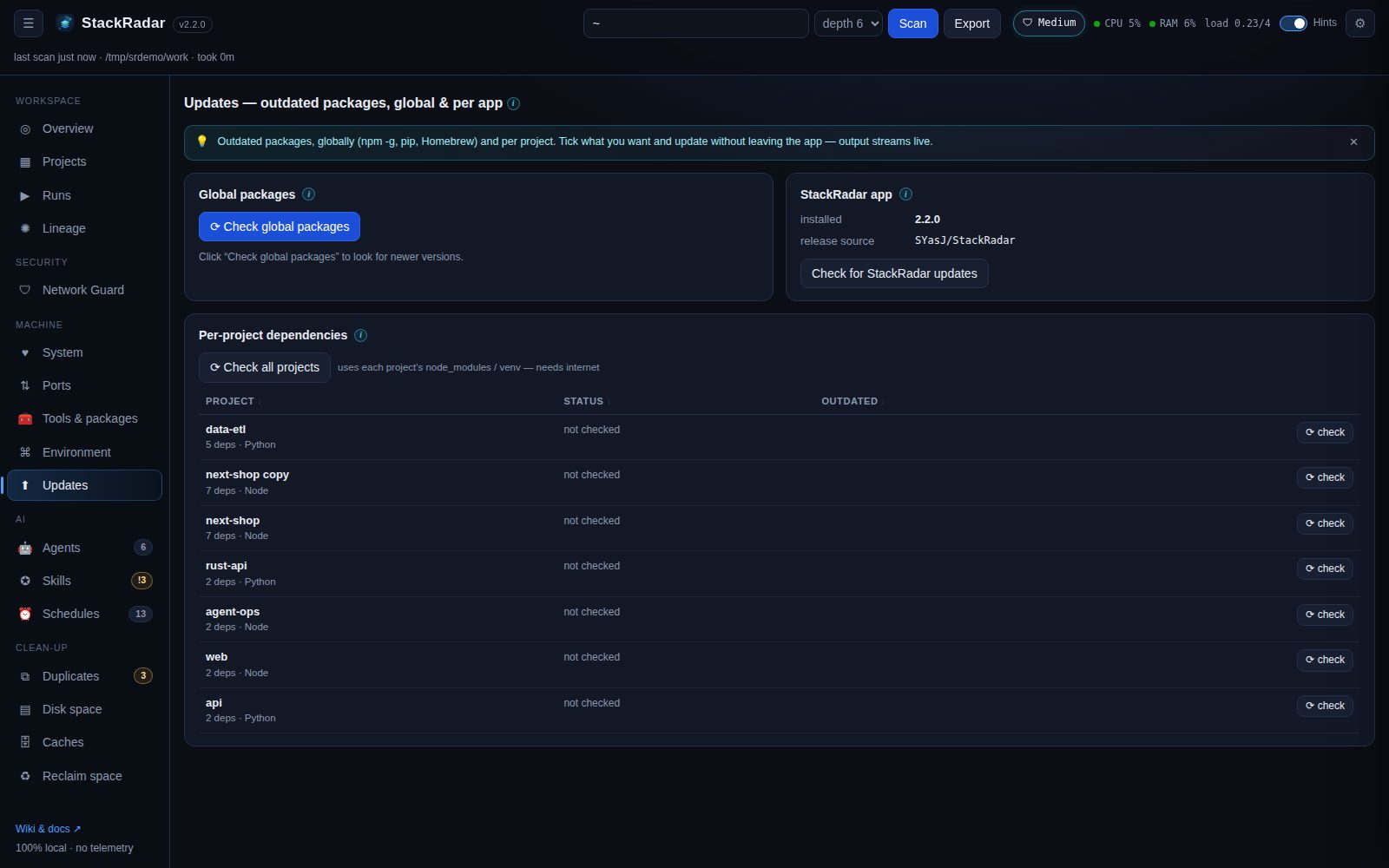 See Package updates.
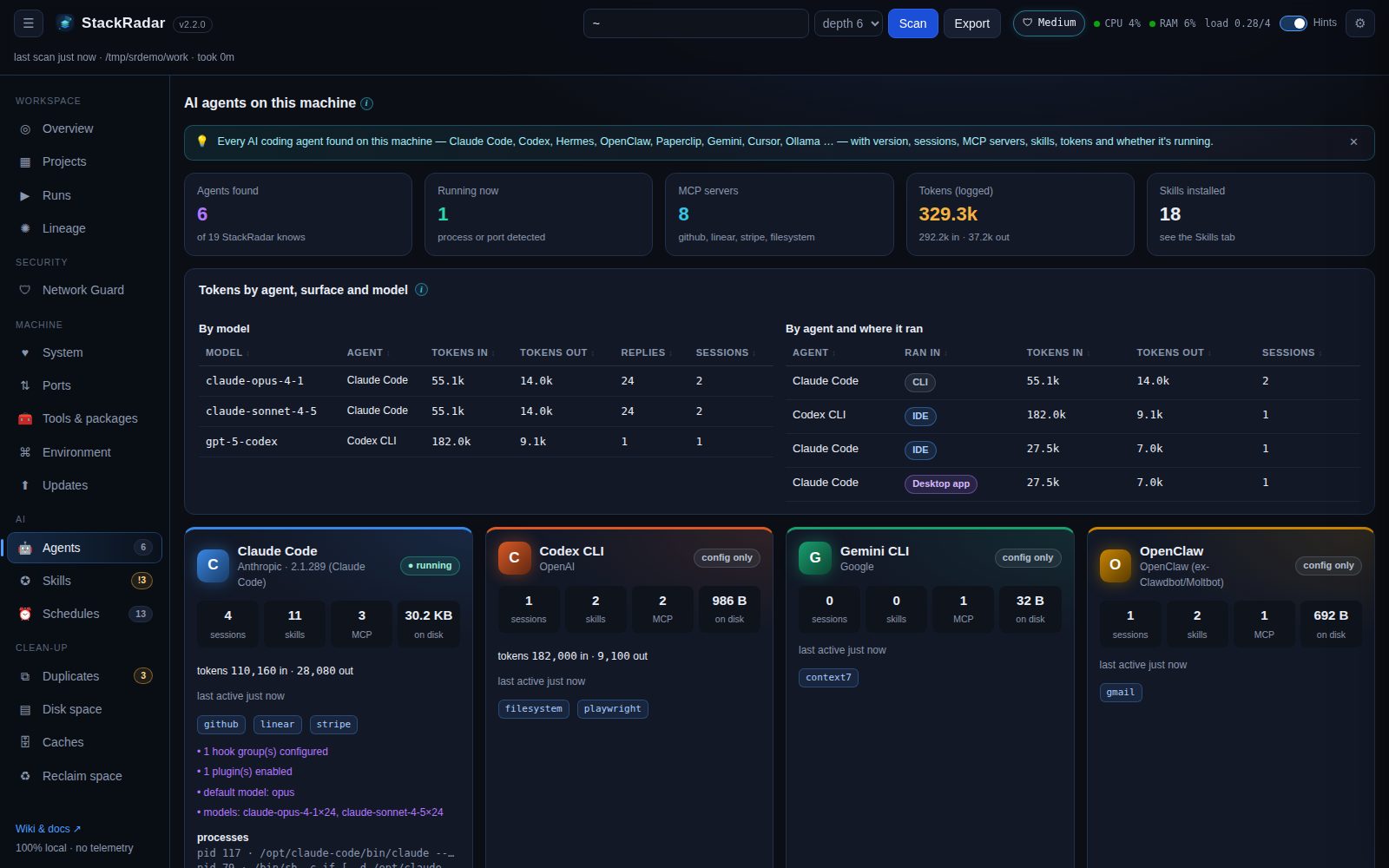
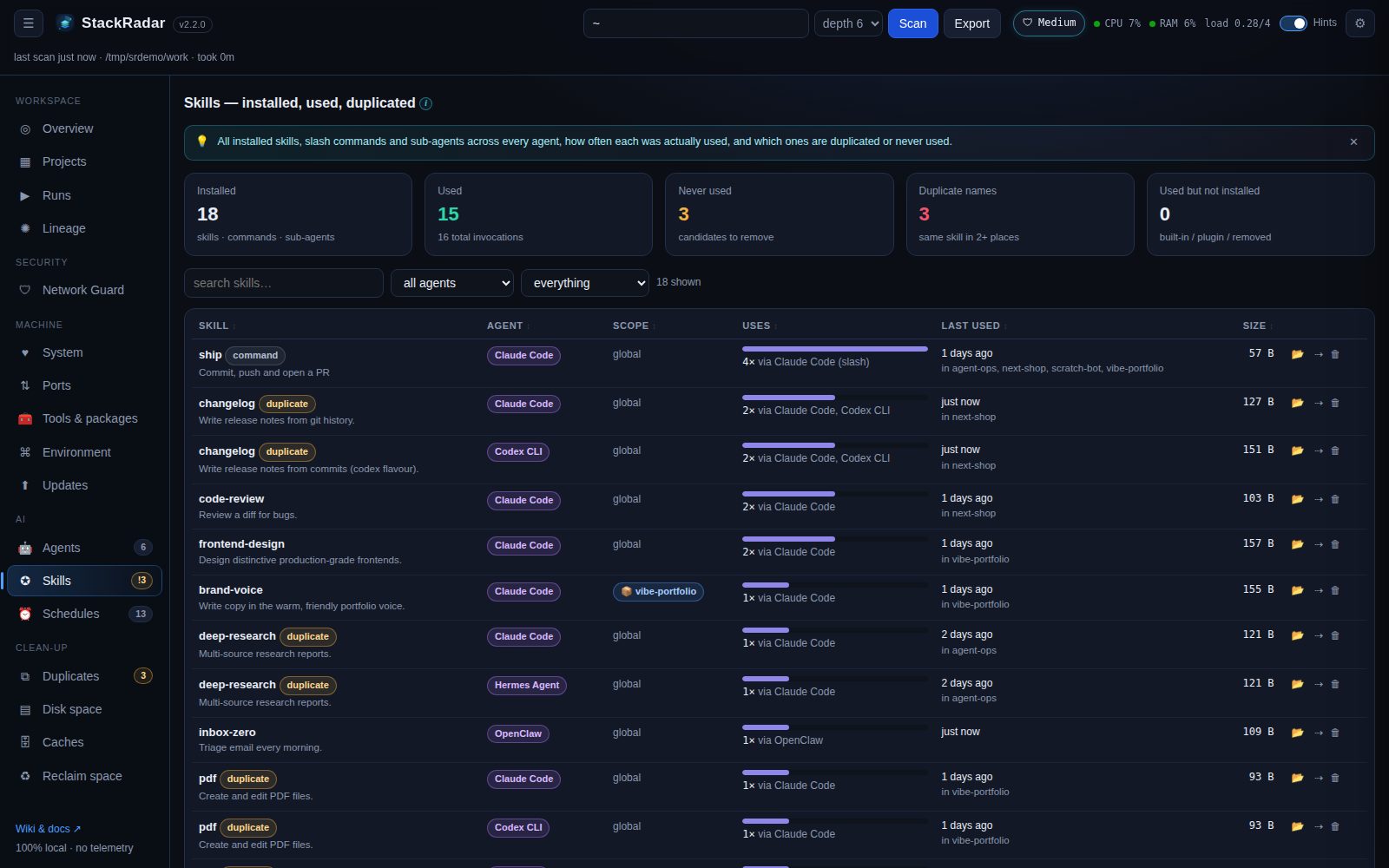 See AI agents & skills.
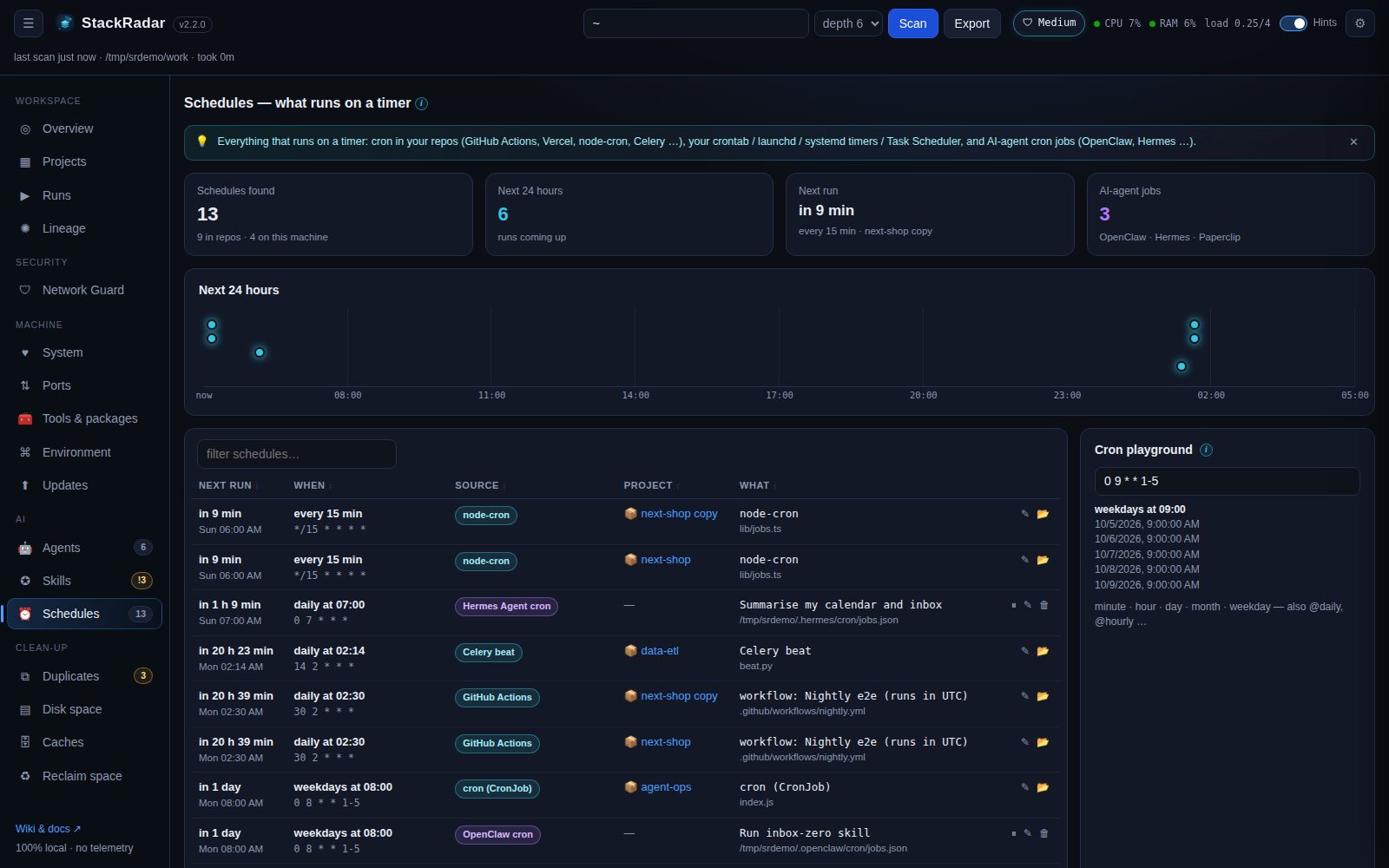 See Schedules.
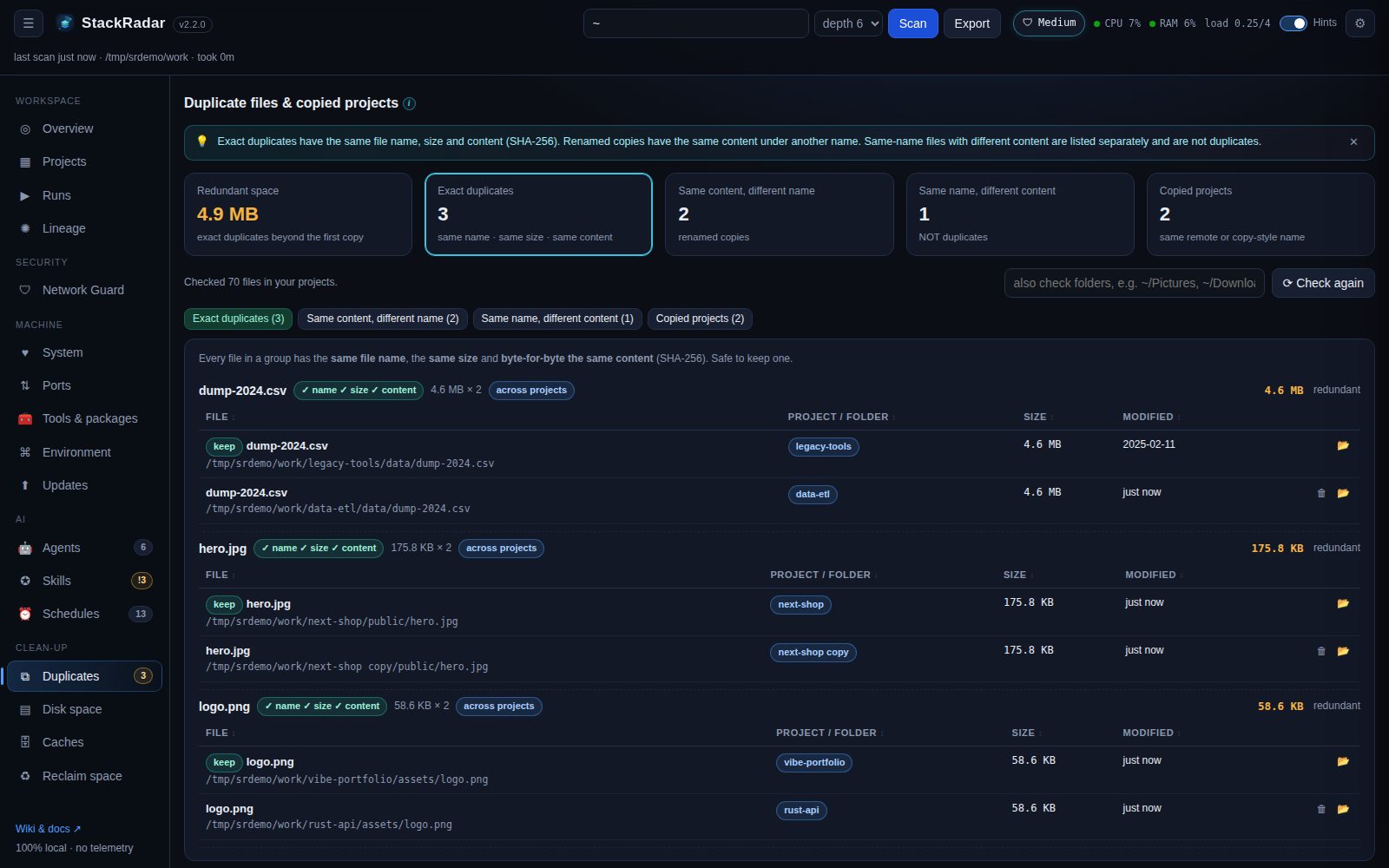 Four views, so nothing is called a duplicate unless it really is one:
| View | Rule |
|---|---|
| Exact duplicates | same file name, same size and byte-for-byte the same content (SHA-256 of the whole file). Safe to keep one |
| Same content, different name | identical bytes saved under another name (photo.png = photo-final.png) |
| Same name, different content |
not duplicates: e.g. two versions of banner.png. Shows size, date and image dimensions (1920×1080 vs 1920×1081); files tagged with the same version match each other. Common names (README.md, package.json …) are left out |
| Copied projects | same git remote, or names like app copy, app (1), app-old, app-2024-05-01
|
Files ≥ 4 KB in your projects are compared (each file once, even in nested projects). Add folders like ~/Pictures or
~/Downloads and press ⟳ Check again. Each group suggests one copy to keep (the oldest, without copy / (1)
in its name); 🗑 moves another copy to the Trash.
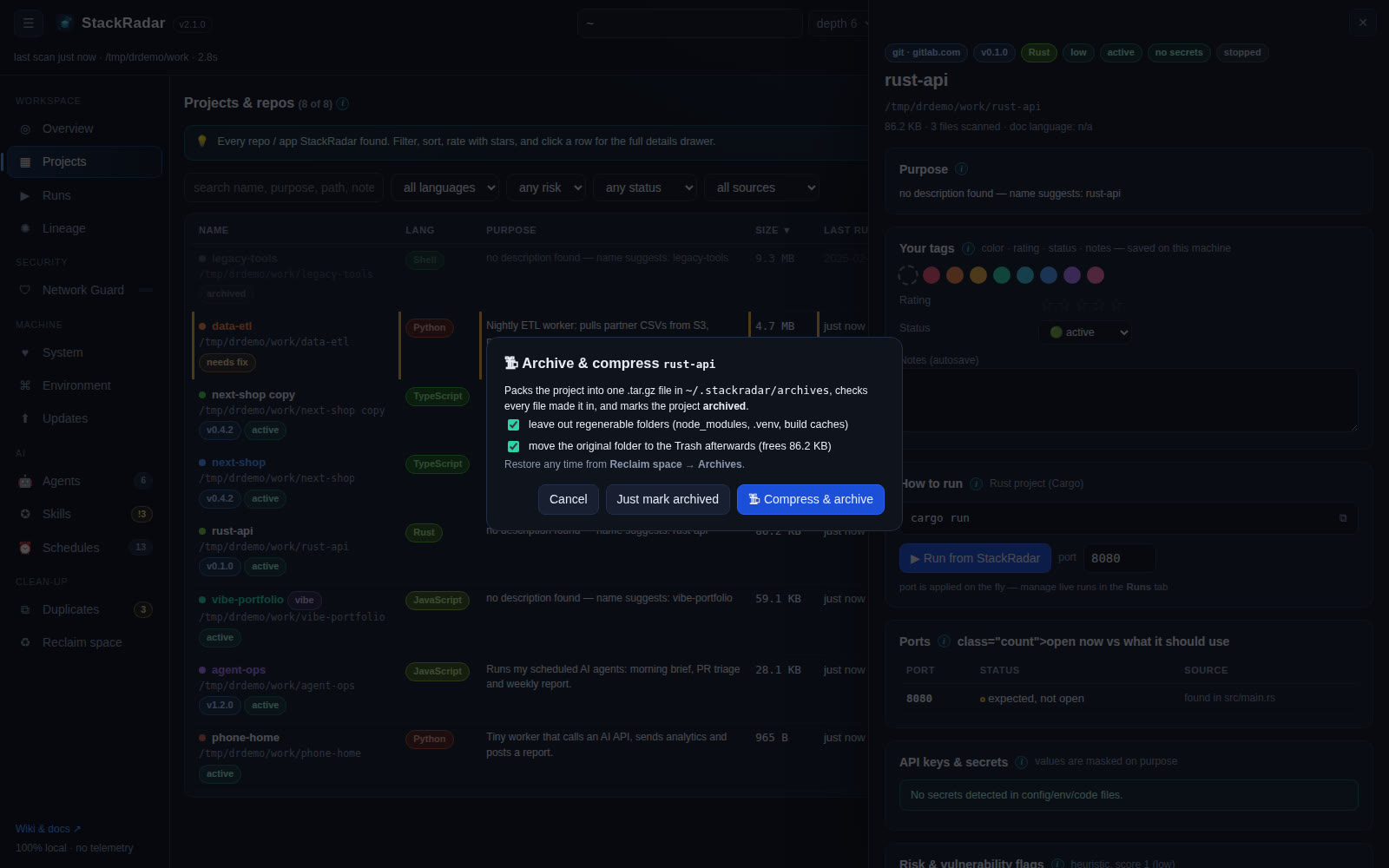 Setting a project's status to archived (or 🗜 Compress & archive… in its drawer) packs it into one
 .tar.gz
(.zip on Windows) in ~/.stackradar/archives. Regenerable folders (node_modules, .venv, build caches) are left
out, every file is verified in the archive, and the original can go to the Trash. Reclaim space → Archives lists them
with their size and space saved, and ↩ restore unpacks one where it was (it refuses to overwrite an existing folder).
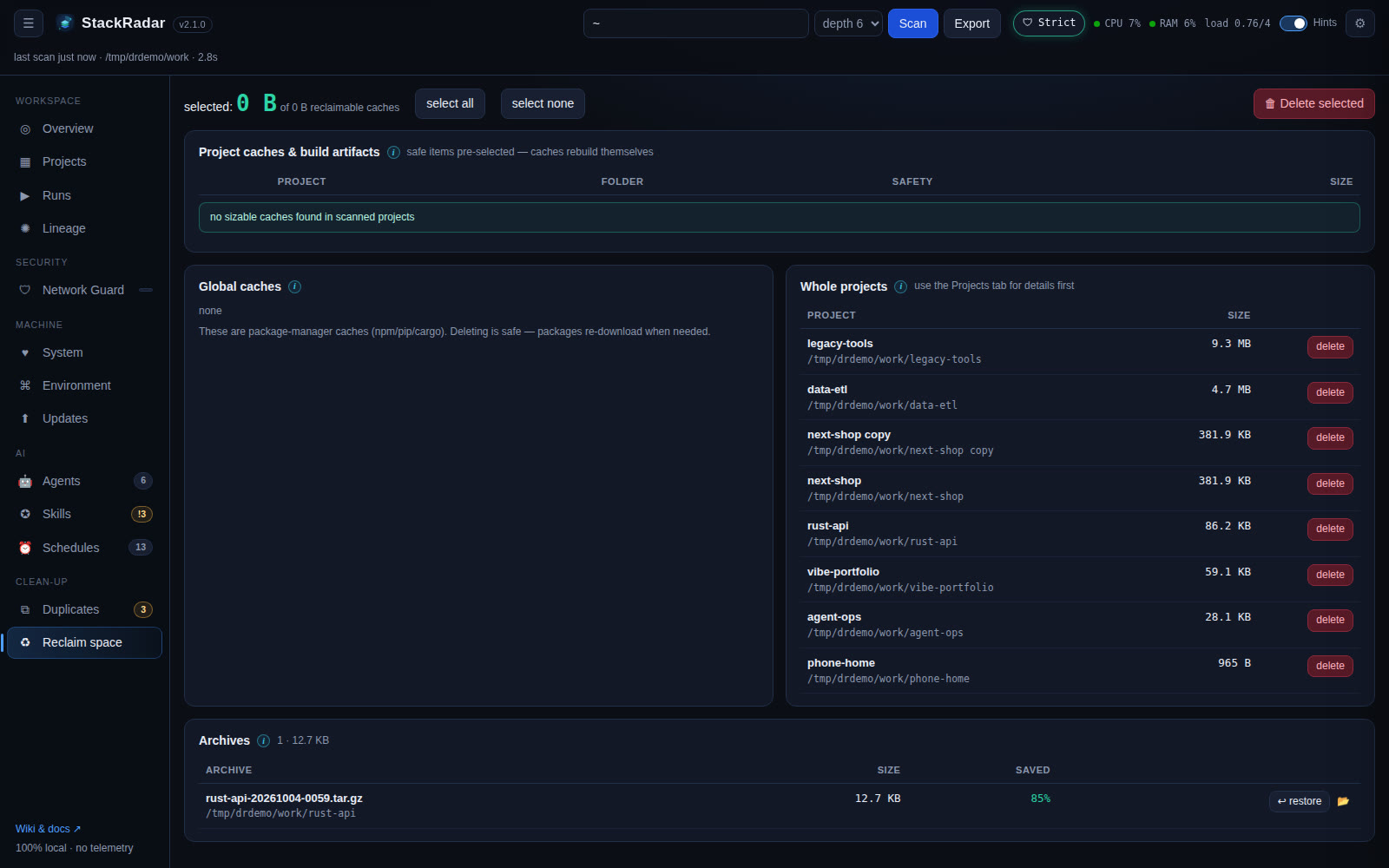
Folder sizes with drill-down and delete, and every tool cache with one-click clean. See Caches & disk space.
Regenerable folders (node_modules, .next, dist, build, target, __pycache__ …) pre-selected for deletion,
virtualenvs flagged for a second look, global package-manager caches, and your largest projects.