Repository navigation
Controller
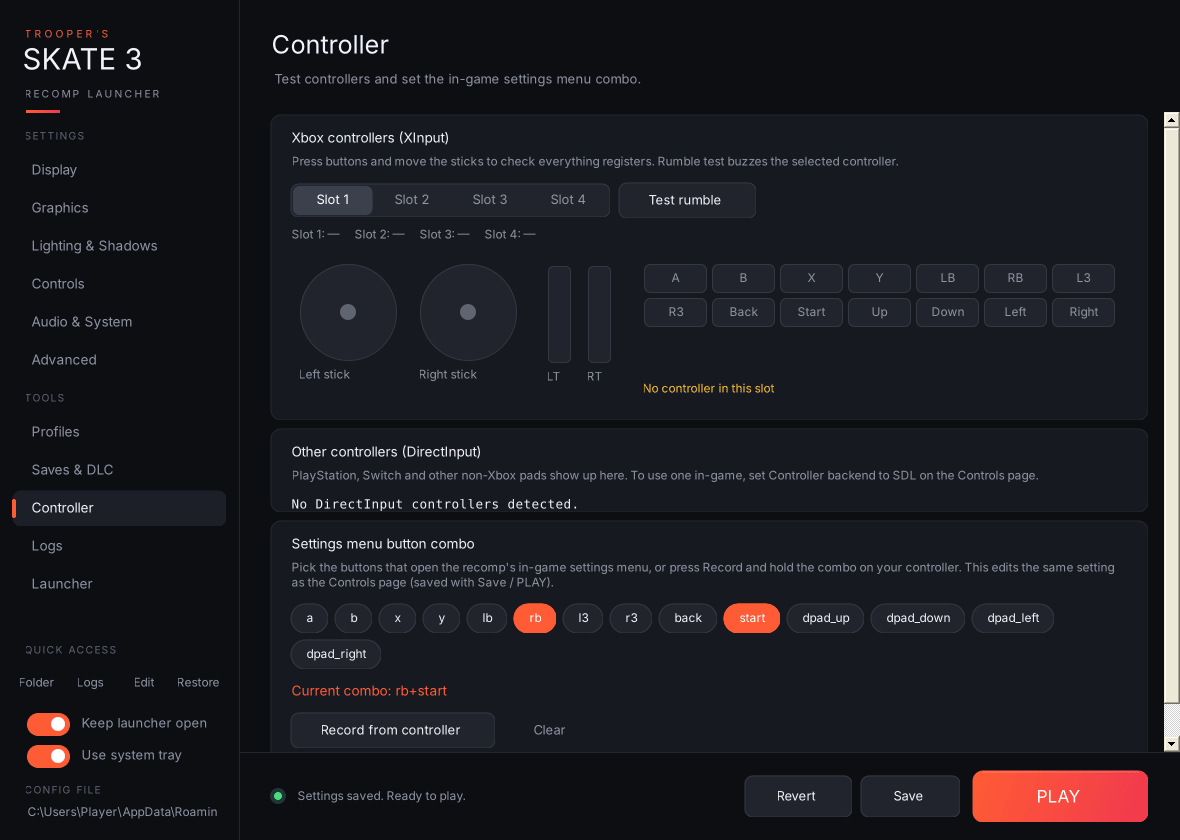
Live controller polling runs only while this page is open.
- Xbox controllers (XInput): pick Slot 1–4 to see that controller's live state. Both sticks, both triggers and all 14 buttons light up as you press them. The line underneath shows which slots are connected. Test rumble buzzes the selected controller for about half a second.
- Other controllers (DirectInput): PlayStation, Switch and other HID pads, with live axes (X/Y/Z/R as percentages) and the numbers of any buttons being held. Xbox pads show up here too. To use a non-Xbox pad in-game, set Controller backend to SDL.
-
Settings menu button combo: click button chips (a, b, x, y, lb, rb, l3, r3, back, start, dpad_up/down/left/right) to build the combo, or press Record from controller and hold the combo for about a second; recording gives up after 8 seconds. Chips glow green while that button is held on a connected Xbox pad. Clear disables the combo. This edits the same
menu_chordsetting as the Controls page, so it's saved with Save or PLAY.