Repository navigation
Game Files and Recomp Updates
-
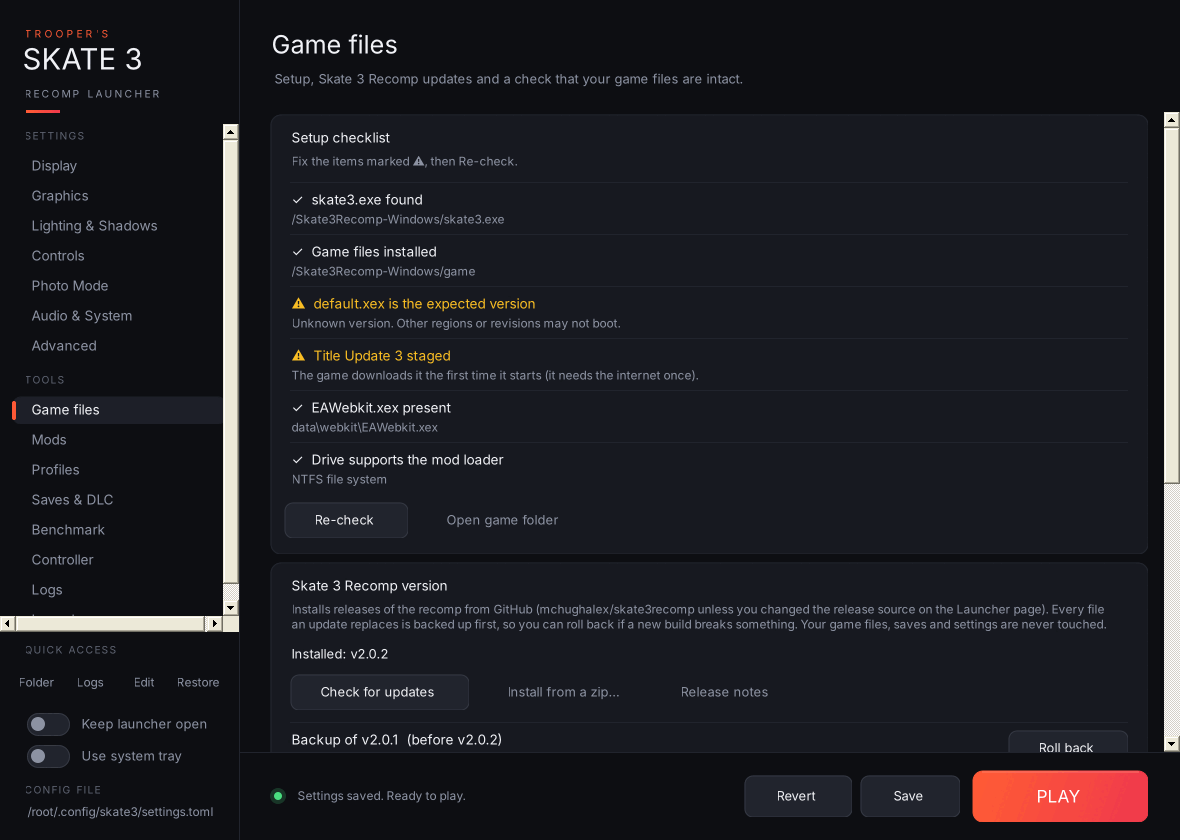
Setup checklist: whether
skate3.exewas found, the game files are installed,default.xexis the version the recomp is built for, Title Update 3 is staged (checked against the same SHA-256 hashes the recomp's own installer uses),EAWebkit.xexis present, and the drive is NTFS (needed by the mod loader). If the game files aren't installed yet, Start the game's installer runsskate3.exeso you can pick your ISO. On startup the launcher runs this check quietly and opens this page if something's missing. -
Skate 3 Recomp version: your installed version and the latest release on GitHub.
-
Install vX.Y.Z downloads
Skate3Recomp-Windows.zipand installs it over your current build. Every file it replaces is backed up intorecomp-backupsfirst, and if anything goes wrong mid-install the old build is put back automatically. Yourgamefolder, saves, settings, mods and this launcher are never touched. - Install from a zip… installs a release zip you already downloaded.
- Roll back (one row per backup, newest 3 kept) puts the previous build back.
-
Install vX.Y.Z downloads
- Check game files: Quick check compares file sizes; Full check hashes every file (about 6 GB) against a known-good NTSC-U dump. Other regions show differences here, so if your game runs fine, press Save as my baseline once and later checks compare against your own files.