Repository navigation
Warnings and Known Issues
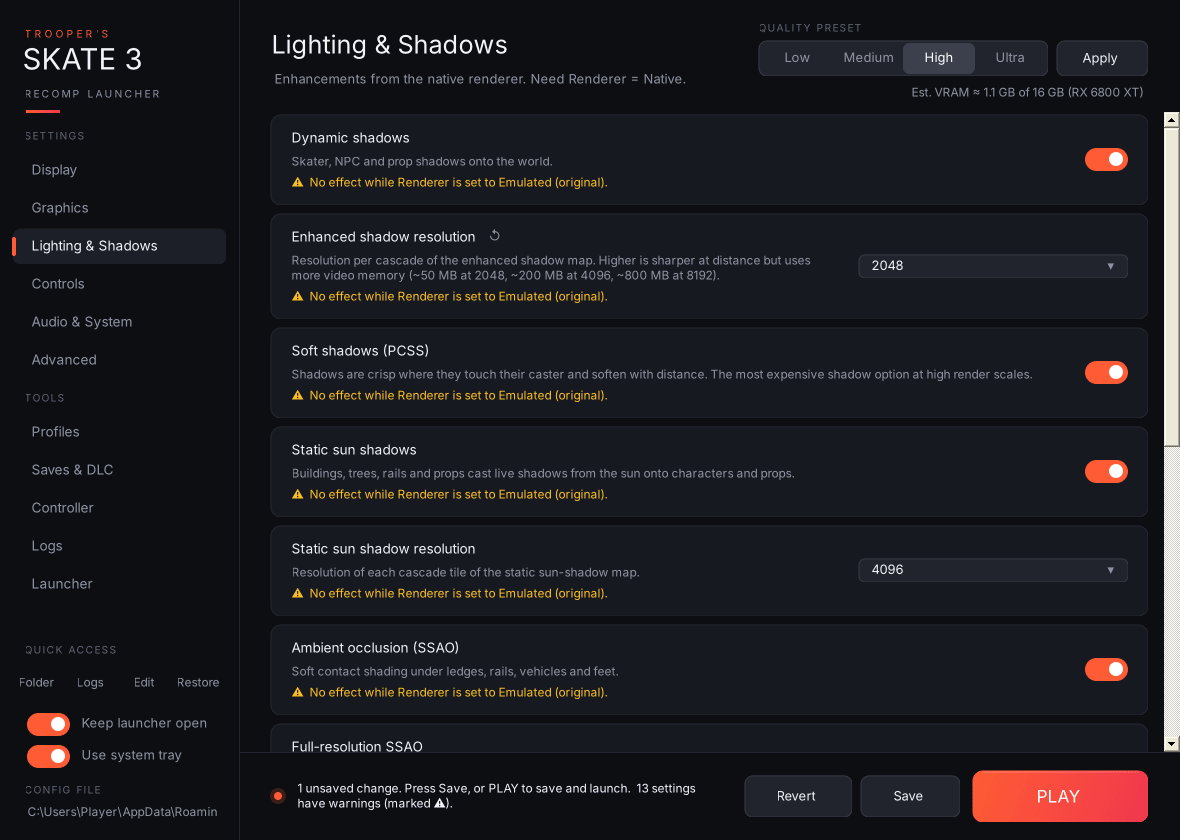
The launcher checks your settings against each other and puts a ⚠ line on the affected card:
| Situation | Warning appears on |
|---|---|
| Renderer is Emulated | MSAA and every Lighting & Shadows option ("No effect while Renderer is set to Emulated"), and Ultrawide (which needs Native). |
| Dynamic shadows off | Enhanced shadow resolution, Soft shadows (PCSS). |
| Static sun shadows off | Static sun shadow resolution. |
| SSAO off | Full-resolution SSAO. |
| Ultrawide off but an aspect is chosen | Ultrawide aspect. |
| V-Sync on together with VRR | V-Sync (adds latency and judder). |
| Frame limiter off but its target was changed | Frame limiter target. |
| Automatic FPS cap on and a manual cap set | Manual game FPS cap (ignored). |
| Mouse & keyboard mode off | Capture mouse, Mouse sensitivity (if changed). |
| Menu combo uses an unknown button name, or is a single button | Settings menu button combo. |
| Monitor number higher than the number of connected monitors | Monitor. |
| A Vulkan GPU is chosen but Graphics API isn't Vulkan, the index doesn't exist, or it's the integrated GPU while a discrete one exists | Graphics card (Vulkan). |
| Estimated VRAM above 90% of the GPU's memory | Render scale. |
| A key bind is empty, isn't a key name the recomp knows, or is already used (by another bind or by the recomp's own F2–F4, F8–F12, Backtick or Escape) | That key bind on the Photo Mode page. |
| Renderer is Emulated | Free camera key and Free camera speed (the free camera needs Native). |
A setting matches a rule in known-issues.txt, for example Vulkan with Full-resolution SSAO on or a Static sun shadow resolution other than 4096 |
That setting, and Graphics API. The warning names the recomp bug and the workaround. |
Warnings never block saving. They're there to tell you a setting won't do what you might expect.
These are bugs in the Skate 3 Recomp itself, not in the launcher. They're listed here so you don't lose time on them, and removed once the recomp fixes them.
Since v3.1.1 the launcher also warns you on the setting's card (⚠) when your settings would trigger one of these. The rules live in known-issues.txt in this repo, and the launcher downloads the latest list at most every 12 hours, so new warnings don't need a launcher update.
| Issue | Workaround |
|---|---|
| Shadows swim, jump around or cast in the wrong place on Vulkan when Full-resolution SSAO is on or Static sun shadow resolution is changed from 4096. Seen with recomp v2.0.2 on an AMD Radeon RX 6800 XT. | Set Audio & System → Graphics API to Direct3D 12 (fixes it), or keep those two settings at their defaults (Full-resolution SSAO off, Static sun shadow resolution 4096) when using Vulkan. |
Found another one? Use Logs → Report on GitHub… and pick "The game (Skate 3 Recomp)".