Repository navigation
Tutorials
Short animations of the things most people do first. Each one is Audra's simulated device with a small studio set up (a vocal mic on AN1, a room mic on AN2, a guitar on IN3/4); a ring marks where to press, and the next picture shows what the press did. Turn your speakers and headphones down before you try them on the unit.
On Quick setup, under What are you doing?, press Podcast or call. Your mic and the computer go to your headphones, and the mic is kept out of the speakers so it can't feed back. The card says what changed; Show me in the Mixer opens the mix it made, and Undo on the card takes it all back.
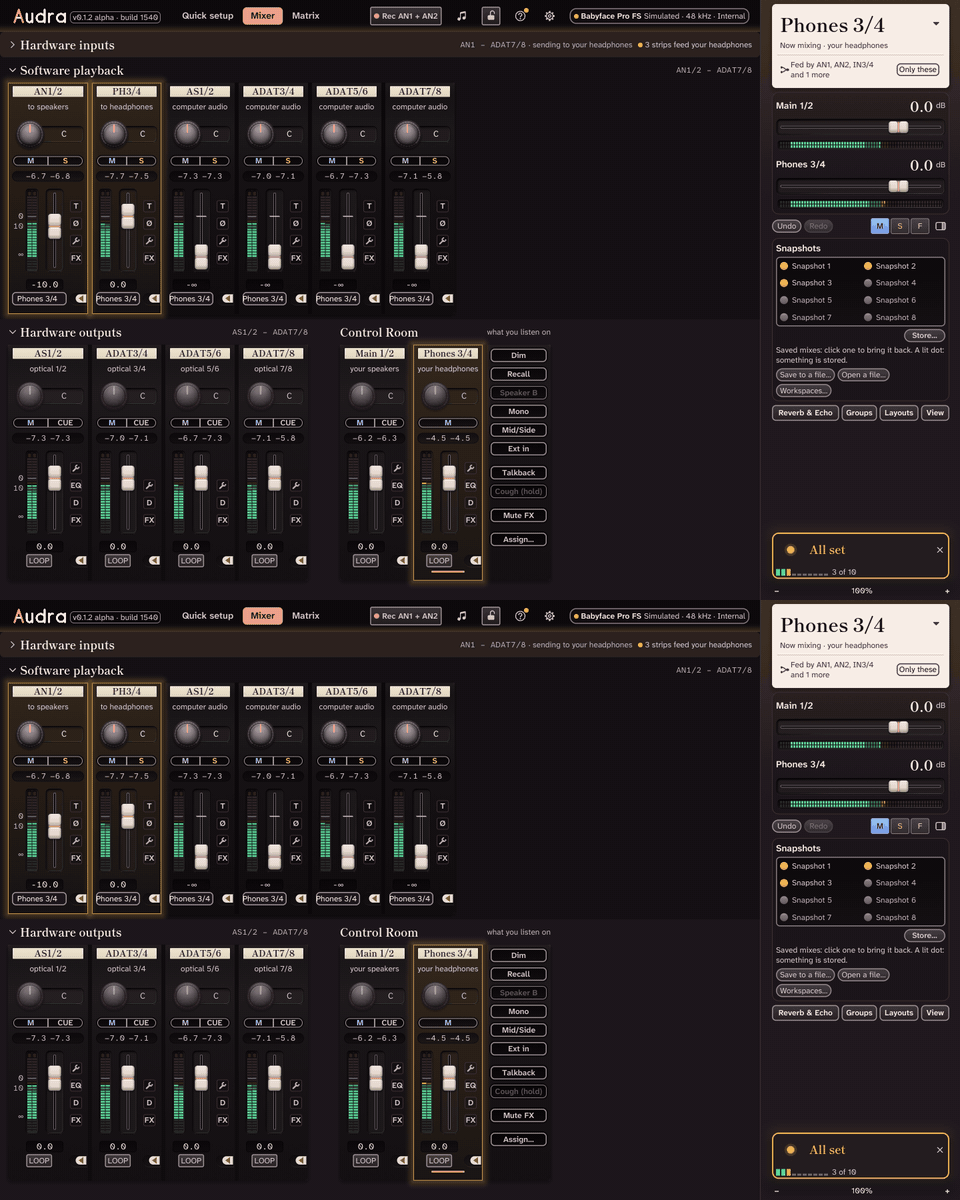
Then, in your call app, pick the Babyface as the microphone and the speaker. More setups (a headphone mix, recording, streaming, a call on your speakers) work the same way: see Quick Setup.
Quick setup's step 3, Hear it, says where you listen and whether your mic reaches it. If it doesn't, press I can't hear it (it reads Fix it: I can't hear it while something is in the way): Audra finds what's in the way (a mic sent nowhere, a muted output, a solo) and fixes it gently, never by sending an open mic into the speakers.
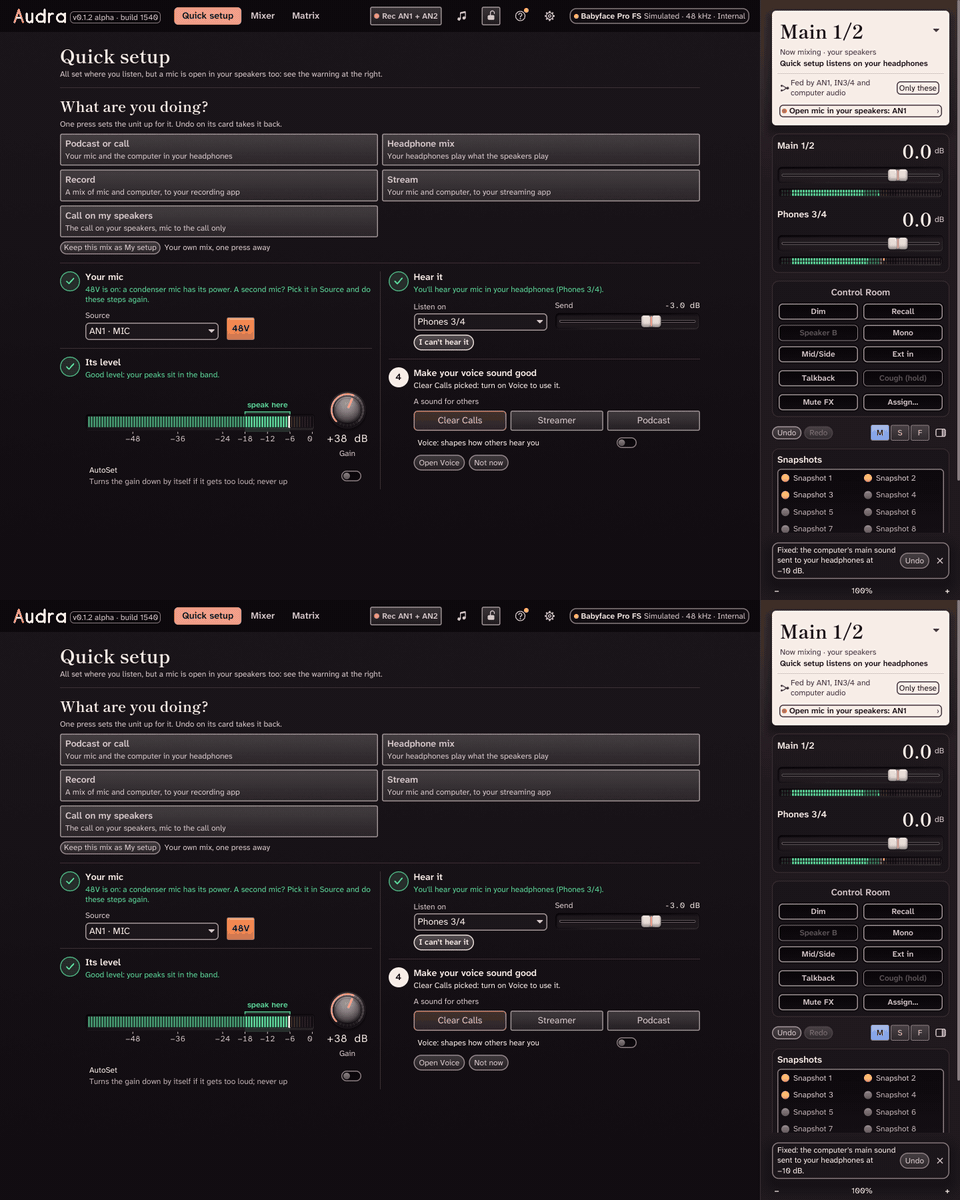
Open the Reverb & Echo page (its bar at the right), press Turn on Reverb, then Make it heard. Audra raises your mic's FX send and the FX return where you listen. With an open mic it puts the reverb in your headphones and keeps it out of the speakers, where it could howl.

The simulation plays no effects live; Hear a sample plays a clap through them on your computer instead. See Reverb and Echo.
Press Store… under the snapshots, then a slot. Its dot lights: the whole mix is kept there. A click on the slot brings it back (levels glide up rather than jump); Undo takes a recall back.
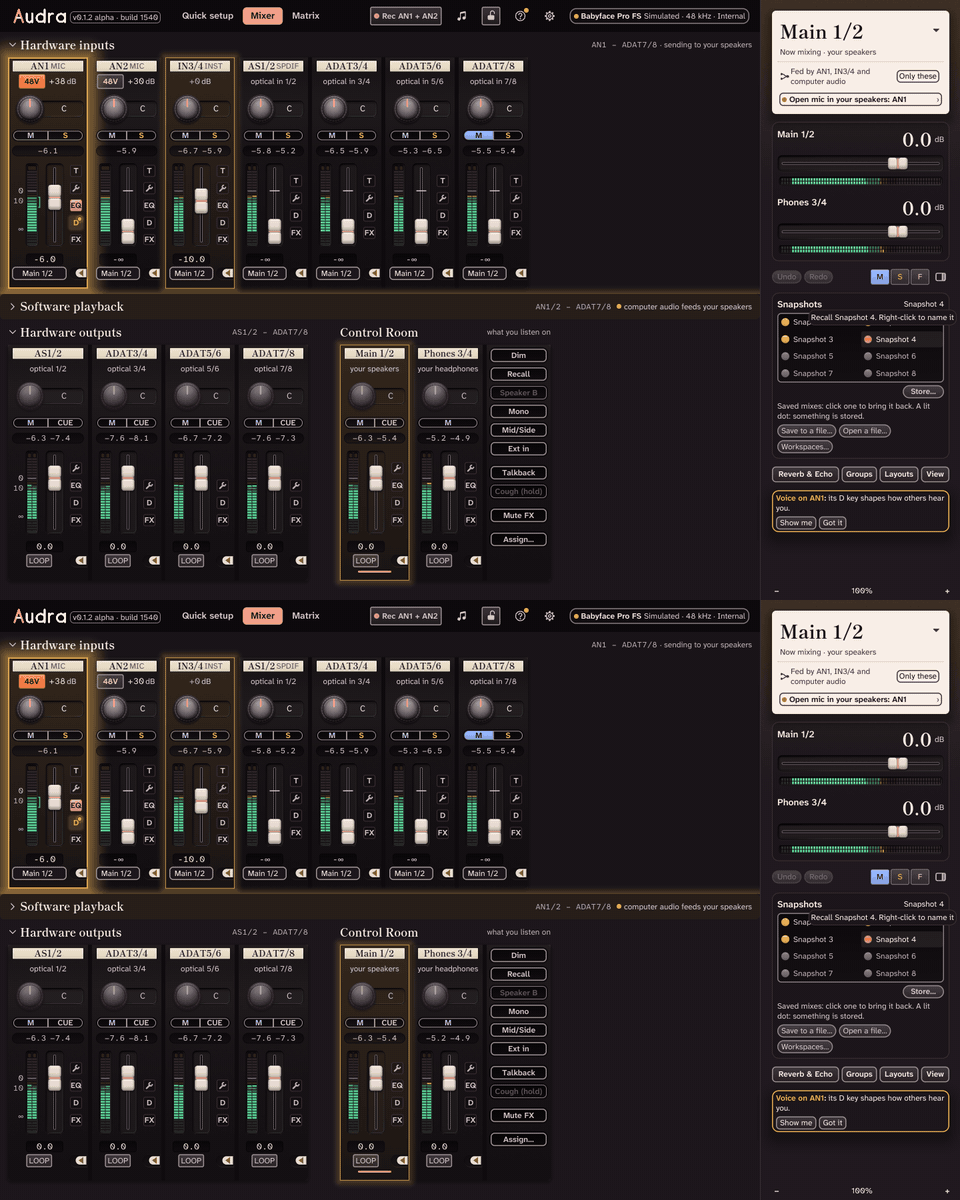
See Snapshots, Layouts and Reset.
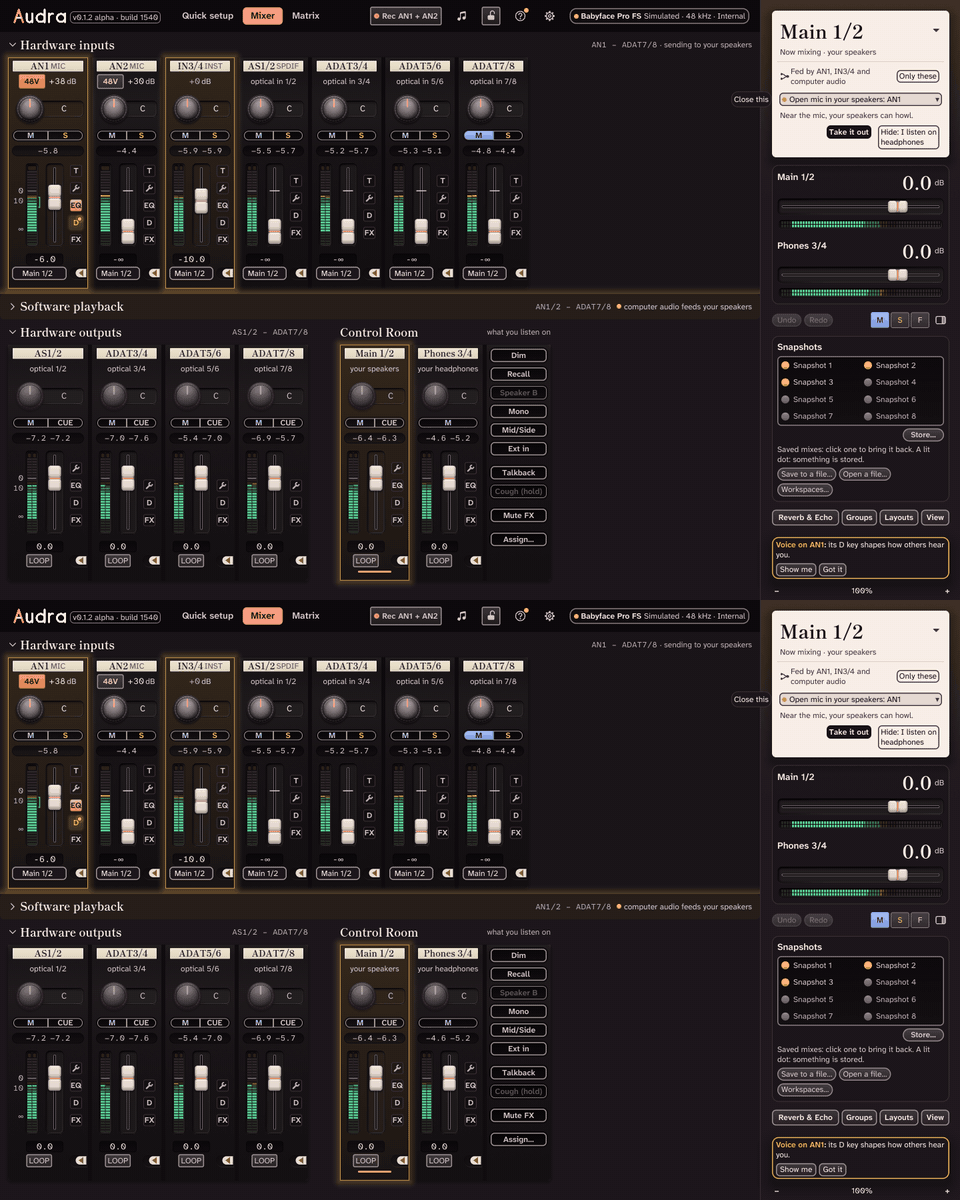
When a mic with 48V on (or a high gain) is sent to your speakers, the card at the top right warns you in any view. Press the line to see why and what to do: Take it out removes the mic from the speakers' mix only (your headphones keep it), and Hide: I listen on headphones stops the warning for that mic in that mix.