Admin Guide
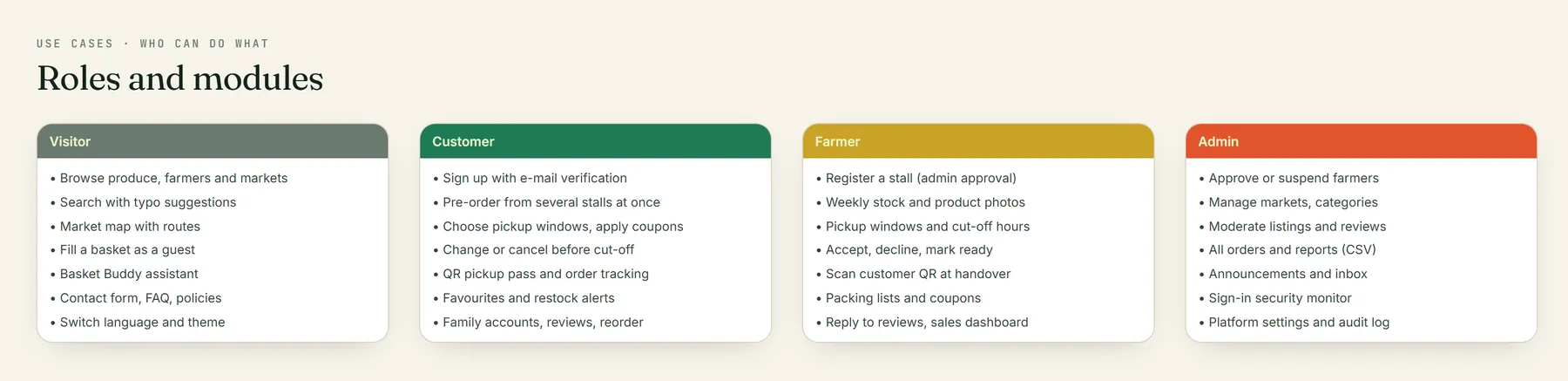
Administrators sign in at the normal sign-in page and land on a dedicated dashboard at /admin, separate from the customer and farmer areas (enforced by role:admin middleware).
- Totals: approved farmers, pending farmers, customers, markets, orders, open orders, completed revenue, unread messages.
- 30-day orders and revenue trend, orders by status, revenue by market, top products, top farmers.
- Today's pickups, catalogue health, pickups this week, system status.
- Security panel: failed sign-ins and suspicious IP addresses.
Review pending stalls and approve, or suspend with a reason (the farmer is e-mailed either way). Suspended stalls are hidden from customers; their open orders are unaffected.
Search accounts and activate / deactivate them for policy violations. Deactivated users can't sign in.
Add, edit or remove markets: name, address, city, description, operating days, opening and closing times, and map coordinates (pick them on the map). Markets appear on the public map immediately.
Master data for products: name, description, icon, sort order and active flag.
-
Listings (
/admin/moderation/listings) — hide inappropriate or misleading products. -
Reviews (
/admin/moderation/reviews) — hide with a reason, or delete abusive reviews.
Every pre-order across all markets, filterable by status and market, with search by order code or customer.
Platform-wide reports for a date range: total orders, revenue by market, most active farmers, top products. Export any report to CSV — downloads happen only when you click (SRS "no unnecessary downloads"). Each export is logged in the report history (who, what, when).
Publish site-wide banners (info or warning) for a chosen audience, with an optional expiry date — e.g. market closures or seasonal news.
Create platform-wide or stall-specific coupons with limits.
The contact-form inbox. Mark as read and reply by e-mail directly; replies to those e-mails come back into the same thread via the Resend inbound webhook.