Repository navigation
Data Usage and History
WinSpeed records how much data each network adapter sends and receives, hour by hour. The Data usage page lets you explore it.
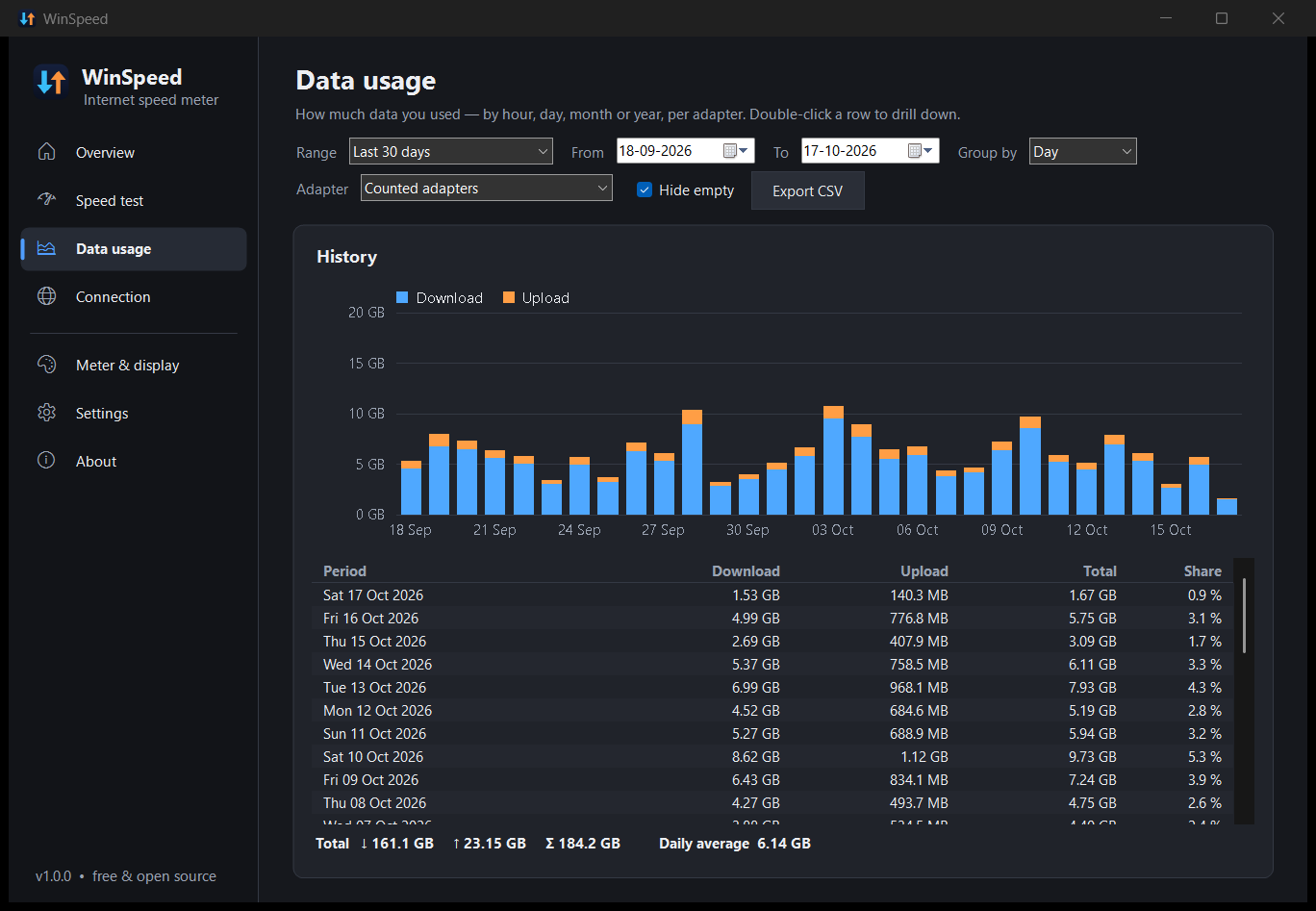
| Control | Choices |
|---|---|
| Range | Today · Yesterday · Last 7 days · Last 30 days · This month · Last month · Current billing period · Previous billing period · This year · All time · Custom range |
| From / To | Any dates. Changing them switches the range to Custom. |
| Group by | Hour · Day · Month · Year |
| Adapter | Counted adapters (the ones the meter counts, see Network adapters) · All adapters · Physical adapters only · any single adapter, including ones that are no longer connected |
| Hide empty | Hides periods with no traffic from the table. The chart always keeps a continuous axis. |
- The bar chart stacks download (blue) under upload (orange). Hover a bar for exact numbers; click it to jump to that row.
- The table lists each period, newest first, with download, upload, total and its share of the whole range.
- Double-click a row to drill down: a year shows its months, a month its days, a day its hours.
- The footer shows the range's totals and the daily average. The average only counts days since recording began.
Export CSV saves exactly what's shown (range, grouping and adapter filter), with raw byte counts and readable sizes. It opens directly in Excel, LibreOffice or Google Sheets.
The Overview page shows today's usage, the current billing period's usage (with a progress bar if you've set a data limit) and the totals for this session. Hover the meter to see the same numbers in its tooltip.
- Every second (or at your update interval), WinSpeed reads each adapter's 64-bit byte counters from Windows and adds the difference to the current hour.
- History is saved to
usage.tsvevery 5 minutes, and when Windows sleeps, shuts down or WinSpeed exits. - If WinSpeed isn't running, nothing is recorded for that time.
- Counter resets (for example when an adapter reconnects) are detected, so they never create fake spikes.
Under Settings → History, backup & reset:
- Keep hourly history for N days (default 400; 0 = forever). Older hours are removed automatically. One year of history takes roughly 1–2 MB.
- Delete usage history… removes everything.
usage.tsv is plain tab-separated text (hour adapterId rxBytes txBytes), so you can also open or back it up yourself.