Repository navigation
Speed Test
The Speed test page measures what your connection actually delivers.
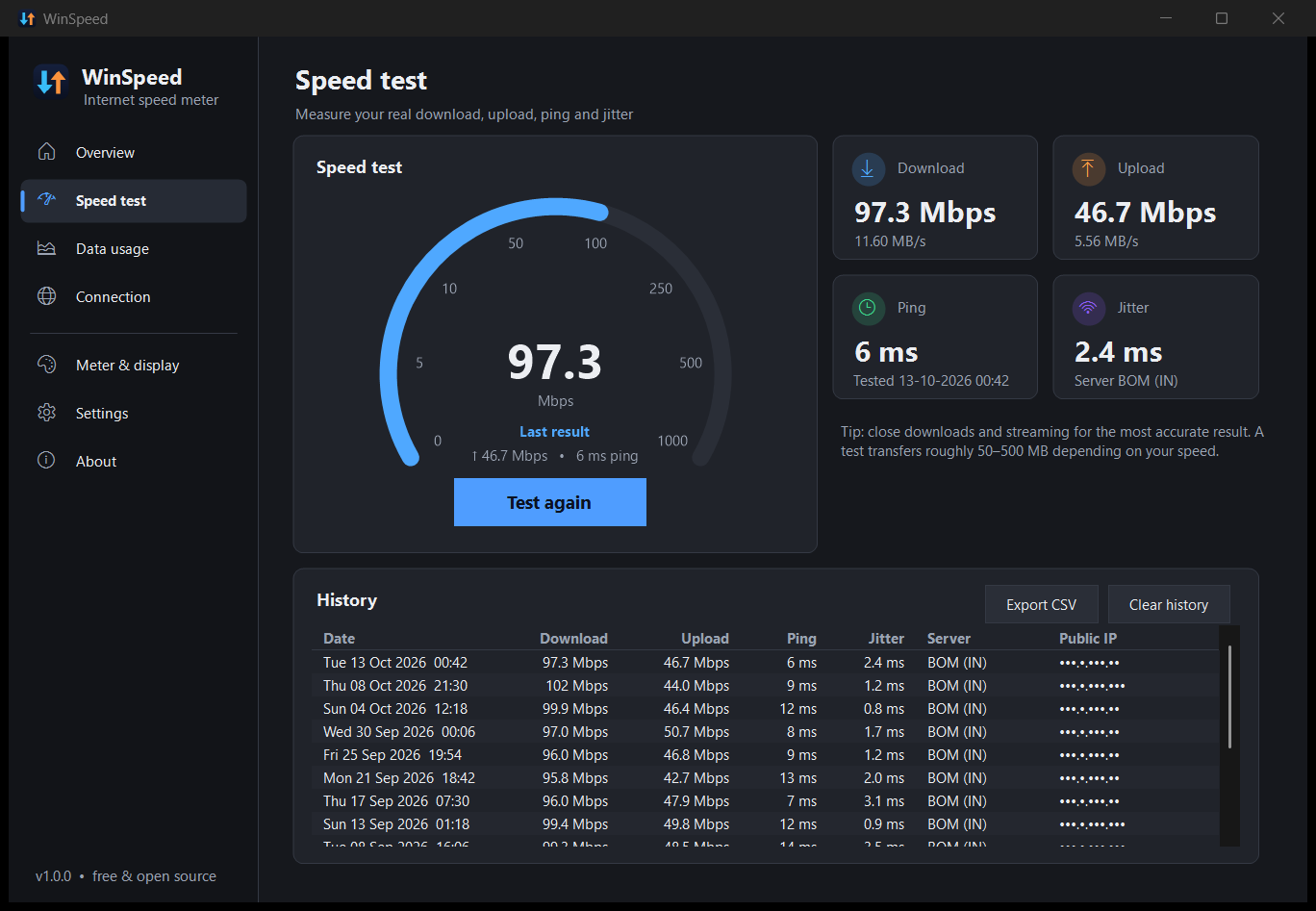
- Click Start test on the Speed test page, or
- right-click the meter → Run speed test, or
- run
WinSpeed.exe --run-speedtest(see Command line).
A test takes about 25 seconds:
- Latency: about 12 tiny requests. The median gives the ping; the average change between requests gives the jitter.
- Download: 6 parallel streams for 10 seconds.
- Upload: 4 parallel streams for 10 seconds.
The first 1.5 seconds of each phase are not counted, so the result reflects your sustained speed rather than the ramp-up. The gauge shows the live speed as the test runs. You can Cancel at any time.
WinSpeed uses Cloudflare's public speed-test service (speed.cloudflare.com), the same one behind speed.cloudflare.com. Cloudflare has servers in hundreds of cities, so you're automatically matched to a nearby one. The server's location code (for example BOM, FRA, IAD) is shown with each result.
A test transfers roughly what your connection can move in 20 seconds. That's about 50 MB on a 20 Mbps line and around 500 MB on a gigabit line. Speed-test traffic is counted in your data usage like any other traffic.
The four tiles show the latest download, upload, ping and jitter. Every test is saved in the History table, newest first, with the date, server and public IP. Export CSV saves the history to a spreadsheet-friendly file; Clear history deletes it.
History is stored in speedtests.tsv in the data folder.
- Pause big downloads, cloud sync and video streaming.
- Prefer Ethernet over Wi-Fi when you want to test the line rather than the Wi-Fi.
- A VPN routes traffic through its own servers, so results reflect the VPN.
- Run a few tests at different times of day; evenings are often slower.
If the WinSpeed window isn't in front when a test finishes, a notification shows the result. Turn it off under Settings → Connection monitoring → Notify me when a speed test finishes.