Repository navigation
Firefox
This is Firefox ESR styled to resemble Internet Explorer 6. It does not run Microsoft's Internet Explorer engine. It uses a separate managed profile, so your regular Firefox profile is not automatically imported.
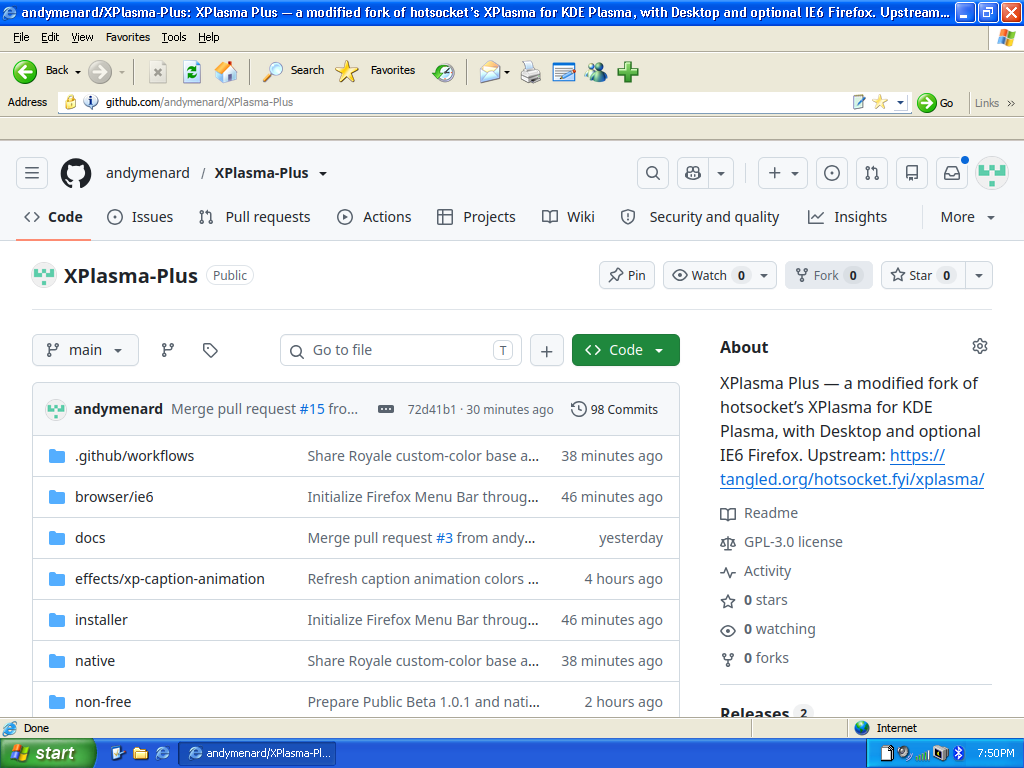
- Select IE6 Firefox Theme (optional) in Setup. If the desktop is already installed, rerun Setup and use Upgrade installation to add it.
- Inspect the default-browser option under the Firefox group; uncheck that option if you want to keep another default browser.
- After installation, launch IE6 Replica — Firefox ESR from Start. Opening the system's regular Firefox may show its normal theme.
The actual Firefox Menu Bar is enabled by default. Right-click a suitable toolbar area and use Firefox's Menu Bar or Bookmarks Toolbar options to change visibility. View → Toolbars provides toolbar options too. Subsequent choices are preserved; manually hiding the Menu Bar should not be overwritten on every launch.
Themed toolbar controls still perform browser actions. The replica includes a New Tab button even though original IE6 did not have tabs. Extensions and site favicons may keep their own branding; the theme does not replace every third-party image.
Use XPlasma Plus Properties → Appearance → Dark application colors → Apply. The managed IE6 profile follows that palette. Restart the themed Firefox if necessary. Website colors remain under site/Firefox control.
Use F11 for browser full screen (Fn may be required). Page/video full screen is another mode. The custom bottom status bar hides in both and returns afterward. Maximizing with the window button is different: the normal browser chrome remains.
Confirm you launched the managed IE6 browser, not a different Firefox installation. After an upgrade, fully close its windows and reopen. If preferences fail to persist or icons are oversized, report your Firefox version, display scale and the affected panel, ideally with a screenshot. Do not delete the profile as a first troubleshooting step.
The installer/remover preserves the IE6 browser profile. Keep a separate backup of important bookmarks, passwords and browsing data before upgrades/removal.