Setup
Here I will go through the minimum steps for setup.
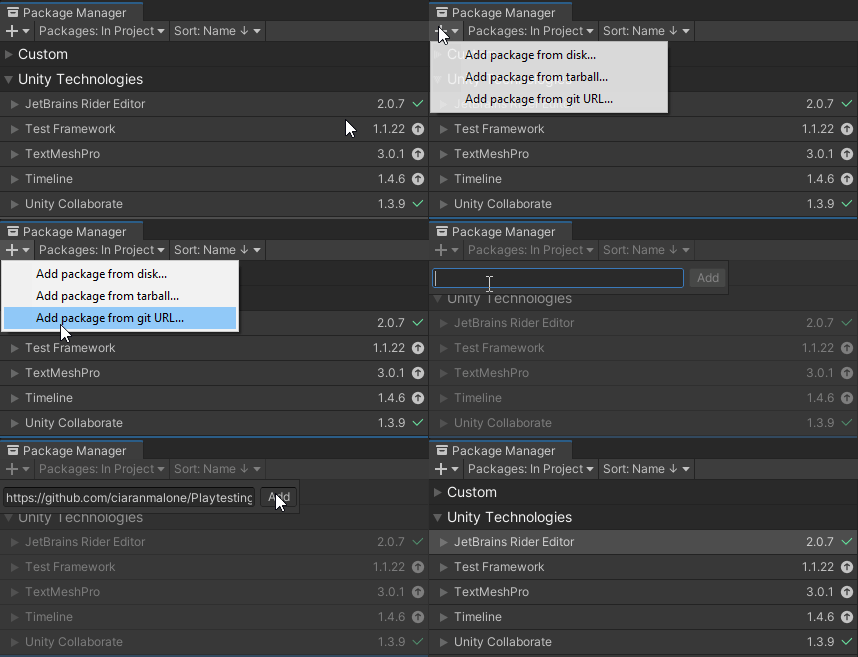
- In the package Manager window press the + plus button, and it will bring up a dropdown. Selected Add package from git URL.
- Paste the git URL in the input field provided.
- Press the Add button.
To collect data you will need to introduce:
- Tracker Components onto the gameobject you wish to track data on.
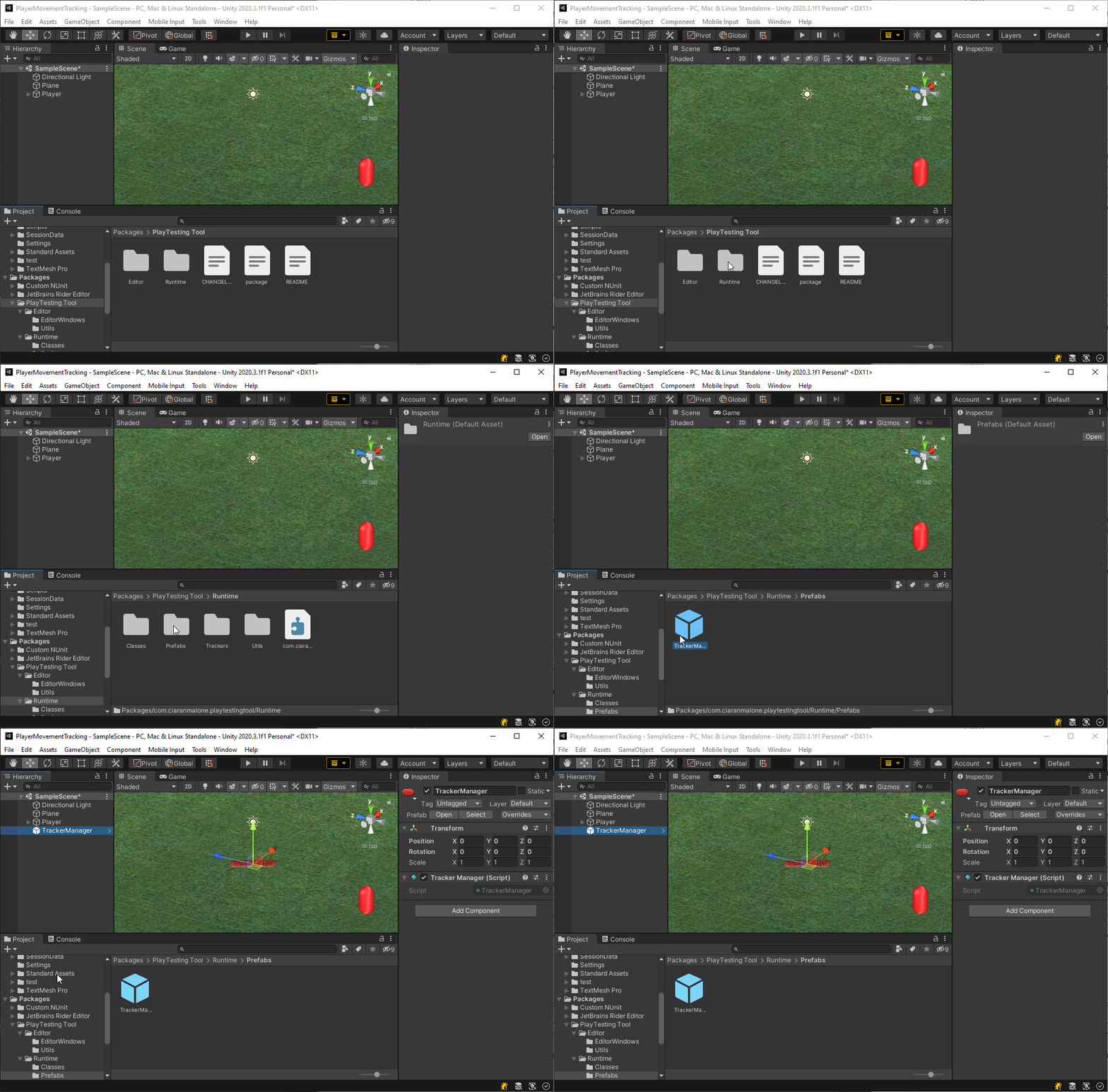
- Tracker Manager gameobject to handle all tracker components in the project.
- a prefab of the tracker manager can be brought into your project from the package manager.
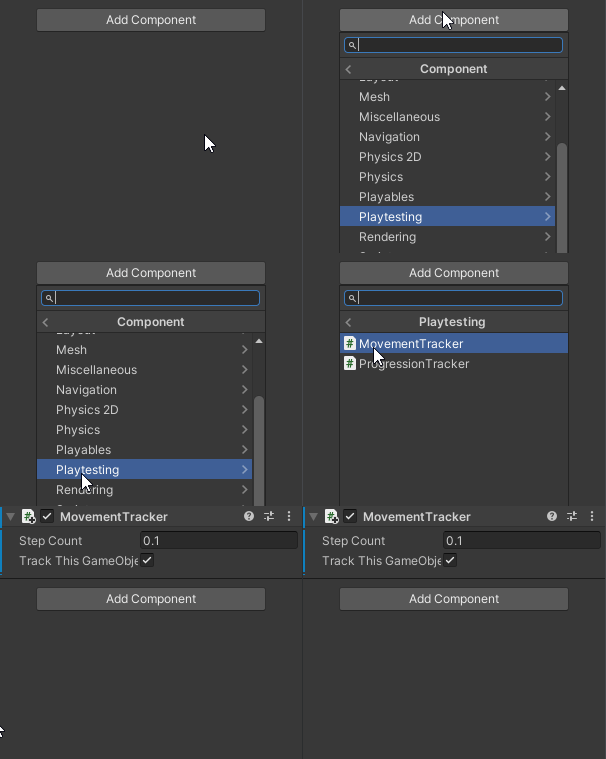
- tracker component needs to be either put on the gameobject it tracking or pointed to the object it is being tracked.
- In this example, we are using the movement tracker. Add the component to the gameobject you with to track movement on.
- When the game starts it will track begin to track the player's movement.
- When the game Stops the data will be saved.
- The tool offers saving Session Data locally or remotely. In this example, we will set it to save locally.
- Set the local saving path in the Playtesting tools settings Window.
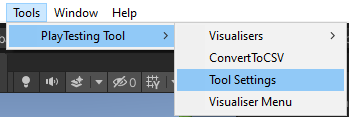
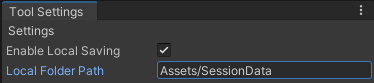
- Now when you play the game Data will be collected, When you stop it will be saved locally to the specified folder.