Repository navigation
Autocomplete
The query box suggests as you type: operators from the first letter, then each operator's values. ↑ ↓ move through
the suggestions, Tab inserts one, and Esc closes them. While operators are suggested, ? opens Help; among an
operator's values it is typed like any other character, since globs (f:*.ts?) and regexes use it.
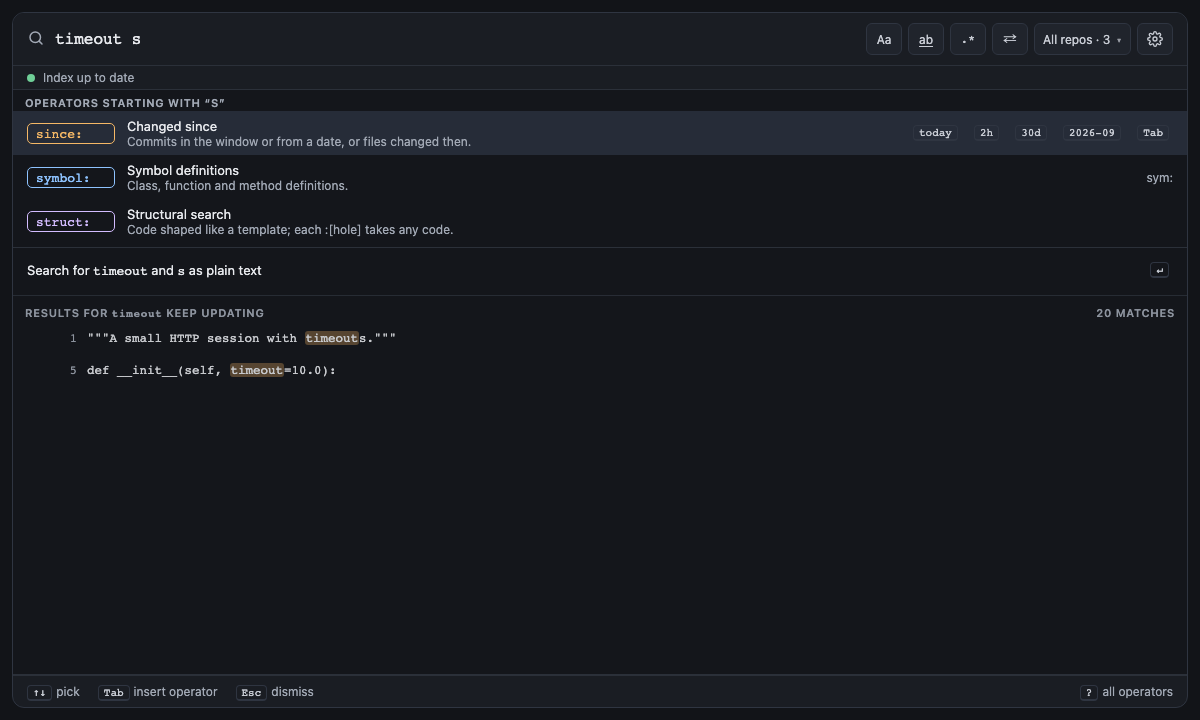
From the first letter, the box lists the matching operators; a short name (a, sym) lists its operator first. Each
shows a short title, then a line on what it does: struct: reads Structural search, then "Code shaped like a
template; each :[hole] takes any code."
Screen 5: Autocomplete: operators · Screen id operator-suggestions · milestone M2

The built panel
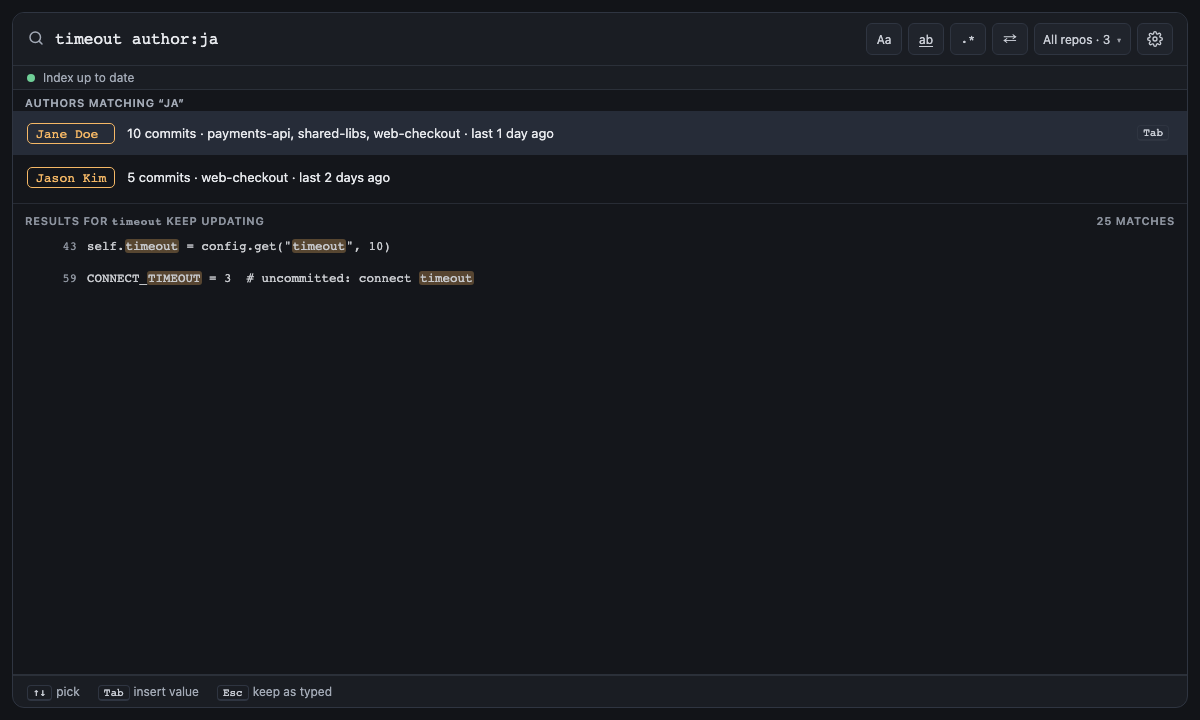
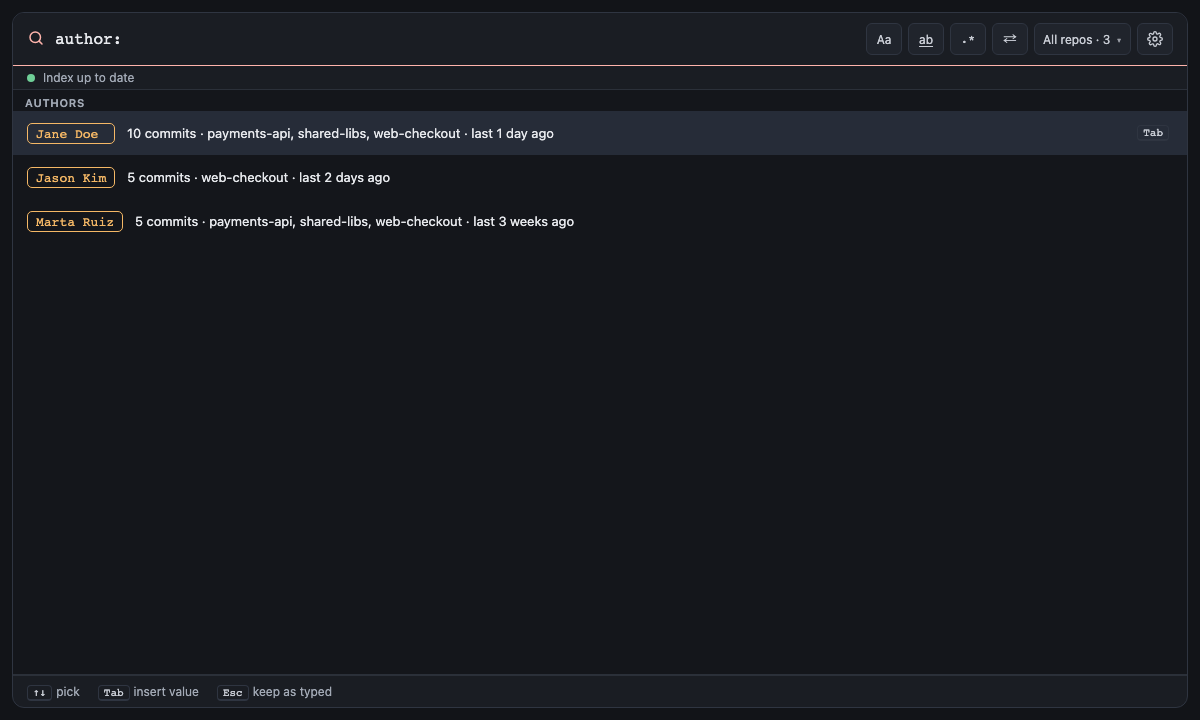
After an operator, the box lists up to 10 of its values: authors with commit counts and when they last committed, repos with their index state, languages, time windows with how many files changed, file types and folders, symbol names, commit-message words.
Screen 6: Autocomplete: author values · Screen id value-suggestions · milestone M3

The built panel
Screen 19: Values: every author for author: · Screen id author-values · milestone M3

The built panel
Screen 20: Values: time windows for since: · Screen id since-values · milestone M2

The built panel
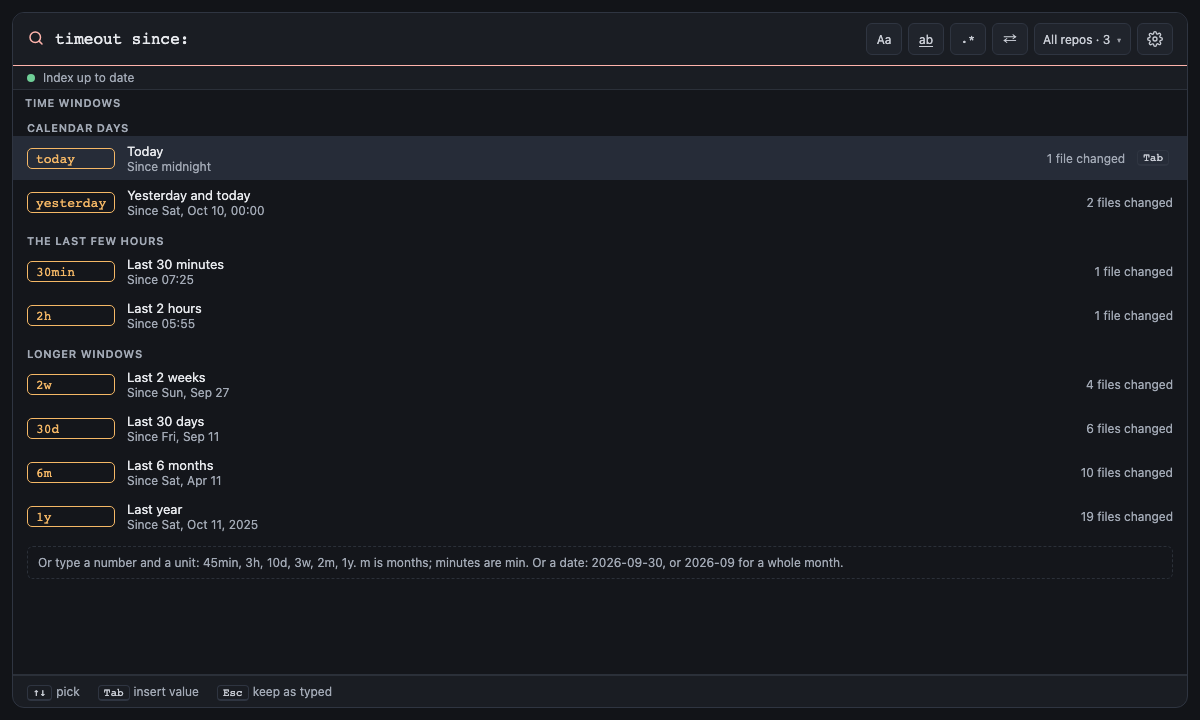
A number lists each unit it can take (3 offers 3min, 3h … 3y). A whole window comes first, read as it
parses: m is months, so since:6m lists 6m "Last 6 months" ahead of 6min "Last 6 minutes".
until: offers the same windows, each saying when it ends instead of when it starts: 2w reads "More than 2 weeks
ago · Before Sat, Sep 19", with how many files haven't changed since, under the headings Calendar days, Hours ago and
Longer ago. Neither suggests dates; type one (2026-09-30 or 2026-09) and it's checked as you go.
Each window counts the files the search would keep, as since: decides: in Git a file
changed when it was last committed, or now when it has uncommitted changes, and elsewhere when it was last saved.
Screen 21: Values: file types and folders for f: · Screen id path-values · milestone M2
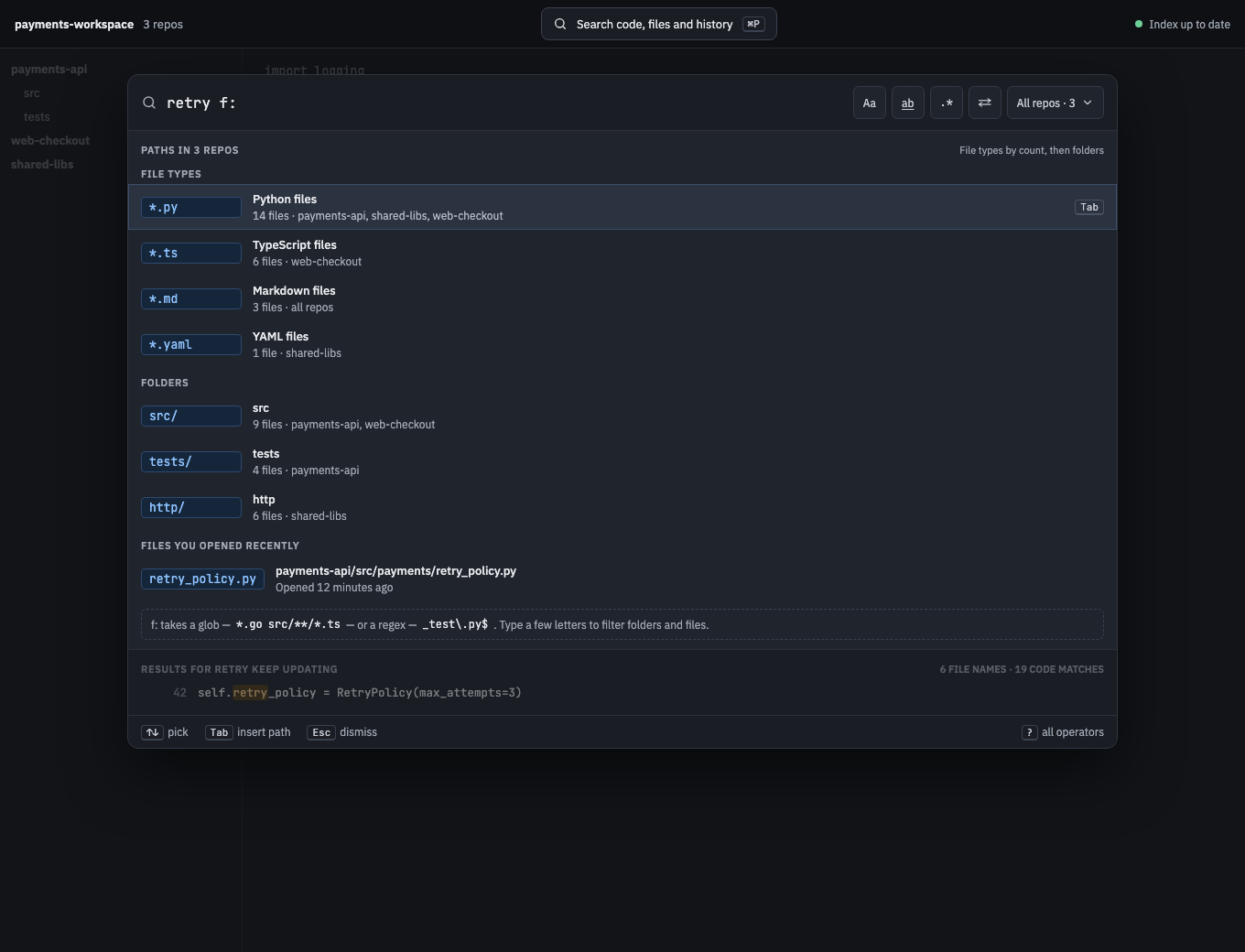
The built panel
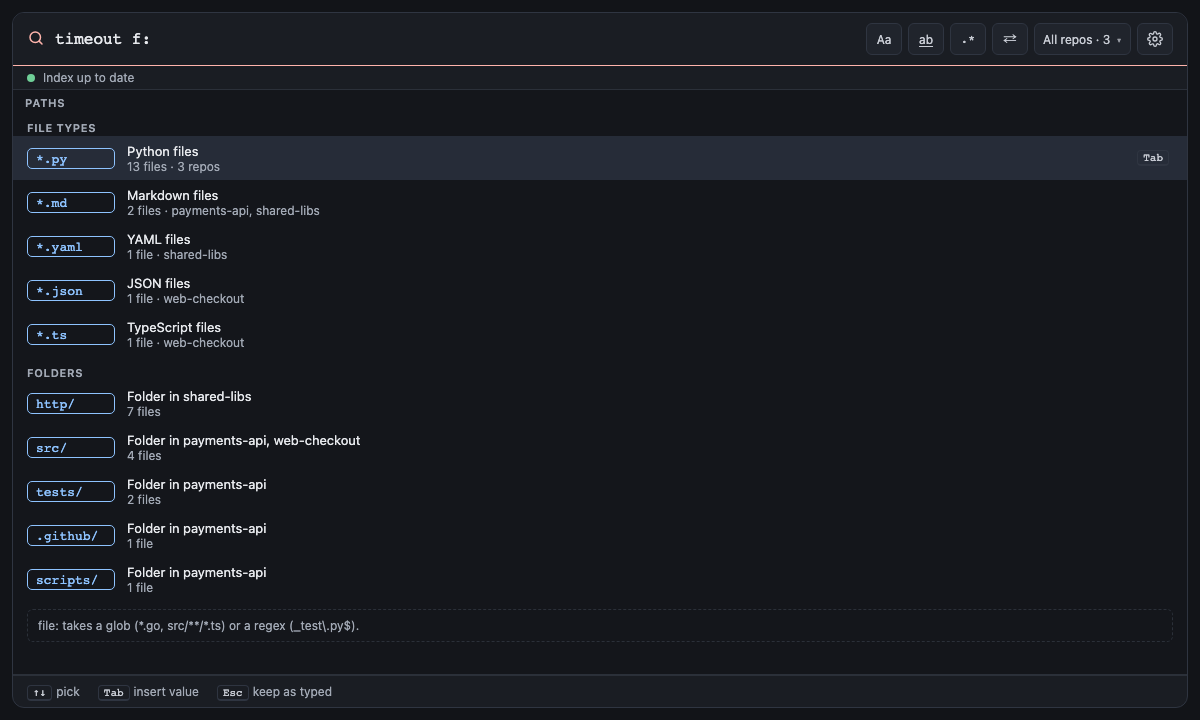
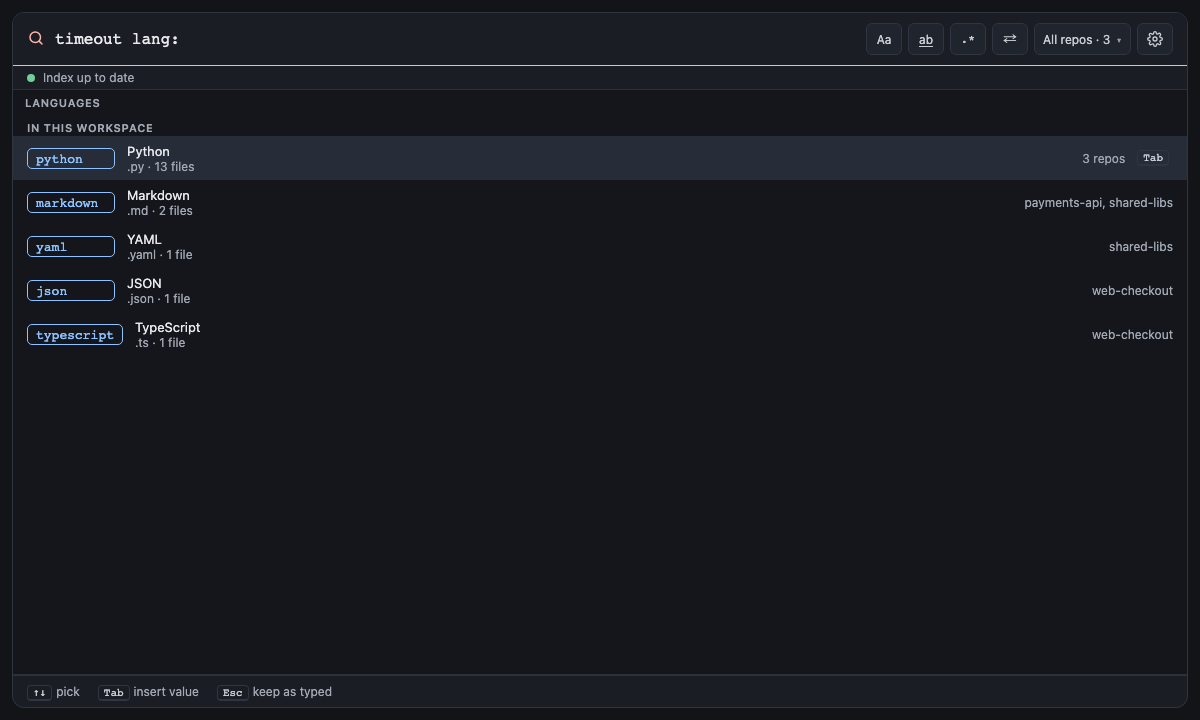
Screen 22: Values: repo:, lang:, type:, kind:, case:, word:, count:, order:, is:, sym:, msg: · Screen id other-values · milestone M2
One board on the canvas, switched by its operator tweak. Each operator's values:


The built panel for lang:

kind: offers its six kinds, each with what it covers.


Each file state says how many files are in it now, and names the open and uncommitted ones; test, generated and
vendored say what counts instead. Outside Git, changed says "No Git repo".

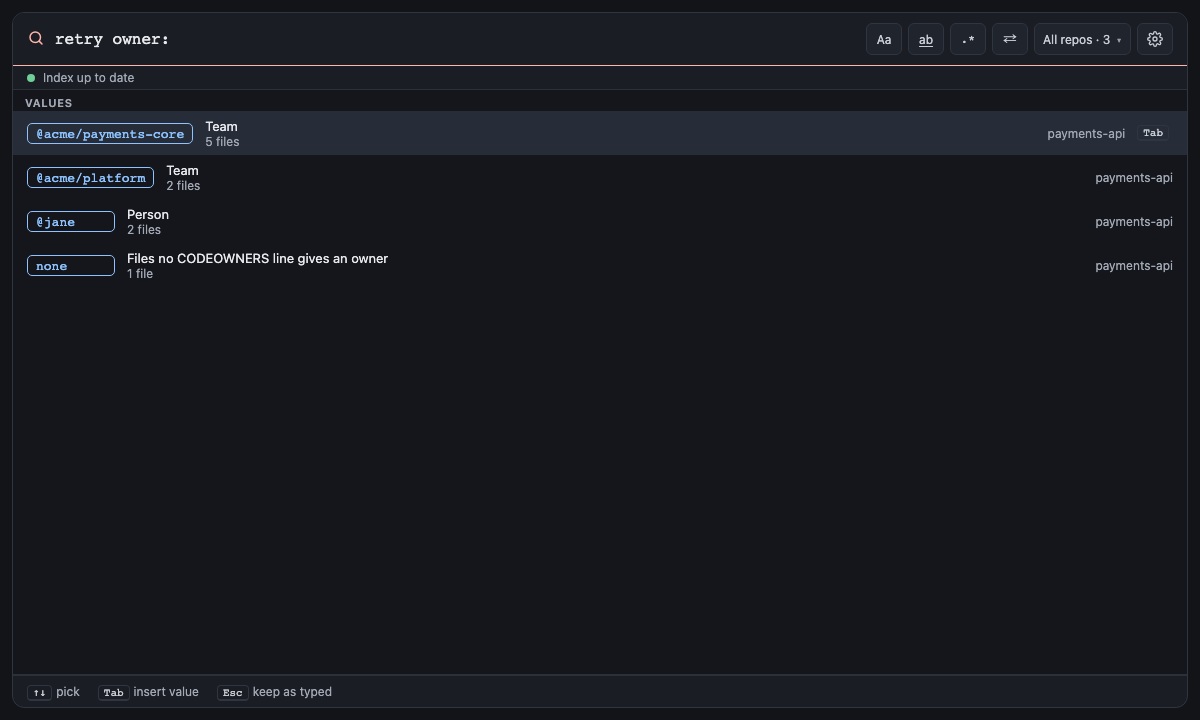
Each owner the open repos' CODEOWNERS files name, most files first, says whether it is a team, a person or an email,
how many files it owns and in which repos; none comes last, with how many files have no owner. What you type
narrows them, with or without the @. With no CODEOWNERS file open there is nothing to offer.
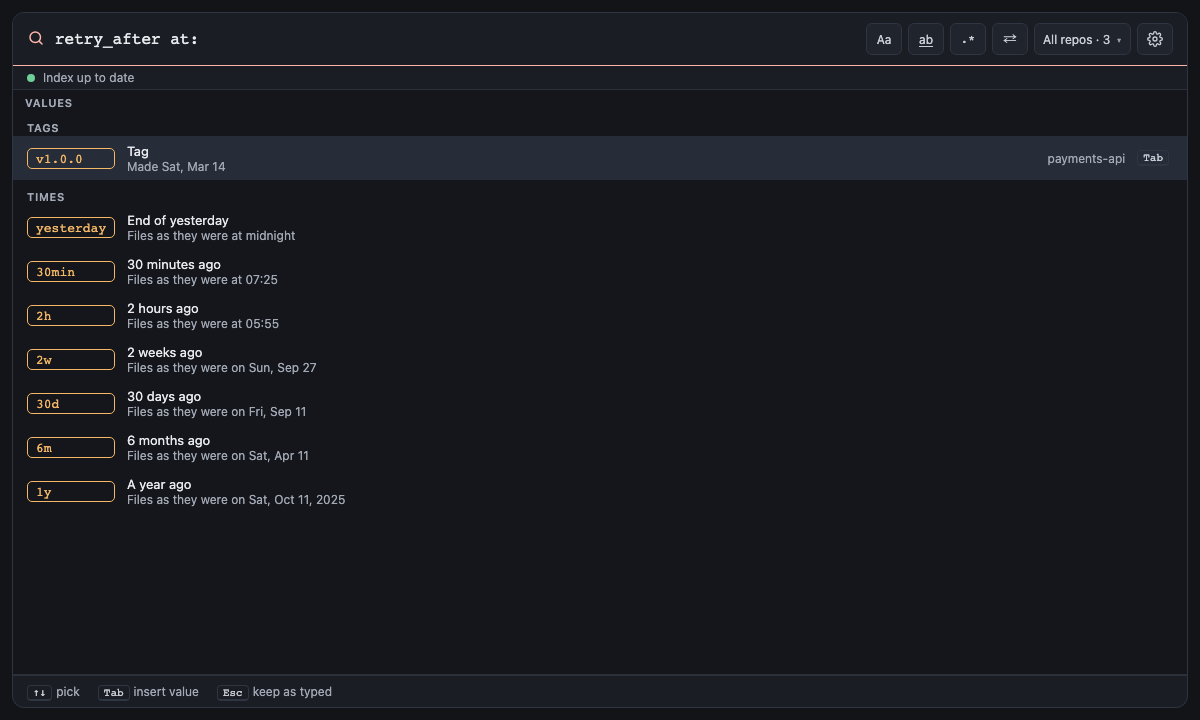
The open repos' tags come first, newest first, each with the day it was made and the repos that have it; then times
(yesterday, 2h, 2w, 6m, 1y …), each saying when it is: "Files as they were on Fri, Apr 10". What you type
narrows the tags anywhere in their name, and the times by how they start.

ref: offers the same definition names.

Next: Settings and Commands: every setting and command.