Repository navigation
Getting Started
Spelunk is a VS Code extension that replaces several searches with one box. Type a query and see, as you type, matching file names, code lines, symbol definitions and Git commits from every repo in your workspace. Everything is indexed and searched on your machine; nothing is sent anywhere.

Spelunk isn't on the Marketplace yet. Download the .vsix for your platform (macOS, Linux or Windows, x64 or arm64)
from the latest release and run
Extensions: Install from VSIX… in VS Code, or from a terminal:
code --install-extension spelunk-2.0.0-darwin-arm64.vsixTo build it from a clone instead, see Contributing.
It works the same in desktop VS Code and code-server.
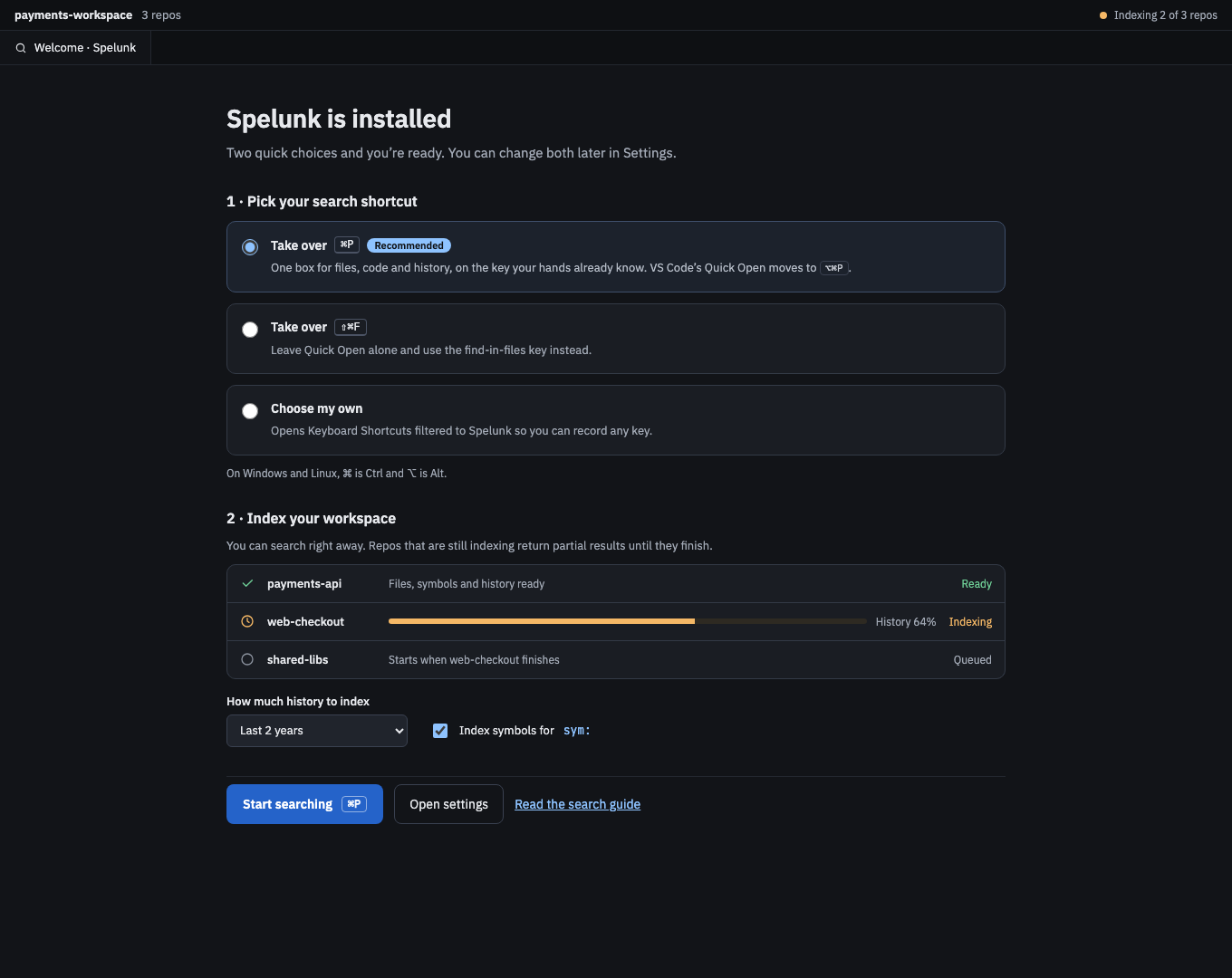
The welcome page opens once, after installing (Spelunk: Show Welcome opens it again):
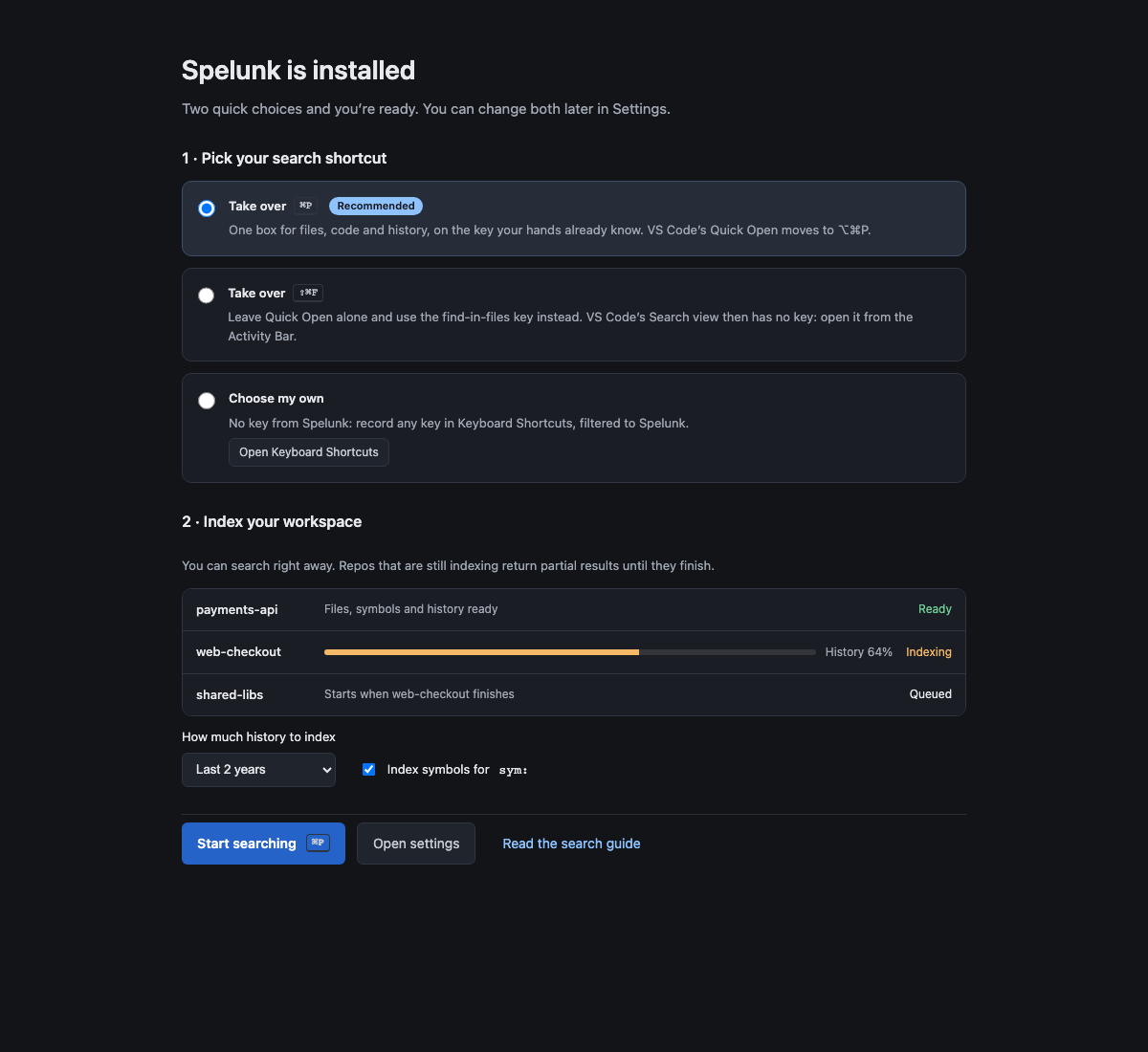
- Pick the key that opens search. ⌘P (Ctrl+P) is recommended; VS Code's Quick Open moves to ⌥⌘P (Ctrl+Alt+P). Or take over ⇧⌘F (Ctrl+Shift+F), which leaves VS Code's Search view without a key, or pick Choose my own and press Open Keyboard Shortcuts to record your own key. Each choice is saved as you pick it, ↑ ↓ included.
-
Choose what to index: how much history (2 years, 6 months or all) and whether to find definitions for
symbol:. - Watch each repo index. You can search straight away; a repo that is still indexing returns partial results until it finishes. A folder that isn't a Git repository gets files but no history.
Screen 15: First run: pick a shortcut, index repos · Screen id first-run · milestone M5
The built panel
| Type | You get |
|---|---|
retry_policy |
Files whose name or contents contain it |
file:*.py retry |
Only Python files |
symbol:RetryPolicy |
Where RetryPolicy is defined |
author:jane timeout |
Jane's commits that mention timeout in a changed line or the message |
message:"fix flaky" |
Commits whose message says "fix flaky" |
since:2w timeout |
Files changed in the last two weeks that contain timeout
|
since:2026-09 until:2026-09 timeout |
Files last changed in September 2026 that contain timeout
|
Click a result to preview it, press ↵ to open it at the match, and F4 to jump to the next one later.
- Recipes: ready-made queries for everyday jobs
- Query Language: every operator on one screen
- Using the Panel: keys, suggestions, recent queries, previews
- Troubleshooting: empty results, indexing, Git and limits