Repository navigation
Tags
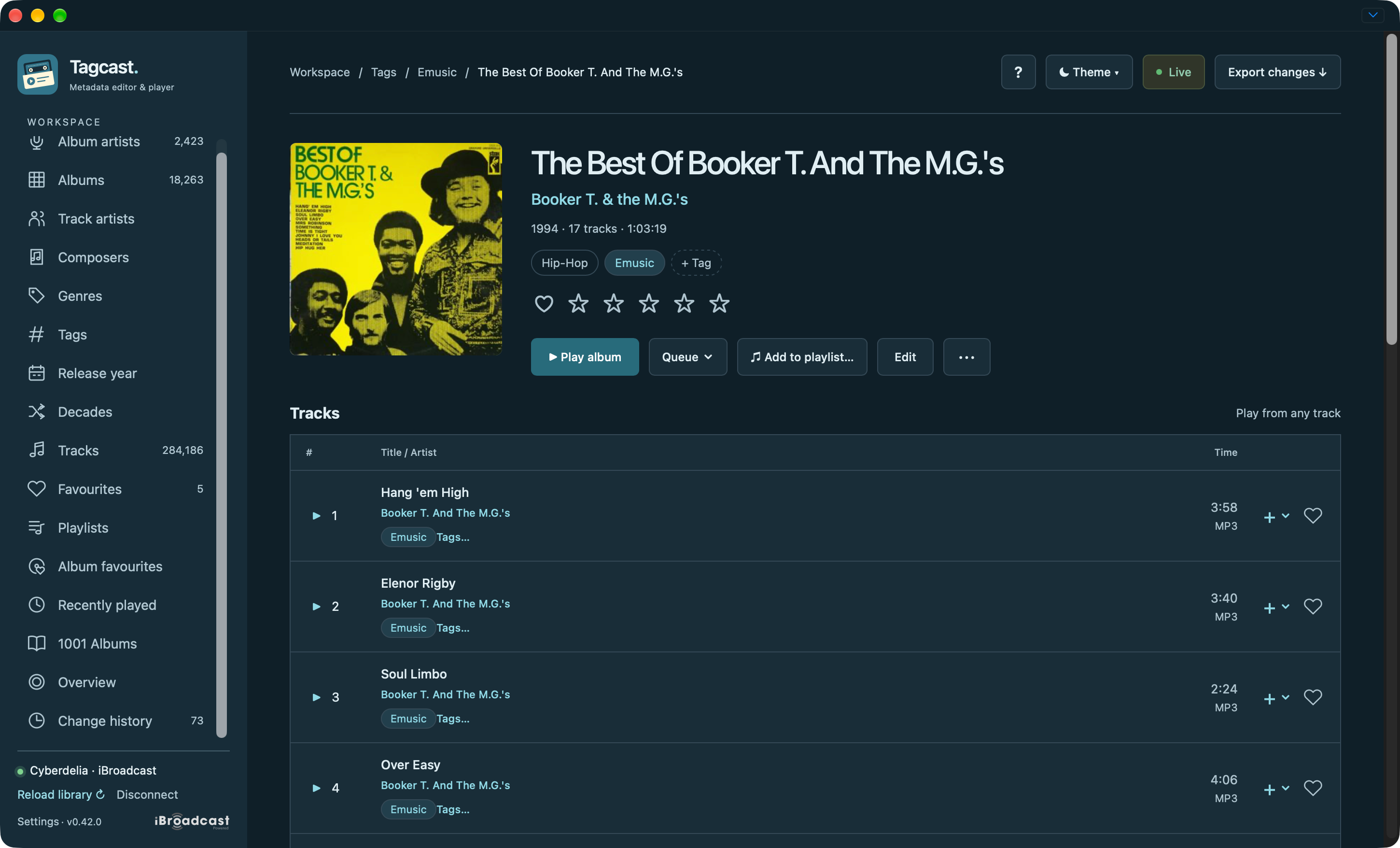
Tags in the sidebar shows your custom iBroadcast labels, including empty tags. Open one to browse albums containing at least one tagged track. Search, sort and page through tags as in the other overviews. Settings can hide or reorder this shortcut.
Album tags share a compact row with the genre chips. + Tag stays available whether or not tags are assigned and opens the same manager. Use a track's Tags… action to manage that track separately; row actions appear on hover/focus and remain visible on touch devices. Album changes apply to all its tracks, including every disc of the displayed set. The counts show partial assignments. Keep as is preserves them; choose Add to all tracks or Remove from all tracks only for labels you want to change. Search and paging retain your choices. Review tag changes lists the exact actions before you confirm. Assignments are limited to 500 tracks / 20 tags per review.
New tag… creates an empty label after review; assign it to music afterwards. Inside a tag's overview, Rename tag… and Delete tag… review changes to that label throughout iBroadcast, including hidden and trashed memberships. Deleting a tag keeps the music. Archived labels are marked; adding them is blocked because they can hide music. Manage archiving in iBroadcast itself.
Tags remain separate from genres. Writes are checked against current data and read back, without automatic retry or metadata Undo. Playback stays unchanged. Existing assignments on other albums and untouched labels are preserved.