Repository navigation
Beers
Beers in the admin top bar is the beer library: every beer you've added, on tap or not.
The page opens with a sentence ("Fifteen beers. Eleven on tap, one waiting in the cellar.") and a line saying how many beers still have no label art. Search by name, brewery or style, and use the chips to show All, On tap or In the cellar (beers not on a tap).
The list reads like a cellar ledger: beers are grouped On tap, then On deck, then In the cellar, each group on its own panel with a count. Each row has an edge in the beer's color, its marker (label art when it has some, otherwise the beer's color and initials), the style and brewery, ABV and IBU, and where it is: Tap 3 · 94% left (amber when the keg is low), On deck, or In the cellar. A beer with no color set has a dashed edge and says "no color set".
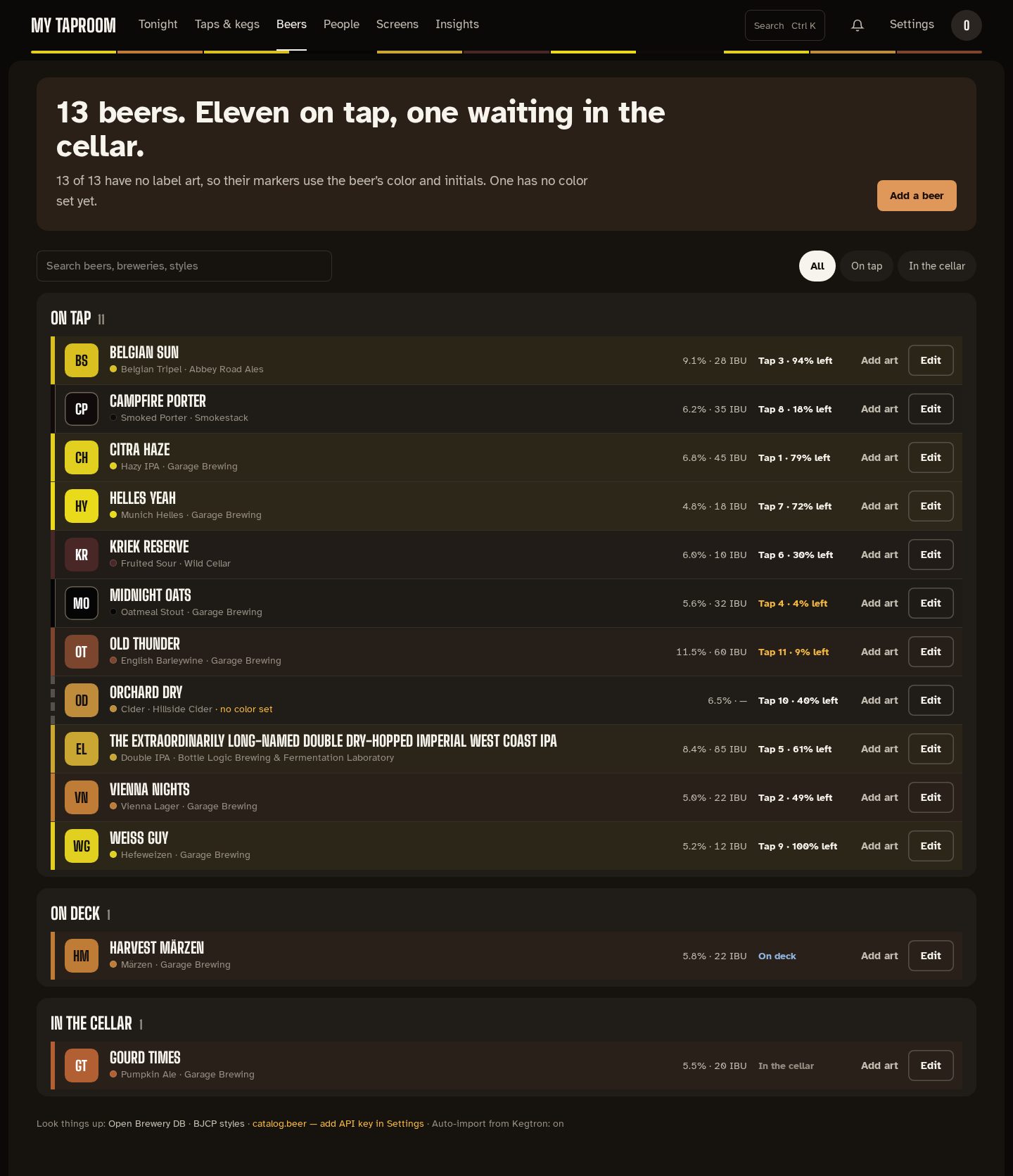
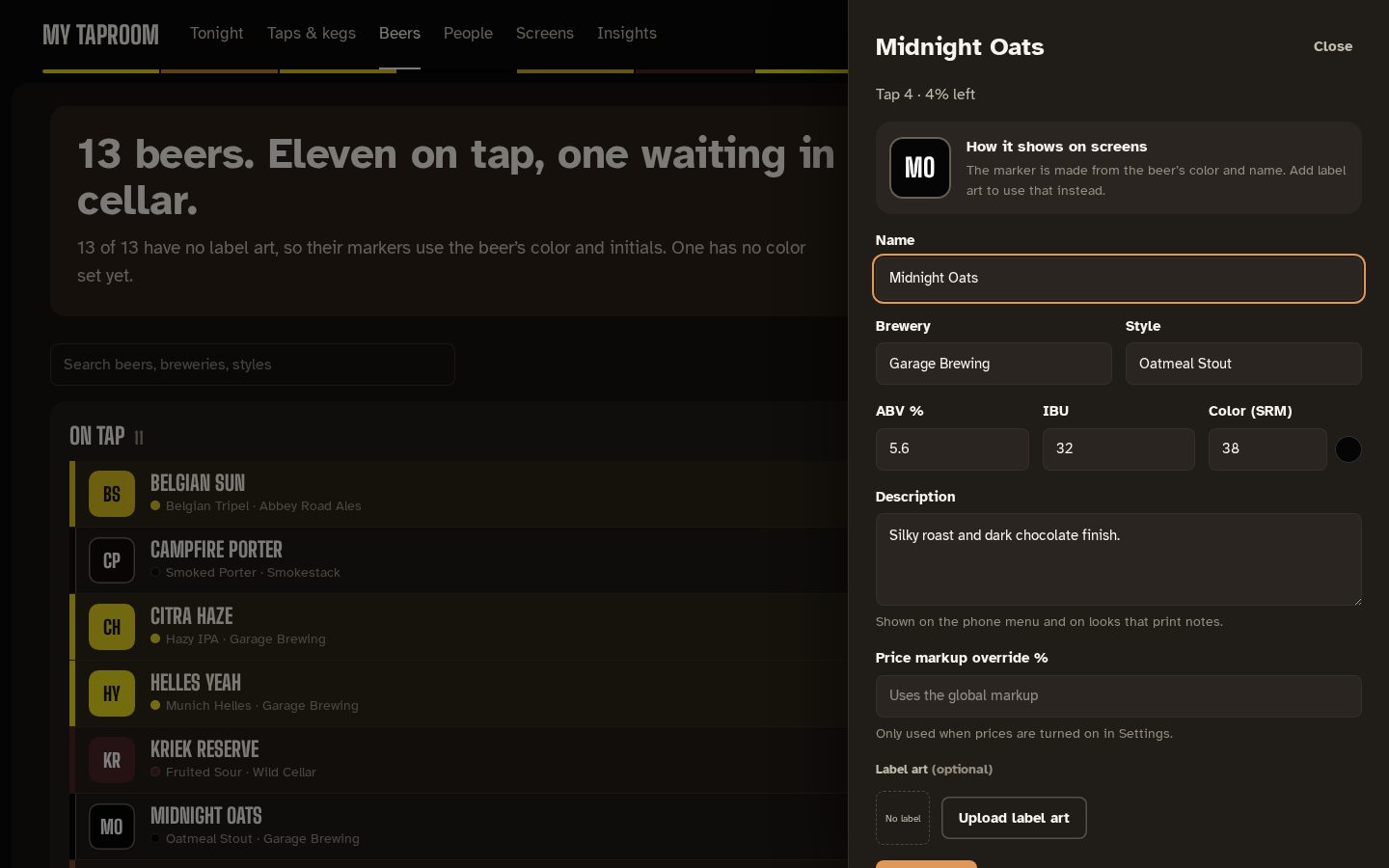
Add a beer, Edit or Add art opens the editor in a drawer (editors and admins). At the top, How it shows on screens previews the marker as you type the name and color. The fields:
- name, brewery and style (both with suggestions, and any text is allowed);
- ABV, IBU and color (SRM), with a swatch;
- description, shown on the phone menu and on looks that print notes;
- price markup override, used only when prices are on in Settings;
- label art (PNG, JPEG or WebP), which replaces the initials on every screen.
When a catalog.beer API key is set, Fill in from catalog.beer searches it and fills in the name, brewery, style, ABV, IBU and description. Delete beer is at the bottom of the drawer; a beer that a keg still uses can't be deleted.
Under the library, links to Open Brewery DB and the BJCP style guide, whether catalog.beer is set up, and whether beers are imported from Kegtron automatically.
Viewers see the library without the editing controls.
Mirrored from docs/beers.md. Edit the repo copy; this page is regenerated from it.