Repository navigation
People
People in the admin top bar has two tabs: Pourers for everyone (editors and viewers see this one) and Accounts for admins.
The page opens with a sentence naming this month's leader ("Seven pourers. Jordan leads this month with 3.2 gal."), with the number of accounts, pourers and people using face sign-in under it.
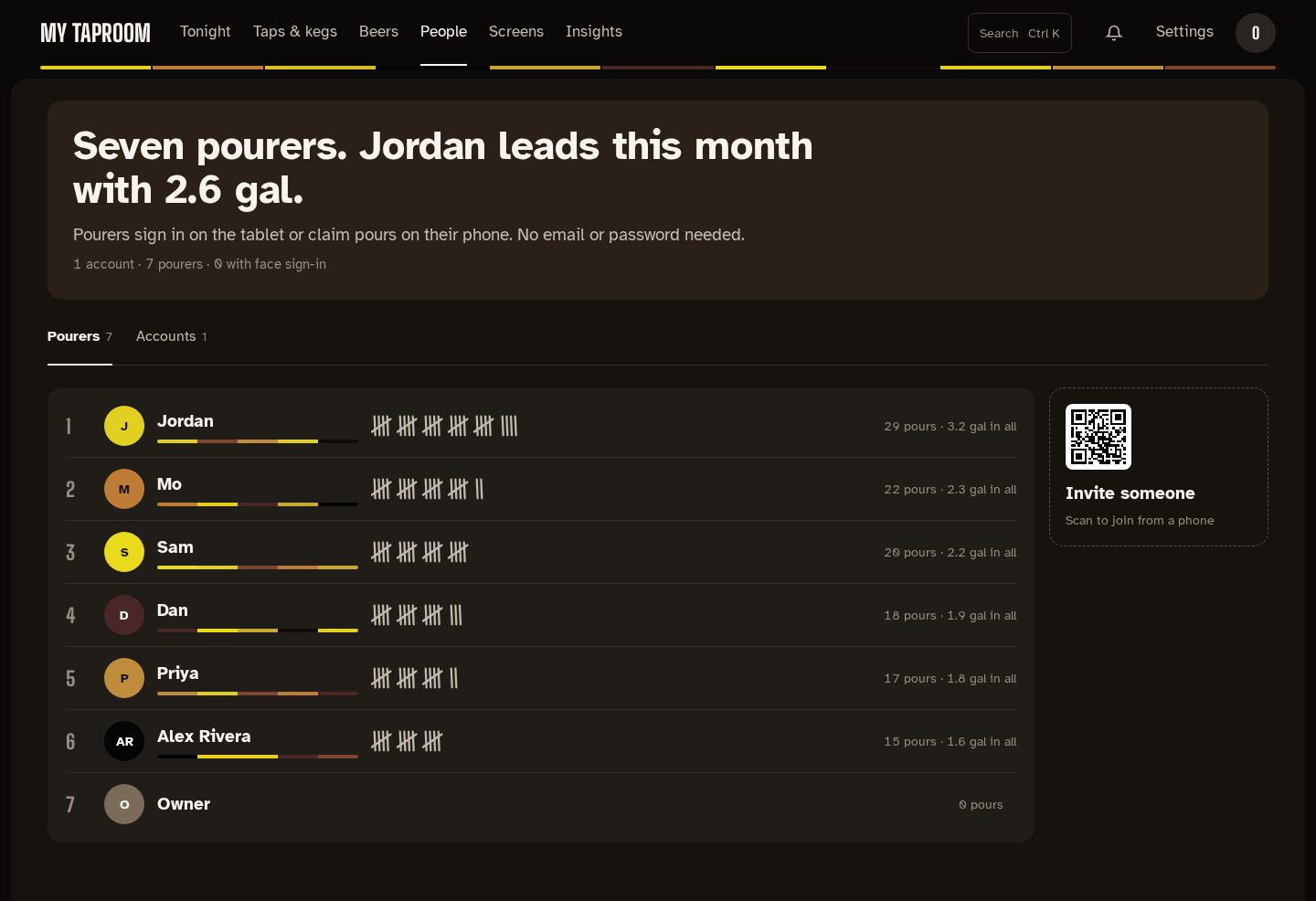
Pourers don't have a password. They join from the kegerator tablet or from the menu QR on their phone, then sign in on the tablet (or claim pours on their phone) to put their name on a pour. The list is the bar's tally: pourers are ranked by how many pours they have, each pour drawn as a tally mark (struck through in fives), with their volume in all and the average pour quality when the Kegtron reports one. Each pourer is colored by the beer they pour most, with a strip of the beers they drink under their name. Beside the list, the invite QR opens the phone menu, where someone new can join.
Everyone on record, with what they can do:
| Role | Can |
|---|---|
| Admin | Everything, including costs and settings |
| Editor | Run taps, beers and walls. No costs or settings |
| Viewer | Look, but change nothing |
| No login | A pourer only: claims pours and appears on the leaderboard |
Add someone asks whether you're adding an account (username, display name, a password of at least 8 characters, and a role) or a pourer (a name and a color). Edit changes the name and color, and for an account the role and, optionally, the password. Delete asks first; a deleted pourer's past pours stay on record without their name, and the last admin can't be deleted.
A pourer who enrolled their face for face sign-in shows how many face samples are stored, with Delete face data.
/admin/users and /admin/pourers still open these lists on their own.
Mirrored from docs/people.md. Edit the repo copy; this page is regenerated from it.