workflow explore_security_score

Overview Analyze your fleet's security score: overall and per-OS breakdown, best/worst devices, most failed/passed checks, and score history over time. Read-only and safe to run end-to-end.
Open Security > Score. The Global Security Score (highlighted) is your fleet's overall score out of 5; the per-OS cards beside it break it down by platform. Use the OS-type filter chips to focus on one platform.
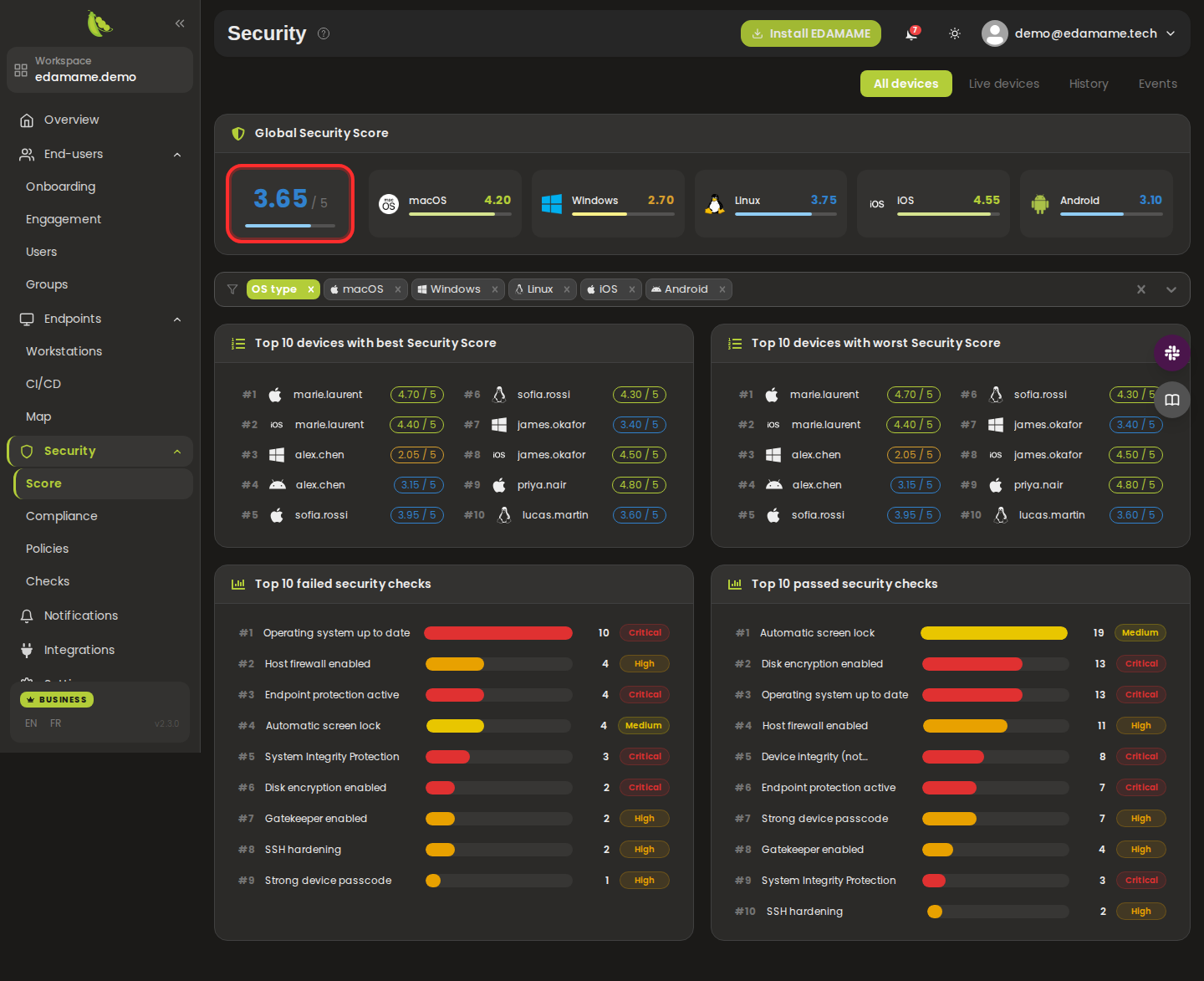
Step 1: Open the Security Score page
Scroll to the Top 10 best/worst devices (highlighted) and the Top 10 failed/passed security checks (each with a device count and severity badge) to prioritize remediation.

Step 2: Review best/worst devices and top checks
Open the History tab, pick a From/To range, and click Update to see the overall and per-OS score trends over the selected period (chart highlighted).

Step 3: View the score history
This page was automatically generated from workflow definitions.